
Website development
Website development от простых Landing page, визиток, корпоративных сайтов, catalogs, до крупных online stores with cool style and functionality!

SEO Website Promotion
Выводим сайты в ТОП (а не клиентов из себя ) Google, Bing! SEO website promotion для любых ниш, любых языков и стран!
contextual advertising
Быстро получить лиды? contextual advertising в Google подкреплённая ремаркетингом поможет не только получить новые заявки, но и дожать их до продажи!

Social media advertising
Targeting advertising бьёт (нежно) точно в цель — в клиента! Отличный маркетинг инструмент для товаров и услуг почти любой ниши, ведь все есть в Facebook и Instagram!
Promotion in Western Markets
Идея продавать в США, Канаде и Европе одна из лучших, ведь, рынки большие и платёжеспособные! А если ты уже «Там» тогда наш услуги под «Бурж» то что твоему бизнесу!

Additional services
Сайт не сделать без домена и хостинга, и не построить отлично работающую компанию без CRM систем! Мы предлагаем только то, чем сами пользуемся!
Cases
Our work
Convenient sites are our profile!
Fresh ideas and new solutions!
The cost of our solutions and services
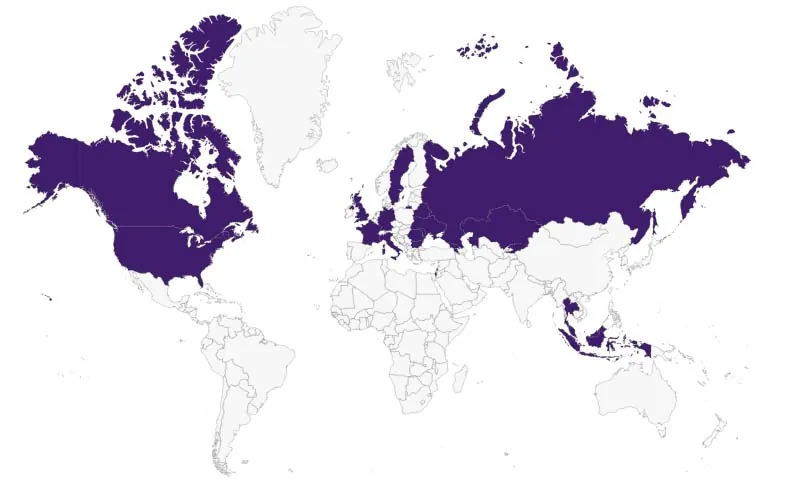
Geography of our clients
our clients

Blog
Filters in Google Analytics 4: how to set them up?
Author - Constantin Nacul
A filter in Google Analytics 4 is a tool that allows incoming data to be automatically filtered based on a specific parameter. It's very important to set it up, as it excludes the actions of the team working on the project from the analytics and allows you to analyze what real users were doing.
What types of data filters are there?
Currently, there are two types of data filters in GA4:
- "Internal traffic" — filters out employee traffic.
- "Developer traffic" — excludes traffic coming from debugging devices.
Let’s take a closer look at both types.
What is the internal traffic filter in GA4?
Internal traffic is generated when the website is visited by copywriters, suppliers, managers, SEO specialists and others. These users are not the target audience, but if the team is large, the traffic volume will be significant and distort the data in reports. A corresponding filter has been created to exclude it.
What is the "Developer Traffic" data filter in GA4?
Developer traffic comes from users who are setting up or tracking the resource in debug mode — it allows checking the settings on the website. It also affects the metrics in reports, so it should be filtered. When using this filter, such data remains only in the DebugView report, which is necessary for testing and allows checking each change before deploying it to the production environment.
Filter states in GA4
Filters can be in one of three modes: testing, active, and inactive.
Testing
Applying filters leads to irreversible changes in the data: by filtering out part of the data, you will no longer be able to view it in Analytics. Therefore, you must test the filters before activating them.
However, the filter in "Testing" mode does not make irreversible changes and allows you to analyze its correctness. To do this, add a comparison to the report by applying the parameter "Test data filter name".
Active
In this state, the filter irreversibly changes the data. To activate it, click the three dots in the row with the filter (1) and select "Activate filter" (2).
After that, Analytics will display a warning about the irreversibility of the filter action. Confirm the activation to apply the filter.
Inactive
In this mode, the filter does not change the data. To deactivate the filter, click the three dots in the row with it (1) and select "Deactivate" (2).
Filters can also be deleted. To do this, on the filter editing page, click the three dots (1) and select "Delete" (2).
How to set up the internal traffic filter in GA4?
Before setting up filters in Analytics, check your permissions — you will need editor or administrator access to the resource.
Defining internal traffic
- This is the first step in the setup. Go to "Admin" (1) — "Resource" — "Data Streams" (2). Click the arrow to the right of the desired stream name (3).
- A window with stream information will open. At the bottom of it, select "Tagging Settings".
- To view the settings, select "Show all" (1). In the dropdown list that appears, click on "Define internal traffic" (2).
- In the opened window, the configured rules for this action are displayed.
If there are no configured rules, GA4 will display a corresponding notification. To create a new rule, click "Create" (1). It's very convenient that there is also a link to help (2).
- In the opened window, set the following rules.
- Specify the rule name (1).
- In the next field, enter a clear name for the parameter traffic_type value (2). Important: different traffic sets will require different names.
- In the dropdown menu (3), select the appropriate matching type for the IP address.
- In the "Value" field (4), enter the IP address whose traffic should not be considered in the Google Analytics reports. To exclude your own IP, click the link "How to find your IP address?" (5) and enter it in the corresponding field.
If you need to exclude multiple addresses, use the "Add condition" button (6).
Example of configuration when specifying the internal traffic rule.
Read more about Google Analytics 4 in the articles:
- How to track events using Google Analytics 4: a detailed manual.
- How to link Google Analytics and Search Console: step-by-step guide.
- How to create a Core Web Vitals report in Google Analytics 4 and Looker Studio. Website speed monitoring.
Creating a data filter
- Open the admin section (1). Then click on "Resource" — "Data Settings" (2) — "Data Filters" (3).
Note: The internal traffic filter is automatically added in testing mode in each GA4 property.
- To create a new filter, click the corresponding button.
- Click on "Internal traffic" in the opened field.
- In the filter settings, enter a name for it (1).
- In the "Operation" field, select "Exclude" (2) so that the system does not process data based on the specific filter. If you need to analyze only data from the filter, select "Include only".
- In the traffic_type field (3), enter the name specified during the definition of internal traffic.
- After all actions, click "Create" (4).
How to set up a traffic filter for developers?
- Go to the admin section (1), select your property, and open the dropdown list with settings (2). Click on "Data Filters" (3).
- Click "Create filter".
- In the window that appears, select the required type.
- A window with settings will open. Enter a unique and clear name for the filter (1).
- In the Google Analytics 4 window, under "Filter operation" (the "Operation" field), select "Exclude" (2) from the dropdown list to prevent Analytics from processing data according to the filter. Click "Include only" (2) if you want to analyze only the data from this filter.
- Select the "Testing" mode (3).
- After configuring the settings, click "Create" (4).
Done, the filter has been created. You will see the following notification on the screen...
After this action, data from debug mode will no longer appear in reports or affect the data. However, if you need to view it, go to the Admin section (1), select your property (2), and click on "DebugView" (3).
To activate debug mode on your device, use:
- the preview mode in Google Tag Manager;
- the GA Debugger extension for the Chrome browser.
Limitations of filters in GA4
- A maximum of 10 filters can be configured per property.
- The time between configuring and applying data filters can range from one day to a day and a half.
- The maximum length for filter names is 40 characters. They must be unique for a single site. The first character must be a letter, and then underscores, spaces, letters, and numbers can be used. Unicode.
- To create, modify, or delete a filter, editor access to the site is required.
- The action of GA4 data filters is irreversible: already filtered information cannot be viewed even after the filter is turned off.
- Applied filters do not change historical data: information before the filter was applied will remain unchanged.
Сonclusions
- Currently, in GA4, there are two types of data filters: "Internal traffic" and "Developer traffic." Internal traffic is generated when the website is visited by copywriters, suppliers, managers, SEO specialists, etc. Developer traffic comes from users who are involved in setting up or monitoring the property in debug mode. This traffic affects the metrics in reports, so it needs to be filtered.
- To create a filter, you must have editor rights for the site. Filters can be in one of three modes: testing, active, and inactive.
- To create an internal traffic filter, you need to define internal traffic based on the IP address. To create a developer filter, traffic definition is not required.
- You can check the filter's functionality in the "DebugView" report.
- Up to 10 filters can be created for a single property. The action of filters is irreversible, but filters do not affect historical data.
Frequently Asked Questions
What data filtering options are available in Google Analytics?
Google Analytics filters are divided into two types:
- internal traffic — excludes visits from your employees;
- developer traffic — excludes developers' actions from all reports except DebugView.
What is the difference between internal traffic filters and developer filters?
The Internal Traffic filter blocks all internal traffic in GA4 across all reports. As a result, developers won't be able to debug implementations before launch.
The Developer Traffic filter filters the data generated by specialists but allows events to be viewed in the DebugView report. If you're editing the site or adding new tags and want to test them, enable this filter first.
How many filters can be applied in GA4?
Up to ten filters can be created for a single property, including.
How Not to Migrate a Website from WordPress to Shopify: A Cautionary Tale
Author - Constantin Nacul
Migrating a website — from one platform to another is always a complex process — one that requires careful planning and execution. If done hastily or without a proper strategy, it can lead to disastrous consequences.
In the case of our client, an online store specializing in home appliances, the website consistently received between 8,000 and 14,000 visits per month before the migration. It ranked at the top for key search queries and had a high Domain Rating (DR). The Online store was originally built by our team on the WordPress using WooCommerce and supported two language versions, carefully optimized for SEO and user experience.
However, due to internal corporate decisions, the client opted to migrate the website to ShopifyThat’s when the problems began.The migration was not coordinated with our team, and the preparation for the transition was, unfortunately, inadequate. Instead of a structured and strategic approach, the products were simply uploaded to the new Shopify site via an XLSX file — and the site was launched as-is.
The results were nothing short of catastrophic: traffic and conversions plummeted to nearly zerothere was a partial loss of data in GA4 analyticsand a complete loss of configured events in GTM, along with a drop in search engine rankings. In addition, the location-based landing pages we had previously created—targeting local search queries by city—were lost, even though they had been generating stable traffic for key product categories. The situation was further worsened by serious issues with advertising campaigns, which were not paused during the migration. Due to significant URL changes and the inability to track conversions, ad performance suffered heavily. As a result, we faced a prolonged recovery process for an already functioning online store—one that required substantial effort from our content managers and SEO specialists.
Mistakes Made During the Website Migration:
- Page URLs Were Not Preserved, and Redirects Were Not Set Up — Old URLs were not redirected to their new counterparts, which led to a significant drop in traffic and a loss of search engine rankings.
- Meta Tags, Texts, and Translations Were Not Transferred — Without properly migrating meta-data and content in both languages, important SEO elements were lost.
- The Blog Was Not Migrated — Content blocks, articles, and valuable materials remained on the old site, which negatively affected SEO.
- Analytics and Conversion Tracking Systems Were Not Migrated — The analytics system used on the old website was not integrated into the new one, leading to data loss.
- Internal Linking Was Lost — All internal links between website pages disappeared, which harmed navigation and reduced the site’s visibility to search engines.
- Pages Created for Local Search Queries Were Lost — As a result, a significant amount of traffic from local keywords was lost.
- robots.txt Was Not Configured Properly — The robots.txt file was not set up correctly, which made it difficult for search engines to index the website.
So, What Should Be Done to Ensure a Smooth Migration?
“The fewer structural changes you make during a migration, the better your chances of preserving search rankings.”
What You Should Do to Ensure a Smooth Website Migration:
- 1. Back Up the Old Website
Before starting any migration, always create a full backup of your current site and keep it for at least one month after the migration is complete. Ideally, make the old version accessible via a separate IP address (or keep it live temporarily) so you can quickly revert if SEO issues arise.. - 2. Block the Unpublished Version from Indexing
The staging domain where your new website is hosted should be blocked from being indexed by search engines. This can be done via the robots.txt file, server settings, or the CMS admin panel. For extra protection, consider using a login screen or password protection. - 3. Minimize Structural Changes
The fewer changes to site structure, the greater the chance of maintaining current search engine rankings.
Preparing for the Migration:
- Page URLs:
- Whenever possible, keep existing URLs for key pages and categories.
- If URLs were already changed previously, make sure all existing redirects are transferred to the test site.
- If URL preservation isn’t feasible, define a clean new URL structure (use Latin characters, avoid dates).
- Create a 301 redirect map and implement it on the new site. For pages that won’t be migrated, redirect to the most relevant new equivalents.
- Content Migration:
- Transfer all main content — including text, images, and videos — to the corresponding pages on the new site.
- If you’re creating new pages, build and populate them on the staging site in advance to boost visibility after launch.
- Meta Data Migration:
- Move meta titles and descriptions from the old site to their corresponding new pages.
- For any new pages, prepare optimized meta-data ahead of time.
- Basic Technical Recommendations:
- Optimize page load speed.
- Compress images and ensure proper server response codes.
- Set up canonical URLs and structured data.
- Apply 301 redirects as needed.
- Robots.txt File:
- Create a new robots.txt file that ensures proper indexing.
- After conducting a site audit, adjust the file to block dynamic or unnecessary pages.
- Sitemap.xml:
- Generate a new sitemap and verify its content (pages, categories, posts).
- Ensure it's set up for automatic updates.
- Analytics Setup:
- Install tracking codes (Google Analytics, Google Tag Manager).
- Transfer and reconfigure analytics and conversion tracking on the new site.
- Thorough Testing of the Staging Site:
- Perform a full technical audit and fix any detected issues.
- Check the design, UX, functionality, and mobile responsiveness.
- Notify Your Advertising Team:
- Inform your advertising specialists about the URL changes and the need to reconfigure conversion goals.
What to Check After Migrating a Website to a New Version
- Backup of the Old Website
Before migration, a full backup of the old website must be created and stored for at least one month after the transition. Ideally, keep the old version accessible via a different IP address (or the original one), so you can quickly revert to it in case of serious SEO issues. - Notify Your Advertising Specialist
Inform your advertising specialist about the website migration so they can check the ad accounts and update campaign settings according to the new URLs. - Block the Old Version from Indexing
The old version of the website must be blocked from being indexed by search engines. This can be done via the robots.txt file, server settings, or CMS settings. It's also recommended to block the site with a placeholder or password protection to prevent it from being re-indexed.
Post-Migration Website Checks
- URL Check
Verify that all URLs are present on the new site. Ensure no pages are missing, and that there are no duplicate or broken links. Also, check that URLs are being generated correctly. - Redirects Check
After the migration, test whether 301 redirects are working properly. Visit key pages on the site and randomly test pages across all categories. - Robots.txt File:
Check the robots.txt file. The site should be open for indexing, but low-value or technical pages must be blocked. After conducting an audit, add the necessary rules and update the file in Google Search Console. - Search Engine Indexing Permissions
In the CMS, ensure that the site is allowed to be indexed by search engines. Check the robots meta tags on each page type to confirm they are correctly set up. - Sitemap.xml:
Check the functionality of the sitemap.xml file. Make sure there are no links pointing to the staging site. Update the sitemap to include only live site pages, and configure it to auto-update daily. Ensure there are no redirect URLs in the sitemap. - Forms, Phone Numbers, and Messengers
Test all contact forms, phone numbers, and messenger integrations to confirm they are working without issues. - Internal Links
Make sure that no internal links point to the staging site (including in menus and internal linking). Confirm that canonical tags are up to date and do not reference the staging site. - Analytics:
Verify that all analytics are working correctly. Make sure all tracking codes were properly transferred and that all events are being tracked as expected. - Site Audit
After migration, perform a full technical audit of the new site. Confirm that everything is functioning properly and that there are no technical errors. - Sitemap.xml in Google Search Console
Once the site is live and all checks are complete, update the sitemap in Google Search Console so search engines can crawl and index your site more efficiently.
Website migration requires careful preparation to avoid traffic loss, drops in search engine rankings, and other negative consequences. When done correctly, the transition to a new platform can go smoothly, allowing your site to continue growing while maintaining its visibility and traffic.
UTM links and GET parameters — how to properly track traffic
Author - Constantin Nacul
Traffic analysis is an important tool for increasing a website’s efficiency. Google Analytics 4 helps identify the source of traffic: social media, search engines, advertising, organic traffic, and so on. But to track a click more precisely — down to a specific page, link, keyword, or individual marketing campaign — UTM tags are helpful.
What are UTM tags made of?
UTM tags are snippets of code that can be added to the end of a URL. These parameters can be used with analytics platforms like Google Analytics 4 to better track user behavior after they click on a link.
Technically, the tag is added to the URL using a GET parameter. It transmits data in the URL in a “name-value” format.
Example with a UTM tag:
Where:
- utm_source, utm_medium and utm_campaign — parameters;
- netpeak, cpc and school-goods — value. The value of the UTM tags themselves tells you where the user came from.
Let’s break down another example:
From this UTM tag, we can understand that:
- The user came to the website from the Google search engine (utm_source=google);
- through the banner advertising channel, with payment per impression (utm_medium=display);
- clicked on the ad from the „coffee_maker” advertisement (utm_campaign=coffee_maker).
An interesting fact. The abbreviation UTM (Urchin Tracking Module, Urchin Traffic Monitor) includes the name of the company Urchin, which was acquired by Google in 2005. Later, it was renamed Google Analytics. Their development, the UTM tag, became the standard for web analytics.
Types of tags: mandatory and optional UTM parameters
There are mandatory and optional tags. I’ll talk about the mandatory ones.
Also, in Google Analytics 4, it is necessary to use an additional parameter utm_id to measure the return on investment in campaigns that are not related to Google.
Optional parameters:
For most tracking, the basic parameters are sufficient.
The syntax of UTM tags
Try generating a UTM tag. There’s nothing complicated in its syntax:
- between the key and its value, there is the " =" sign=»;
- the parameters are separated from each other by the " & " sign&».
Let’s assume there’s a resource with a blog on different subdomains. The task is to find out how many users visited the site via an ad banner from a blog article.
The algorithm includes two steps.
- Specify the UTM name, then place the " =" sign.
- Specify the value of the parameters.
Don't forget about the main parameters of the tag:
- utm_source — source;
- utm_medium — type of advertising;
- utm_campaign — campaign name;
- utm_content — ad or clickthrough.
Form the tag.
- Write the page URL: https://yoursite.com/product/.
- Next, start forming the UTM tag by adding the "?" sign: https://yoursite.com/product/?.
- Next comes the utm_source parameter. Since you need to track traffic from the blog to the website, write: https://yoursite.com/product/?utm_source=blog.
- Add "&" to separate the next GET parameter: https://yoursite.com/product/?utm_source=blog&.
- Specify utm_medium to indicate the type of advertising. In this case, it’s a banner ad: https://yoursite.com/product/?utm_source=blog&utm_medium=banner.
- After the separator sign "&", specify the utm_campaign tag to indicate that the banner is located in the article: https://yoursite.com/product/?utm_source=blog&utm_medium=banner&utm_campaign=article.
- The utm_content tag will be useful to identify which banner performed (if there are multiple banners). And don’t forget the "&": https://yoursite.com/product/?utm_source=blog&utm_medium=banner&utm_campaign=article&utm_content=green-banner.
- Similarly, you can add other parameters, but for this example, this is enough.
The final appearance of the URL for tracking traffic from the blog article through banner advertising looks like this:
Dynamic parameters. How to simplify working with UTM tags
UTM supports two types of parameters: static and dynamic. The latter are used for automatically tagging links (advertisements) so that you don’t have to fill them in manually.
URLs with dynamic parameters make the work much easier, although they look bulkier. They also collect more detailed information: display region, keyword, position at the time of the click, etc.
Google uses its own dynamic parameters for advertising campaigns — ValueTrack.
Example of a link with dynamic parameters in Google:
Where:
- {google} — the advertising network from which the click was obtained;
- {creative} — this is the unique identifier of the ad.
- {keyword} — for the search network, it defines the keyword corresponding to the user's query; for the display network, it defines the keyword corresponding to the site content.
The analytics system accurately identifies the click source: "g" — from Google Search, "s" — from a search partner site, "d" — from the display network, etc. More parameters can be found in Google documentation about ValueTrack.
Some examples:
UTM tags and gclid in contextual advertising
You can track contextual advertising traffic in Google Ads in two ways:
- UTM tags. They are beneficial when the advertising campaign runs across multiple ad systems, as they are universal.
- The function of gclid (Google Click Identifier). The advantage of gclid is that these tags are applied automatically, and there is no need to add anything manually.
Example with UTM tags for Google Ads:
What does the markup mean:
Targeted advertising
When running ads on social media, it’s important to understand which ad campaigns performed the best and brought in more users. This will help better manage the advertising budget: turning off ineffective ads and increasing the budget for more profitable campaigns.
Example with UTM tags for Facebook (Meta) Ads:
What does the markup mean:
UTM tags in email campaign
If the company uses email marketing, UTM tags will help understand which emails have the greatest impact.
Example of UTM tags for links in emails:
Meaning of the markup:
UTM tags for QR codes
UTM tags are a universal feature for tracking traffic. With their help, you can also track offline traffic, such as QR codes.
Пример URL с UTM-разметкой для QR-кодов:
What does the markup mean:
UTM tags for natural links
UTM tags can also be used to better track traffic from guest posts, mentions, and other types of natural link placements.
Example of UTM tags for a link in a guest post:
What does the markup mean:
The tagging of a link in a social media post will be slightly different:
Where:
Example of UTM tagging for a link added to an already existing article:
Where each parameter means:
How to view UTM tag statistics in GA4
UTM tag statistics are easy to view in Google Analytics 4. To do this, follow a few steps.
- Go to the "Traffic Sources" section
- Open "Traffic Acquisition"
- In the table, select the "Source/Medium" parameter
In the report, sources are marked with the parameter utm_source, while the channels are — utm_medium. To view data for utm_campaign, select the "Campaign associated with session" parameter
More detailed information can be found in Google Help.
How to generate UTM tags – Google’s generator and Google Sheets
Google UTM Generator
With With Google’s UTM Generator it’s very easy to use. You only need to fill in three mandatory fields in the form.
- Website URL — link to the website.
- Campaign Source — platform or traffic source, such as Facebook or email.
- Campaign Medium — type of traffic, such as CPC, social media, or QR code.
There are also optional fields.
- Campaign ID — campaign identifier.
- Campaign Name — campaign name.
- Campaign Term — mainly used for tracking keywords in Google Ads.
- Campaign Content — a useful metric for A/B testing, where you can specify additional parameters.
Example of filling out the form:
In the end, you get the link:
You can use the "SHORTEN LINK" button to shorten the link:
There are also other generators from Google, depending on where the data is collected — Google Analytics 4, Google Play, or Apple App Store. Detailed information about each of them can be found in in the Google support documentation.
Templates in Google Sheets
Another simple way — using the CONCATENATE formula to generate Template in Google SheetsEnter the URL in the template, add the required data from the list, and get the ready link:
Useful recommendations and life hacks for working with UTM
Shorten your links
To avoid making your links too bulky, use special shortening services. Here are the most popular ones:
2. Standardize the names
There are no strict rules on how UTM tags should be, you can customize them according to your needs. However, despite this flexibility, you should create your own system of rules for building tags so that you can analyze them correctly.
This is especially important for large teams where multiple people are involved in the process of creating and analyzing UTM tags. Imagine a situation where one person uses a hyphen and another uses an underscore. For the analytics system, these will be two separate links.
It is worth creating a guide for formatting UTM tags. Here are a few tips for styling them.
- Use lowercase lettersUTM tags are case-sensitive. To avoid tracking issues, always write UTM parameters in lowercase.
- Do not use spacesbecause this can cause "paid social" to appear in the analytics system as "paidsocial."
- Use consistent delimiters The underscore, hyphen, or even ignoring the separator is not essential, the important thing is to stick to a consistent method.
- Keep your UTM tags short and simple. This will make life easier for both your traffic analysis and for colleagues who weren't involved in creating the tags.
Track your UTM links in spreadsheets
The number of tracked links tends to increase. Keeping track of them in a spreadsheet will help you find them quickly and avoid duplicates. It's most convenient when the spreadsheet has columns for shortened links, full URLs, individual UTM tags, and the date the tracked links were created. You can use ready-made templates. Free templates For tracking links.
Be careful when copying links
If you mistakenly copy a link with UTM tags and paste it in the wrong place, it can create chaos in tracking traffic.
If you use UTM codes, carefully check whether the UTM parameters are present in the inserted links. This is a necessary step to ensure correct traffic analysis.
Use UTM parameters for marketing experiments
By using UTM codes, you can conduct an experiment to test a hypothesis. For example, you can determine which images perform better: product photos or pictures with real people.
To do this, post two identical publications: one with a graphic image and the other with a photo. In the section utm_content Assign the label "graphic" to one link and "photo" to the other. Soon, you'll find out which images attract more attention.
UTM Parameters for Local SEO
By using UTM parameters, you can easily assess the traffic volume driven by your Google My Business profile. Adding UTM tags to links in your Google My Business profile is a simple process.
You can track with UTM parameters links to the homepage, menu, orders, appointments, and all other sections provided to users via GMB.
Track traffic from influencers
The effectiveness of influencer collaborations can sometimes be difficult to assess, especially when comparing the effectiveness of campaigns from different sources. However, UTM parameters can help. Simply provide influencers with personalized links with UTM tags to understand which one drives more traffic and which portion of it converts.
Common mistakes in UTM tagging
Incorrect syntax
If you're setting many parameters, use tag generators to avoid mistakes.
Using only static parameters
This leads to a lot of time spent on generating tags, especially when testing identical ads or banners. Use dynamic parameters to avoid having to manually write the ID of each ad. utm_content вручную.
Duplicate pages in the index
Поисковые боты индексируют все URL, доступные на сайте, в том числе и с UTM-меткой. Используйте rel=»canonical» for the link to the page without the tag, so that duplicate URLs containing UTM won't get indexed.
Tagging internal links with UTM parameters
Tagging internal links on the site can lead to a false increase in traffic in analytics, as UTM parameters overwrite the traffic source.
For example, a user clicks on an ad link from social media, and analytics will record that. But if that user later clicks an internal link with UTM tags, the last channel and source will be overwritten with the ones specified in the UTM (this is how GA works). As a result, inaccurate data ends up in the analytics.
Используйте параметры UTM только для внешних ссылок.
5. Incorrect placement of the “#” anchor
When a link needs to lead to a specific section of the page, the “#” anchor is used. To track such a link correctly, UTM tags must be placed before this symbol.
Incorrect:
Correct:
Use these "golden rules" to make working with UTM tags easier once and for all:
- source, medium, campaign — the main parameterswhich must be filled in first;
- do not use Cyrillic characters, write all values using Latin characters;
- Case matters — identical values with different cases will appear in different rows in analytics;
- Words are always separated by a hyphen or an underscore;
- Spaces in links are prohibited;
- Check the links before publishing: copy and paste it into the browser's address bar. If the page loads, everything is fine;
- use one marking system;
- the website must support UTF-8;
- the tag must contain only one question mark (?) — at the beginning.
Итоги
- UTM tags are a useful tool for marketers, allowing them to assess the effectiveness of different advertising campaigns.
- In essence, this is a link to a resource with unique tags, placed in a specific advertising campaign, allowing you to accurately determine how many clicks it generated.
- UTM tags will help to accurately identify traffic sources on the website.
- The tag must include a parameter and its value. Three are mandatory — utm_source (traffic source), utm_medium (advertising channel), and utm_campaign (specific campaign). There are also optional parameters that, if desired, will provide even more data about the traffic.
- To automatically tag URLs with the necessary tags, use dynamic parameters. They make the link bulkier but help avoid mistakes.
- Google Ads has its own auto-tagging. You should use it if you’ve launched an ad campaign in one direction only.
- You can create tags using special generators and track the results in Google Analytics 4.
A source: NETPEAK JOURNAL
Rank Math Review: The Best SEO Plugin (+ Tips)
Author - Constantin Nacul
Rank Math SEO is recognized as the most popular and powerful WordPress plugin and SEO tool in the world. And for good reason. It is used as the main tool by bloggers and SEO specialists all over the world.
Why is it so good and so frequently used?
When I started blogging, I knew that I had to use a tool that would support my SEO work because knowledge alone is no longer enough. Therefore, I decided to prepare a review on Rank Math SEO for you, in which you will find answers to questions like:
- How to use Rank Math SEO to automate my SEO work?
- How does Rank Math SEO enhance your SEO performance?
- What are the key features of Rank Math that will increase the visibility of your site and generate more organic traffic?
If you’re a blogger, an SEO specialist, or run your own eCommerce, then this post is perfectly crafted for you.
Let’s begin.
What is Rank Math SEO?
Rank Math SEO is a tool and WordPress plugin designed to enhance SEO performance. The primary goal of Rank Math is to optimize for search engines, increase organic traffic to the website, and boost visibility for specific keywords.
Rank Math is not just a comprehensive search engine optimization tool but also a so-called all-in-one tool for SEO. It supports full on-site and off-site analysis, generates XML sitemaps, integrates social media metadata, and (my favorite feature!) supports the process of automatic and immediate indexing of newly added posts to Google search. Thus, you don’t have to wait X days (or months in the case of a new site); just moments after adding a post, it will be indexed by Google’s search bots.
Rank Math Dashboard: Quick Overview
Actually, it’s one of the most versatile and advanced dashboards that I’ve ever seen and used.
In fact, you have access to every search engine optimization element, with which you can make just an up-and-coming website soar in Google’s rankings. I know it’s not easy, and it still takes time, but with the right tool and view of the data, it will be much easier for you.
The dashboard in Rank Math is primarily a collection of data that easily allows you to gather and analyze the necessary information.
The control panel is divided into 4 main groups:
1. Overall Optimization
This section provides a comprehensive overview of your website’s SEO health. It aggregates scores from various search engine optimization factors to give you a clear picture of how well your site is optimized overall. It’s a great starting point for understanding what’s working and where you might need to focus more attention.
2. Top Winning Keywords
This is one of my most favorite sections on this dashboard. This area highlights the keywords that are performing best in terms of bringing traffic to your site. It helps you identify which terms are most effective at driving visitors, enabling you to fine-tune your content strategy around these successful keywords to maximize your site’s visibility and engagement.
3. Search Traffic
The Search Traffic section tracks the volume of visitors coming from search engines. It provides insights into trends and changes in your site’s traffic over time, allowing you to gauge the effectiveness of your SEO strategies and make data-driven decisions to improve your traffic levels.
4. Keyword Positions
Tracking where your keywords rank in search engine results is crucial, and this section makes it easy. It shows the positions of your site’s keywords, providing a clear picture of how visible your content is in search results. This information helps you prioritize SEO efforts to boost rankings for important keywords and improve overall search performance.
Top 9 Features of Rank Math SEO
Here is a list of the 10 most desired features of Rank Math for SEO work. In addition to being useful in daily work on a website or blog, in my opinion, these are the most effective elements in Rank Math.
1. Instant Indexing
In my opinion, Instant Indexing is the most powerful feature that Rank Math possesses; therefore, let me give it a bit more attention.
What is Instant Indexing in Rank Math and Does it Work?
Instant Indexing offers a simple and effective way for website owners to instantly alert search engines about any recent updates to their site content. At its core, Instant Indexing acts as a quick signal, informing search engines whenever a URL and its content have been added, modified, or deleted. This immediate notification enables search engines to quickly update their search results to reflect these changes.
With Rank Math’s Instant Indexing feature, you can easily submit your URLs to search engines that are compatible with Instant Indexing. This feature streamlines the indexing process for your website and its content without the need to integrate specific webmaster tools.
How to Set Up Automatic URL Submission in Rank Math?
The Instant Indexing API submission is included in Rank Math Free right from the start. To activate it, simply go to your WordPress Dashboard —> Rank Math SEOand enable the Instant Indexing module as demonstrated below:
The additional configurations can be made under Rank Math SEO —> Instant Indexing —> Settings.. Here, you can choose to select or deselect the types of content you wish to submit automatically. After selecting the desired post types, make sure that Rank Math has created an API Key. To finalize your settings, click on “Save Changes” to store your preferences.
How to Submit Posts in Rank Math SEO in a Bulk Action?
And is it even possible? Absolutely. Rank Math has anticipated this possibility, which is why you can add several posts at once and have them indexed more quickly.
If you are using Rank Math, each time you add a new post, the Instant Indexing feature ensures that your post is immediately submitted to be indexed. However, you can also manually submit posts for indexing if you’ve edited a post and want Google to re-index it.
In a nutshell, this is what the entire process looks like for setting up your chosen post to be indexed as quickly as possible. The process of crawling your website can take more or less time, depending on the standard search engine optimization characteristics of your site (such as the existence of the site and domain, overall site visibility, and many other factors).
2, Automated SEO Audits
One of the standout features of Rank Math is its Automated SEO Audits. That’s why Rank Math can also work as your SEO consultant.
How Does Automated Search Engine Optimization Audits Work in Rank Math?
This feature automatically checks your website at regular intervals, identifying weaknesses and opportunities to improve SEO. It thoroughly analyzes the site for common issues, such as missing meta titles and meta descriptions, broken links and inefficient use of keywords. Beyond the basic aspects, it also covers more technical elements, including site speed and mobile optimization, which are crucial for successful ranking in modern search algorithms.
Benefits for Your Website of Using SEO Audits?
It’s kinda self-evident, but let me be through.
Regular SEO audits via Rank Math can dramatically improve your site’s overall health and performance. The proactive nature of this tool means you can catch and address issues before they negatively impact your search rankings. Each audit generates a prioritized checklist of improvements, guiding you to focus your efforts where they’ll make the most significant impact.
3. Advanced Schema Generator
Sounds grave, but no worries.
Rank Math’s Advanced Schema Generator is a critical tool for anyone looking to boost their site’s visibility and interaction in search engine results.
It simplifies the process of adding structured data to your pages, which is essential for enhancing the way search engines understand and display your content.
How Advanced Schema Generator Work?
The Schema Generator allows you to easily apply structured data markup to your website’s content. This includes a variety of schema types such as reviews, recipes, articles, and more.
By integrating this markup, you tell search engines exactly what your content is about, helping it to appear more prominently in relevant searches, often as rich snippets that catch the eye of potential visitors.
4. Keyword Rank Tracker
Rank Math’s Keyword Rank Tracker is an invaluable tool for anyone serious about optimizing their site’s performance in search engine results.
It gives you a precise, up-to-date view of how your keywords are performing, allowing you to fine-tune your SEO strategy based on real data.
Tips for Using Keyword Rank Tracker
This feature will give you a balanced view of your SEO keywords. Long- and short-ones, of course. By integrating the Keyword Rank Tracker into your daily SEO practices, you not only keep your strategy aligned with actual performance metrics but also enhance your ability to climb the search rankings effectively.
Honestly, I track my keywords in Rank Math on a daily basis. Is it only enough to track all of your keywords? Rather not, but to a certain extent, it’ll be enough. Then you can move to more extended & dedicated keyword tools such as Senuto, Seodity or AIOSEO.
5. Google Analytics & Search Console Integration
Rank Math significantly simplifies the integration of data from Google Analytics and Google Search Console data right into your WordPress dashboard. This feature allows you to keep track of your website’s traffic and search engine optimization performance without having to juggle multiple tabs and tools.
Benefit of Integrating with Google Analytics & Search Console
Integrating Google Analytics and Search Console with your WordPress site through Rank Math is a real time-saver. You get all your essential data in one place, which helps you quickly understand what’s working on your site and what’s not. You can see which pages draw the most visitors and where you might be losing them, all of which can help you make better decisions about your content and SEO strategies.
6. 404 Monitor
Detect and redirect broken links on your site, which can help to prevent negative impacts on user experience and SEO.
Why Does 404 Monitor Help?
Rank Math’s 404 Monitor is a handy tool that keeps an eye on your website for any broken links or non-existent pages that visitors might stumble upon. It automatically logs these ‘404 errors,’ which occur when a page a visitor tries to access can’t be found. No matter how good you are at SEO, sooner or later, this feature will be useful to you.
7. Generate & Manage an XML Sitemap
Rank Math includes a feature that simplifies the creation of XML sitemaps. Usually, it’s used to help search engines better understand the structure of your website and ensure all your pages are indexed properly (and faster!).
Benefits of Using an XML Sitemap:
Generating an XML sitemap with Rank Math automates the process of mapping out every page on your site, making it easier for search engines like Google to crawl and index your content. It’s also helpful because:
- With an up-to-date sitemap, you boost your chances of improving your site’s visibility and ranking in search Google.
- A comprehensive sitemap is crucial for search engine optimization because it helps search engines quickly find and recognize all the pages on your site, including new posts and updates.
8. Content AI
Rank Math’s Content AI is an innovative feature that leverages artificial intelligence to enhance the SEO and readability of your website content. Actually, it’s one of the most powerful and the most advanced features in Rank Math, although I stopped using it after some time. If you’re a fan of creating content through AI, then this tool is for you.
When Content AI with Rank Math Can Help You?
The main advantage of using Content AI in Rank Math is its ability to offer real-time, data-driven suggestions that can significantly improve the quality of your content. As you write or edit, Content AI analyzes your text and provides actionable advice on keyword usage, content length, readability, and other essential search engine optimization factors. This guidance is tailored to help your content perform better in search rankings and engage readers more effectively (and of course—to convert readers into clients :)).
9. Role Manager
Rank Math’s Role Manager is a feature designed to enhance the management of your website by allowing you to control access to various SEO functions based on user roles. This is particularly useful for websites with multiple contributors or SEO teams, and works really well as your dedicated SEO consultant.
Rank Math: Pricing and the PRO Version
Rank Math serves as a well-developed plugin & SEO tool, and to some extent, the non-pro version may suffice. However, if you want to become a PRO blogger, you must opt for the PRO version. I know this from experience.
In the PRO version, you can:
- Track 500 keywords
- Have a free Content AI trial
- Utilize a powerful schema generator
- Gain access to unlimited personal websites
- Use 24/7 support (which can really help, believe me)
Why Should You Consider The Pro Version?
I realize that free tools may be sufficient in some situations, and this is also true for the free version of Rank Math. But why might the Pro version be better?
There are several reasons, but let me start with the simplest ones. First and foremost, there is complexity and automation. The versatility of a solution and the time saved are what most often sway us to choose a particular solution. It doesn’t matter whether you’re buying a CRM for your company or considering another SEO tool. If you can save time and automate processes & hours of your work, then that solution will be suitable for you. That’s why I chose Rank Math—initially in the free version, later in the pro one.
Pro Version: For SEO Businesses & Agencies
I have to admit that the PRO version is already a higher level of using the plugin. It includes all the necessary elements that will be able to optimize your SEO: on-site & off-site. I would say that if Rank Math created an additional base for link verification and analysis of external domains by keywords in real-time, it would serve as the most advanced search engine optimization tool in the world. But let’s not ask for too much.
What is the main advantage of using the Business & Agency version?
Access to a huge database of keywords. The business version allows you to track 10,000 keywords and the agency version up to 50,000. With such a database of keywords, you can use one account and serve all your clients in a digital agency—literally.
Additionally, the premium versions (in higher packages), give you access to Content AI Free Trial for the appropriate number of credits, so you can generate more content tailored to your clients’ needs.
If you ask me whether it’s a good option—I will say yes. If you ask me a follow-up question whether I use it—I will say no. All the content you find on my blog is written by me personally. I know that AI speeds up work and makes it easier to create, but if you are a blogger and aspire to be a world-class player and create the most unique content—I do not recommend using AI for creating content. And if you can, avoid it altogether, especially if you’re creating reviews or opinion-forming posts.
Nevertheless, Content AI in Rank Math is an excellent option. If you work on client accounts who need it, and you can implement it—go ahead and use it.
Why Is Rank Math Better Than Other SEO Plugins?
I won’t hide the fact that Rank Math is not the only SEO plugin available on the market. Let’s be honest—there are a bunch of them out there.
Some of them are dedicated only to selected aspects of SEO, hence they are somewhat poor in the number of features and very technical—I decided to skip them and focus on the three most important and well-known ones in the market.
They are (if so) chosen as alternatives to the main plugin. Why? Here are the answers:
—> Rank Math vs. AIOSEO
| Feature | Rank Math | AIO SEO |
| Ease of Use | User-friendly interface with automated setup wizard | Intuitive interface but setup can be more manual |
| Keyword Tracking | Advanced tracking, supports up to 50,000 keywords in Agency version | Basic tracking, no specific large-scale tracking features mentioned |
| Content Analysis | In-depth SEO scoring and suggestions with focus on real-time content AI | Basic SEO recommendations and readability checks |
| Pricing | Free version available; Pro versions start at a competitive price | Free version available; Pro versions generally slightly higher priced |
| Integration Features | Extensive integrations including Google Search Console and schema markup tools | Good integration with social media and Google tools but fewer advanced features |
| Additional Capabilities |
Link verification, real-time external domain analysis | Social media preview, e-commerce SEO features |
—> Rank Math vs. Yoast
| Feature | Rank Math | Yoast SEO |
| Ease of Use | User-friendly interface with setup wizard | User-friendly with a focus on step-by-step setup and configuration |
| Keyword Optimization | Advanced, allows for multiple keywords per post (even in the free version) | Supports a single focus keyword per post in the free version and multiple keywords in the premium |
| Content Analysis | Comprehensive SEO scoring, suggestions, and real-time content AI | Provides detailed content and SEO analysis with readability scores |
| Pricing | Free version available; Pro versions start at a competitive price | Free version available; Pro versions are slightly more expensive |
| Integration Features | Extensive integration with Google services, including Search Console and schema markup tools | Strong focus on social media previews, XML sitemaps, and breadcrumb navigation |
| Additional Features | Link suggestions, redirection manager, and detailed schema generator | Advanced content insights, internal linking suggestions, and cornerstone content features |
—> Rank Math vs. Seodity
| Feature | Rank Math | Seodity |
| Ease of Use | User-friendly interface with setup wizard | User-friendly, focused on professional SEO analysis |
| Keyword Tracking | Extensive tracking of up to 50,000 keywords in the agency version | Comprehensive keyword tracking and analysis, including competitor keywords |
| Content Analysis | Advanced real-time AI-driven content optimization | Detailed content analysis with actionable insights and optimization tips |
| Pricing | Free version available; Pro versions start at a competitive price | No free version; subscription starts with a free trial followed by premium plans |
| Integration Features | Excellent integration with Google services and schema markup tools | Strong focus on integration with analytics and monitoring tools |
| Additional Capabilities | Link verification, real-time external domain analysis | Extensive site audit capabilities, competitor analysis |
SEO Plugins: All Compared Features Explained
- Primary Functionality: Rank Math enhances site visibility through advanced SEO optimization. Seodity offers in-depth SEO analysis for competitive insights, while Yoast SEO simplifies SEO for better content optimization and search engine rankings.
- Опыт использования: Rank Math предлагает удобный интерфейс с мастером настройки, что делает его доступным для пользователей любого уровня. Seodity предоставляет интерфейс профессионального уровня для экспертов SEO, а Yoast SEO предлагает простую настройку с практическими рекомендациями по SEO, подходящими как для новичков, так и для опытных пользователей.
- Specialized Tools: My number one includes tools like keyword tracking and real-time content analysis. Seodity excels in site audits and competitor analysis, and Yoast SEO focuses on readability analysis and keyword optimization to improve content effectiveness.
- Integration Capabilities: Integrating seamlessly with Google services and offers schema markup tools. Seodity integrates with various analytics platforms to enhance data analysis, while Yoast SEO supports social media integration and provides XML sitemaps for improved site navigation.
- Pricing Flexibility: Rank Math offers a free version with competitive premium options. Seodity starts with a trial, leading to a subscription-based model for detailed analysis. Yoast SEO has a free version for basic features and a premium option for advanced tools like internal linking suggestions.
- Content Optimization A/B Testing: Rank Math and Seodity provide tools to enhance SEO directly within their platforms. Yoast SEO helps users create engaging and SEO-friendly content with features like content insights and readability checks.
Top 12 Most Beneficial Features of Rank Math SEO:
- Tracking of particular keywords & their rankings.
- Offers both free and premium subscription options
- A detailed analysis of each post and page’s performance.
- Display of analytics directly on the WordPress dashboard.
- Rapid indexing on Google, Bing, and other search engines.
- Ranked as the top SEO WordPress plugin currently available.
- Ongoing monitoring of 404 errors and automatic redirections.
- Comprehensive site audits with suggestions for improvements.
- Specialized schema types for FAQs, videos, images, and articles.
- Exceptional 24/7 support with a response time of under two hours.
- Simple one-click setup with Google Analytics and Google Adsense.
- AI-powered SEO writing assistant for all posts and pages within WordPress.
Rank Math Review: Recap
Content & Search Engine Optimization
Personally, I’m a fan of tools that actually help me in my daily work. Better text creation? The right tool will help. Better website optimization? Use a tool. Data automation? You know what to do. However, without valuable and user-oriented content, no website will be worthwhile. At first, focus on building a large amount of valuable content; SEO tools are a secondary matter.
Business & Agency Plans
If you want to start doing good SEO, I definitely recommend Rank Math in the Pro version, especially if you are an agency or work with multiple clients in terms of keyword projects and keyword optimization. As you’ve noticed, you have 2 options to choose from, which are really advanced and will make your work easier overnight. However, to start, test how it works and check this out with this link.
Competition & Pricing
Of course, Rank Math isn’t the only tool on the market. Above, you found a few examples: OptiMonster, AIO SEO, Seodity, and many others. However, in my opinion, Rank Math beats them all.
A major value is that it is a truly effective solution—it takes your SEO results to a much higher level. You can easily verify results, optimize your site, and often notice (sometimes in real-time) the progress of your efforts.
I couldn’t forget about the price!
Price is what makes this WordPress plugin stand out from the crowd as #1.
Setting aside the agency packages (which are dedicated to legitimate SEO companies and agencies), for just $6 a month as a blogger or individual SEO specialist, you can have access to a full range of data and automation. Personally, I won’t hide the fact that this is why I chose Rank Math. The price, the comprehensiveness, and having access to everything in one place are the reasons why I decided on this SEO solution.
FAQ
Is Rank Math the Best for Optimizing SEO?
Yes, and here’s the reason: Rank Math is highly regarded for its comprehensive SEO features and user-friendly interface. Less and more advanced features are offered that allow you to optimize both sides of your website: on-site and off-site. The choice of preference always remains individual (although other tools are also used), but substantively speaking—Rank Math is the number one in its niche.
Is it Possible to Migrate from Another SEO Plugin to Rank Math?
Yes, it’s fully feasible. A built-in import feature that allows you to easily transfer settings and data from other SEO plugins. This makes the transition smooth and really easy.
What Scores at Rank Math is Good and Why?
Каждый пост, который набирает более 80 баллов, считается хорошим. Это довольно высокий показатель, но он показывает, что вы создали содержательный и SEO-дружественный пост. Почему это важно для Google? Это сочетание двух сил: восприятие пользователем и Google. Нельзя создавать контент, который только удобен для Google, потому что его никто не будет читать. Если контент «звучит хорошо», но никто не может его найти, это бесполезно. Копирайтинг и Google дополняют друг друга.
Can I Use Only Rank Math in a Free Version?
It’s possible. If you’re just starting out with SEO, it will be enough. If you want to spread your wings, it won’t be.
Могу ли я одновременно использовать два (или более) SEO плагина??
It’s possible, but I wouldn’t recommend it. Sooner or later, for the sake of simplifying data collection, you will be forced to choose one tool, and there may be a problem with importing a large amount of data and the time spent on it. I recommend choosing just one plugin.
Нужно ли удалить другие SEO плагины перед активацией Rank Math??
Yes, it’s a good practice to deactivate and remove any other SEO plugins before activating Rank Math. This prevents potential conflicts and ensures that Rank Math can function optimally without interference from other plugins that manage similar SEO tasks.
In this way, you’ve reached the end of why Rank Math is the best SEO (Search Engine Optimization) with (most probably) the most comprehensive & helpful review on the internet.
I hope you found many useful tips and recommendations to get to know why this plugin can help—in your particular case.
A source: Linked in
How to Promote Your Personal Brand on Instagram in 2024?
Author - Constantin Nacul
Зарекомендовать себя как эксперта, построить прочную репутацию и производить неизгладимое впечатление на окружающих — достичь этих целей позволяет личный бренд. Речь о том, как люди воспринимают вас, ваши ценности, навыки и ваш продукт или услугу. Собрала интересные кейсы и пошаговую инструкцию, как продвигать личный бренд в Instagram, стратегии, которые сделают из вас «звезду Инстаграм».
Из материала вы узнаете о трендах продвижения, а также о том, как:
- Поставить реальные цели и достигнуть их при помощи личного бренда.
- Отличить реальных инфлюенсеров от фейковых с сервисом trendHERO.
- Выбрать стратегию работы с аудиторией.
- Измерить вовлеченность подписчиков.
- Составить контент-план.
- Решить, какой дизайн аккаунта подходит именно вам.
Пост будет интересен как начинающим блогерам, так и опытным маркетологам, которые находятся в поиске новых способов привлечь и удержать подписчиков.
Зачем продвигать личный бренд в Instagram?
В 2023 году количество активных пользователей в Instagram составило 1,35 миллиарда человек. К 2025 году прогнозируется, что ежемесячное число активных пользователей социальной сети составит 1,44 миллиарда человек, а это 31,2% от общего числа пользователей интернета в мире.
Кроме того, 90% завсегдатаев Instagram подписаны на хотя бы одну коммерческую организацию.
Преимущество не только на стороне производителей продукции.
Более 36% сотрудников сектора B2B решает сотрудничать с компанией после анализа личного бренда в Instagram.
Поэтому, если вы хотите зарабатывать деньги, продавая то, что любите, вам необходимо знать, как продвигать личный бренд в Instagram.
Задаемся целью
Прежде чем создать аккаунт и развивать личный бренд, нужно ответить на такие вопросы:
- Способен ли я производить такие товары/услуги/контент, которые помогут решить проблемы аудитории?
- В каких сферах я эксперт?
- Какие качества, присущие мне, мотивируют аудиторию?
- Какие личные задачи я смогу решить, когда у меня появится огромное количество подписчиков?
Исходя из ответов, можно сформулировать три цели:
- Информировать аудиторию о событиях, которые происходят в вашей жизни (или в компании), привлечь подписчиков и получить их внимание.
- Сформировать сообщество и вовлечь аудиторию для нативных рекламных кампаний других брендов.
- Генерировать лиды и увеличить доход, продавая собственные товары или услуги.
Чтобы достигнуть этих целей, следует развивать личный бренд и выполнить 12 действий:
- определить идентичность бренда;
- исследовать целевую аудиторию;
- проанализировать конкурентов;
- составить контент-план;
- визуализировать контент;
- написать посты;
- использовать хештеги;
- взаимодействовать с инфлюенсерами;
- прогнозировать поведение аудитории;
- создать Instagram Shop;
- регулярно постить Stories;
- анализировать результаты.
Начинайте с определения идентичности — первого этапа на пути к продвижению личного бренда в Инстаграм.
Определение идентичности бренда
Что нужно для развития личного бренда в Instagram? Определить идентичность: уникальность, ценности, социальную ответственность.
Пример. Одним из образцов человека, который успешно очертил личный бренд, является Маша Ефросинина — украинская телеведущая, продюсер и общественная активистка, основательница «Фонда Маша», который помогает женщинам, пострадавшим от насилия. Она построила сильный личный бренд, который помог ей стать известной в Украине и мире.
Личный бренд Маши Ефросининой сосредоточен вокруг ее основных ценностей: трудолюбия, профессионализма и креативности. Ее веб-сайт, профили в социальных сетях и публичные выступления отражают это. Телеведущая известна безупречным стилем, привлекательностью и стремлением к совершенству.
Другим аспектом ее личного бренда является сосредоточенность на социальных вопросах и преданность обществу. Маша Ефросинина является послом доброй воли UNICEF и сейчас активно помогает женщинам, которые пострадали из-за войны. Такая гражданская позиция и социальная ответственность помогли ей построить сообщество сторонников и получить уважение в профессиональной сфере.
Instagram Маши Ефросининой
Три этапа определения идентичности:
- Уникальность. Какие навыки, знания или опыт у вас есть, которые выделяют вас среди других специалистов в вашей профессиональной области?
- Ценности. Что для вас важно? Личный бренд должен отражать ваши ценности и убеждения.
- Социальная ответственность. Как именно вы помогаете людям, которые рядом? Возможно, это волонтерство? Устойчивый бизнес?
Ответы на эти и другие вопросы я даю в Reels в своем Instagram. Они помогут определить идентичность вашего бренда и сделать последующее продвижение эффективным.
Исследование целевой аудитории
На этапе создания продукта (услуги) следует задуматься, кому он будет полезен и чью «боль» сможет закрыть. От того, насколько детально вы изучите целевую аудиторию и создадите персонажей, зависит эффективность контента и увеличение авторитета блогера.
Определить свою целевую аудиторию — это как попасть в яблочко! Вот несколько советов, которые помогут вам определить своих идеальных подписчиков и эффективно работать с ними:
- Определите свою нишу. Начните с четкого понимания, что делает ваш товар или услугу уникальной. Это поможет сузить круг целевой аудитории и выделиться из толпы.
Например, услуги фитнеса можно предлагать мужчинам и женщинам в возрасте 20–50 лет, а можно сузить целевую аудиторию до занятых людей, которым важны эффективность тренировок и правильное питание в комплексе. - Проведите исследование рынка. Узнайте предпочтения, интересы и болевые точки вашей аудитории. Задавайте вопросы, проводите опросы и анализируйте данные, чтобы получить ценные сведения. Знания — это сила!
- Создайте персонажей покупателей. Разработайте подробные профили ваших идеальных клиентов. Учитывайте демографические, психографические и поведенческие характеристики. Укажите имена персонажей, возраст и даже предысторию. Это поможет вам лучше понять их потребности.
- Используйте социальные сети. Платформы социальных сетей — это источник информации для изучения целевой аудитории. Используйте инструменты аналитики для сбора данных, отслеживания вовлеченности и адаптации контента.
- Общайтесь и слушайте. Взаимодействуйте с аудиторией через комментарии, прямые сообщения и онлайн-сообщества. Активно выслушивайте отзывы и предложения, принимайте во внимание болевые точки. Аутентичное взаимодействие укрепляет доверие!
Определение целевой аудитории требует времени и стараний, но как только вы разберетесь, ваши маркетинговые усилия окупятся!
Competitor analysis
Посмотрите, кто находится в вашей локации и предоставляет аналогичные услуги. Подумайте, чем вы отличаетесь от этих личных брендов. Информация пригодится при составлении контент-плана.
Неплохо также узнать о демографических показателях аудитории. Эти данные можно получить из Instagram Analytics.
- Выберите опцию Insights.
- Перейдите к варианту Audience.
Готово! Теперь вы знаете возраст, пол и местоположение своих подписчиков.
Исследуем аудиторию в Instagram Audience
Воспользуйтесь сервисом trendHERO. Он позволяет:
- Детально узнать и проанализировать свою аудиторию.
- Найти и проанализировать конкурентов, их подписчиков и рекламные интеграции у блогеров.
- Проверить аккаунт на накрутку.
- Найти и проверить активность аудитории блогеров.
- Узнать интересы подписчиков блогера.
- Отследить эффективность контента и узнать лучшее время для публикации.
Особенно сервис нужен, если вас интересует продвижение через инфлюенсеров. Не нужно бояться потратить бюджет на фейковых блогеров, которые собрали миллионы подписчиков методом накрутки: сервис поможет проверить аудиторию, её вовлеченность и месторасположение. Искать инфлюенсеров достаточно просто — используйте удобные фильтры или ключевые слова. Например, с помощью фильтров можно задать локацию и количество подписчиков, чтобы точно не ошибиться с выбором человека для информационного партнерства. Можно использовать больше 16 разных фильтров. Для подбора ключевых слов в один клик сервис использует ChatGPT.
Ищем инфлюенсеров в сервисе trendHERO
Drawing up a content plan
Самое важное при продвижении личного бренда в Instagtam — предлагать аудитории увлекательный контент.
Распространенная ошибка — публиковать однотипные посты. Например, аккаунт содержит только профессиональную информацию, а об интересах человека остается лишь догадываться.
Контент должен охватывать несколько категорий. Вот шаблон контент-плана.
| Что отражает контент? | Какой тип информации подойдет? |
| Вашу личность |
|
| Ваши социальные связи |
|
| Ваши увлечения |
|
| Ваши интересы |
|
| Ваши профессиональные навыки |
|
Визуализация контента
Выбирая уникальную цветовую гамму не забывайте о трендах в дизайне личного бренда в Instagram. Визуальные элементы играют решающую роль. Их стоит подбирать, исходя из особенностей целевой аудитории. В сфере дизайна личного бренда в 2023 году можно выделить такие тенденции:
- Аутентичные портреты. Прошли времена, когда, чтобы добавить фото в Instagram, сначала нужно было сделать профессиональную фотосессию. Сегодня дизайн персонального бренда склоняется в сторону аутентичных фотографий. Изображения, запечатлевшие подлинные эмоции, демонстрирующие индивидуальность человека, пользуются большим спросом. Такие фотографии, часто изображающие людей в естественной обстановке, помогают установить непосредственную связь с аудиторией, способствуя возникновению чувства доверия и подлинности.
- Минималистические визуальные образы. В эпоху информационной перегрузки простота и минимализм набирают обороты. Чистые и не загроможденные визуальные образы с акцентом на основные элементы преобладают в дизайне персонального бренда. Свободное пространство на минималистских изображениях позволяет выделить главную тему или сообщение. Такой подход создает ощущение утонченности, профессионализма и ясности, позволяя людям лаконично донести информацию о своем бренде.
- Изображение образа жизни. Сегодня аудитория тяготеет к персональным брендам, которые демонстрируют желаемый образ жизни и опыт. Образ жизни показывает людей в их стихии, занимающихся деятельностью, связанной с их личным брендом или областью компетенции. Такие изображения вызывают эмоции, позволяя аудитории представить себя в похожих сценариях и установить связь с человеком на более глубоком уровне. Образ жизни также улучшает повествование, делая личный бренд более открытым и вдохновляющим.
- Разнообразная репрезентация. Поскольку все большее внимание уделяется инклюзивности и репрезентативности, в дизайне персональных брендов стоит использовать образы, отражающие разнообразие. Бренды активно ищут решения, которые охватывают различные этнические группы, полы, типы тела и так далее. Такой подход в дизайне личного бренда помогает создать широкую привлекательность и найти отклик у большей аудитории.
- Аутентичное закулисье. В эпоху социальных сетей аудитория ценит возможность заглянуть за кулисы жизни влиятельных персон. Аутентичность ценится, а снимки, дающие откровенный взгляд на повседневную рутину, рабочие процессы и даже проблемы, с которыми сталкиваются люди, помогают установить более тесную связь. Такие визуальные образы «за кадром» очеловечивают персональные бренды, делая их легко узнаваемыми, привлекательными и заслуживающими доверия.
- Интерактивные и анимированные визуальные эффекты. С развитием технологий в дизайне персонального бренда появились интерактивные и анимированные визуальные образы. GIF-файлы, короткие видеоролики и интерактивные элементы, такие как инфографика или дополненная реальность, становятся популярными. Эти динамичные изображения привлекают внимание, создают запоминающееся впечатление и улучшают общий пользовательский опыт.
Дизайн персонального бренда постоянно развивается, и быть в курсе последних тенденций очень важно для эффективного продвижения аккаунта в Instagram. Чем больше своих «фишек» вы придумаете, тем лучше целевая аудитория будет воспринимать контент.
В 2023 году важно следовать гайдлайнам, чтобы не мешать алгоритмам показывать ваш контент аудитории этой социальной сети. И если сейчас Instagram пишет, что предпочитает посты-карусели и reels, сделанные в самом Instagram — нужно попробовать делать именно их.
Карта трендов дизайна в Instagram
Написание постов
Подсчитано, что оптимальная длина органического поста составляет 138–150 символов. А идеальное рекламное сообщение воспринимается, если не превышает 125 символов.
В то же время, такие гиганты СМИ, как National Geographic, публикуют длинные посты. Уверены, что сможете написать не хуже? Дерзайте!
National Geographic публикует пост в Instagram в поддержку PR-кампании по защите медведей
Не забывайте о важности голоса бренда при общении с подписчиками.
Использование хэштегов
Рассмотрим значение хэштегов и местоположений в Instagram в 2023 году и то, как они могут повысить эффективность вашего контента и вовлеченность.
- Использование релевантных и целевых хэштегов. В 2023 году они по-прежнему являются мощным способом повышения узнаваемости и охвата вашего контента. Однако ключевым моментом является использование релевантных и целевых хэштегов. Вместо того, чтобы просто использовать популярные или общие хэштеги, сосредоточьтесь на сочетании широких и нишевых тегов, специфичных для вашего контента и целевой аудитории. Такой подход повышает вероятность того, что сообщения будут обнаружены людьми, искренне заинтересованными в вашей нише. Это повысит вовлеченность и потенциальное привлечение новых подписчиков.
- Модные и своевременные хэштеги. Отслеживание актуальных тем поможет повысить узнаваемость вашего контента. Будьте в курсе популярных обсуждений, событий, праздников и отраслевых тенденций, относящихся к вашей нише.
- Теги местоположения. В 2023 году использование тегов местоположения в Instagram продолжает играть важную роль в персонализации контента и охвате местных сообществ. Добавление тега местоположения к вашим сообщениям помогает нацелиться на аудиторию в определенном регионе или городе. Это особенно полезно для компаний с физическим местоположением или тех, кто стремится установить связь с местными сообществами. Пользователи часто просматривают контент на основе тегов местоположения, что делает его эффективным способом взаимодействия с людьми, которые разделяют связь или интерес к определенному месту.
- Геотаргетированные хэштеги. Сочетание хэштегов с метками местоположения может еще больше расширить охват и вовлеченность вашего контента. Геотаргетированные хэштеги включают конкретные места в сами хэштеги. Например, вместо #food можно использовать #foodlondon или #foodieNYC. Такой подход позволит вам задействовать гиперлокальные сообщества и привлечь людей, которые специально ищут контент, связанный с конкретным местом. Геотаргетированные хэштеги помогут вам установить связь с более релевантной и вовлеченной аудиторией.
- Хэштеги для ниш и сообществ. В 2023 году хэштеги для ниш и сообществ продолжают процветать как способ налаживания связей, поиска единомышленников и создания сообществ. Эти хэштеги относятся к определенным интересам, отрасли или сообществу и позволяют взаимодействовать с узконаправленной аудиторией. Используя нишевые хэштеги, которые соответствуют вашему контенту или бренду, вы можете позиционировать себя как авторитет в данном сообществе и привлечь людей, разделяющих схожие увлечения, что приведет к более содержательному взаимодействию и вовлечению.
Взаимодействие с инфлюенсерами
При продвижении личного бренда в Инстаграм нужно решить, с какой категорией инфлюенсеров вам хочется взаимодействовать — мега-, микро- или нано.
- Мегаинфлюенсеры — это знаменитости и политики в Instagram с аудиторией от 100 тысяч до 1+ млн подписчиков. Не всегда выгодно заключать договор именно с ними, ведь стоимость услуг — колоссальная, а желаемого эффекта можно не получить.
- Микроинфлюенсеры могут похвастаться аудиторией 5000–100000 человек. Микроинфлюенсеры, как правило, являются экспертами в узкой нише. Поэтому, если вы хотите получить доступ к деловой аудитории, ваш выбор может пасть именно на эту категорию.
- Наноинфлюенсеры собирают от 1000 до 5000 подписчиков, не ретушируют фотографии и не стремятся к гламурной репрезентации. Работа с ними будет выгодна для вас, если целевая аудитория ценит доступность, простоту и минимализм. Кроме того, рекомендация вашего сервиса от наноинфлюенсера выглядит более реалистично. А значит, у вас больше шансов поднять продажи.
Прогнозирование поведения аудитории
Можно предположить реакцию на тот или иной пост у аудитории в указанном диапазоне возраста. Так, и мужчины и женщины от 18 до 34 скорее всего обеспокоены вопросами экологии, поэтому бренды с социальной ответственностью вызывают у них уважение и доверие.
Создание Instagram Shop
Тренд, заданный в 2020. Сегодня представители поколения Z склонны совершать покупки прямо в Instagram, не переходя в интернет-магазин. Так что из платформы для рекламы социальная сеть превращается в торговую площадку.
Секрет популярности Instagram Shop кроется именно в возрасте аудитории. Это так, на заметку.
Регулярные Stories
Больше 1 миллиарда пользователей Instagram ежедневно снимают Stories. То же самое делает половина личных брендов в Instagram. При этом, треть всех историй ведет к увеличению дохода.
Учитывая, что Stories пропадают через 24 часа, у вас есть только один шанс увлечь аудиторию.
Успешная стратегия Stories включает в себя пять пунктов:
- Сторителлинг.
- Передача сообщения в первые три секунды.
- Ценность для аудитории (важная информация или ссылка на полезный продукт).
- Призыв к действию.
- Соответствие общей стратегии бренда.
Истории привлекают внимание большего количества потенциальных клиентов, чем посты. Имейте это в виду.
Почитайте об особенностях создания такого контента, когда речь идет о Stories для бизнеса.
В нужное время в нужном месте
Эксперты Hootsuite провели исследование и выяснили, в какое время аудитория лучше всего реагирует на публикации на конкретную тематику.
| Сфера | День недели | Время |
| Путешествия и туризм | Пятница | 9.00-13.00 |
| СМИ и развлечения | Вторник/четверг | 12.00-15.00 |
| Рестораны | Пятница | 12.00 |
| Розничная торговля | Вторник/четверг/пятница | 12.00 |
| Профессиональные услуги | Вторник/среда/пятница | 9.00 или 10.00 |
| Волонтерские организации | Вторник | 10.00 или 16.00 |
| Электронная коммерция | Четверг | 16.00 или 21.00 |
| Медицина и здравоохранение | Среда/воскресенье | 13.00, 14.00 или 15.00 |
| Технологии | Понедельник/вторник | 14.00 |
| Образование | Четверг | 16.00 или 17.00 |
Обязательно учитывайте тенденцию в написании своих постов и историй.
Анализ результатов
Помните, с чего следует начинать? Правильно — с постановки целей. Теперь проверим, чего вы добились.
Чтобы измерить что известно аудитории о вашем бренде, ответьте на три вопроса:
- Сколько подписчиков у вас есть?
- Как много людей читает ваши посты каждый день/неделю/месяц?
- Кто говорит о вашем бренде и реагирует на ваши публикации?
Проверим трафик. Для этого поразмышляем на такие темы:
- Сколько посетителей приходит на сайт с вашего Instagram-аккаунта?
- Какой процент трафика на сайте составляют подписчики Instagram?
- Насколько качественным является трафик? Каков уровень вовлеченности пользователей?
- Часто ли ваши посты комментируют? Как вы работаете с негативными отзывами и критикой?
Если вас интересует длительное партнерство с аудиторией, настало время измерить лидогенерацию:
- Сколько email-адресов вы получили благодаря созданию личного бренда?
- Сколько подписчиков заинтересовались вашими онлайн-ресурсами?
- Аудитория охотно участвует в конкурсах, которые вы организовываете?
- Сколько email-адресов вы получили благодаря созданию личного бренда?
Теперь исследуем вовлеченность аудитории. Это поможет понять, что разжигает интерес подписчиков:
- Как взаимодействуют подписчики в комментариях: отвечают лично вам, переписываются друг с другом? Больше проявляют позитивный или негативный отклик?
- Сколько людей упоминает ваш бренд? Всем ли вы отвечаете?
Обеспечить уникальный опыт взаимодействия с вашим брендом должна не только команда технической поддержки. Если подписчики сообщают о проблемах и просят совета напрямую у вас — это хороший знак. Значит, вам доверяют. При этом, время от времени проверяйте качество поддержки аудитории:
- Есть ли спрос на поддержку в вашем аккаунте?
- Как быстро вы решаете проблемы потребителей?
- Насколько довольны клиенты общением с вами?
Цифровой PR — еще одна важная тема:
- Каков процент аудитории, вовлеченной в вашу PR-кампанию, узнал о вас в Instagram?
- Сколько людей считают вас лидером мнений?
- Что говорят о ваших публикациях журналисты и инфлюенсеры?
- Как много подписчиков задает вам профессиональные вопросы?
Эффективность мониторинга социальных сетей проверяется таким образом:
- Сколько раз пользователи обращались к вам с вопросами по поводу продукта/услуги?
- Получаете ли вы предложения от клиентов как усовершенствовать товар?
- Как советы пользователей повлияли на развитие бренда?
Наконец, финансовый вопрос — последний по счету, но не по значимости. Получаете ли вы желаемый доход благодаря привлечению лидов? А как насчет рекламодателей? Продвигая личный бренд в Instagram, будьте креативными и используйте современные технологии. И да сопутствует вам удача!
A source: Netreap Journal
Yoast Plugin for SEO Optimization in WordPress: Setup Guide
Author - Constantin Nacul
Создавая новый сайт, вебмастер надеется, что сайт будет стабильно заполнять своими ссылками топ по выбранным запросам, станет собирать тысячи посетителей в день и, как итог, начнет приносить стабильно высокий доход. Однако, чтобы поисковики, наконец, заметили ресурс, потребуется бросить все свои силы на его оптимизацию. Владельцам wordpress сию нелегкую задачу сможет сильно упростить плагин Yoast ЅЕО, набравший больше 1000 000 скачиваний.
Сам же Yoast — лицо знакомое многим вебмастерам, активно использующим WordPress. Создав команду Joost de Valk, Yoast разработал немало расширений для этой СМЅ, однако наибольшую славу ему принесло именно SEO-расширение.
Как провести SEO оптимизацию на WordPress с помощью плагина
Установленный в систему плагин внесет в стандартный редактор целый пакет настроек, с которыми можно будет <<затачивать» конкретную страницу под желаемый ключевой запрос. Этот SEO-плагин для wordpress дает в руки вебмастеру все ключи для создания грамотных title и description прямо в момент написания нового поста, автоматически (в отличие от аналогичных плагинов) генерирует SEO-название и умудряется сразу демонстрировать вебмастеру, каким образом эту страницу увидит обычный пользователь в результатах своего поиска. С помощью Yoast удастся улучшить и читабельность текста: для этого даже разработана специальная вкладка. Которую после установки плагина вы можете наблюдать в низу каждой страницы и записей.
Особое внимание вебмастеру стоит обратить на «фокусное ключевое слово». По сути, вся ЅЕО- оптимизация сайта wordpress для данной страницы будет вращаться вокруг введенных ключевых слов. Yoast ЅЕО сразу подсказывает, куда нужно добавить Focus Keyword, дабы страница впоследствии лучше ранжировалась поисковиками. Как только вебмастер подтверждает фокусное слово, этот SEO-плагин для wordpress приводит детальную аналитику, касаемо оптимизации данной записи. Исправив все «проблемные» пункты, вебмастер сможет добиться лучшего продвижения в поиске.
В третьей боковой вкладке можно выбрать дополнительные настройки страницы, в частности, повлиять на роботов. Вебмастер может отключить индексацию, самостоятельно сформировать заголовок для breadcrumbs или создать перенаправление. Таким образом, активно используя один лишь Yoast, удастся решать весь спектр задач, решения каковых требует профессиональная SEO-оптимизация WordPress.
Не стоит забывать и про соцсети. Вторая боковая вкладка позволяет сформировать описания для Facebook. Впрочем, и ВК также подхватывает их вполне неплохо.
Как настроить WordPress плагин Yoast SEO
Первоначальная настройка WordPress SEO by Yoast предполагает скорее настройку безопасности. Например, если на сайт пишут сразу несколько авторов, в преданности которых вебмастер отнюдь не уверен, то открывать им доступ ко всем настройкам SEO (например, к снятию страниц с индексации) будет опрометчиво. Данный плагин позволяет деактивировать управление поисковым выводом страниц, оставив лишь настройки мета-описаний. Сделать это можно во вкладке «Консоль» «Безопасность». Отсюда же, кстати, (из соседней вкладки) можно подтверждать свои права на сайт в различных сервисах для вебмастеров.
Некоторые вебмастера, использовавшие другие плагины оптимизации до перехода на Yoast SEO, боятся, что новый плагин собьет мета-описания уже существующих страниц. Однако разработчиками была предусмотрена возможность импорта старых настроек, например, из популярных до появления SEO by Yoast плагинов All in One SEO или HeadSpace2. Делается это очень просто.
Через вкладку «Инструменты» заходим на страничку «Импорт настроек из других SEO плагинов», ставим нужную галочку и жмем «Импортировать». Настройка Yoast SЕО завершена можно отключать старый плагин и начинать знакомство с возможностями нового. Если не уверены, можете сделать резервную копию всего сайта.
Настройка мета — title, description
Основную работу вебмастеру придется проделать, оптимизируя заголовки и метаданные. Yoast ЅЕО открывает широкие возможности по настройке каждого отдельного типа записи и таксономии. Управление настройками находится в подпункте «Заголовки и метаданные», где, в свою очередь, вебмастер обнаруживает еще шесть разделов.
Общие. Здесь можно управлять полномочиями Yoast SEO. По умолчанию плагин сканирует все заголовки и определяет те, что необходимо изменить. Если вебмастер не собирается переписывать заголовки сотен старых статей, эту функцию можно отключить. Здесь же можно выбрать разделитель для записи для отображения в заголовках и описаниях.
Во вкладках «Домашняя», «Типы записей», «Таксономии» идет настройка уже конкретных страниц, записей и рубрик. Если на сайте включена «главная» домашняя страница, на которую и попадает каждый посетитель ресурса, то во второй вкладке Yoast SEO title и description будут задаваться именно для нее.
В <<Типах записей» настраиваются шаблоны названий и описаний уже для конкретных групп: записей, страниц и медиафайлов. Ровно то же самое происходит и в соседней вкладке, где настраивается шаблон мета описания уже для таксономий: рубрик, форматов и меток. В данном случае лучше создать универсальный шаблон, построенный на четырех типах обозначений:
- %%title%% — формирует заголовок ресурса;
- %%excerpt%% — формирует анонс;
- %%sitename%% — отображает имя сайта;
- %%sep%% — вводит предустановленный разделитель: «-«, «/», «/», «>>>» и т.д.
При этом не стоит включать noindex — иначе записи будут просто проигнорированы роботом и не попадут в поиск. Noindex стоит включить для тех страниц которые вы бы не хотели видеть в индексе метки, рубрики, либо некоторые типы записей которые созданы вместе с вашей темой WordPress. Для новостных сайтов а также блогов довольно полезной окажется функция отображение даты.
В <<Архивах» настраиваются шаблоны названий и описаний для страницы поиска, страницы ошибки 404, а также для архивов по датам и автору.
Как сделать хлебные крошки (breadcrumbs) в Yoast by SEO
Хлебные крошки — маленький и порой незаметный элемент, который, меж тем, в разы повышает юзабилити ресурса, да еще и благоприятно влияет на перелинковку страниц. Обладатели небольших блогов, которым удалось четко разбить весь контент на 4-5 подкатегорий могут не усложнять себе жизнь, а вот владельцам многостраничных ресурсов придется создать breadcrumbs.
B Yoast SEO для этой цели имеется специальная рубрика, которая так и называется — «Хлебные крошки» (добраться через нее можно через вкладку «Дополнительно»). Вебмастер, включивший breadcrumbs, сможет выбрать стиль разделителя между «крошками», настроить текст для главной страницы и префиксы для различных записей, выделить конечный пункт поярче — иными словами, настроить и представление, и дизайн этого элемента.
А чтобы breadcrumbs начали отображаться в теме, в шаблон останется лишь добавить строчку кода.
Вставьте этот код в том месте шаблона страницы, где вы хотите видеть «хлебные крошки»:
[php]<?php if ( function_exists(‘yoast_breadcrumb’)){ yoast_breadcrumb(
‘;
‘);
} ?>[/php]
Настройка в Yoast файла robots txt
Забираться в дебри FTP, чтобы внести какое-либо изменение в файл robots.txt, захочется не всякому вебмастеру. Данный плагин от Yoast позволяет получить доступ к этому важнейшему файлу прямо из админ-панели вордпресс. Достаточно лишь перейти по ссылке «Редактор файлов», прячущейся во все тех же <<Инструментах», как в окне отобразится содержимое не только файла robots.txt, но и жизненно важного .htaccess. Внести изменения в оба файла удастся прямо на этой странице, главное, не забыть нажать кнопку «Сохранить». Кстати, если на сайте пока не установлен robots.txt, то Yoast SEO, если вебмастер того пожелает, сам сгенерирует простейший файл. Владельцу сайта останется лишь вручную его
отредактировать.
Создание в Yoast SEO xml карты сайта (sitemap)
Разработчики сделали так, чтобы один-единственный Yoast SEO выполнял функции как минимум трех различных плагинов, отвечающих за разные задачи по оптимизации сайта. И, создавая сайт с нуля, вебмастер уже не будет думать, какой из плагинов ему придется установить, например, для конструирования sitemap, ведь Yoast SEO создает карту сайта (sitemap) самостоятельно. Впрочем, если на ресурсе уже есть специальный плагин, например, тот же Google XML Sitemaps, то, чтобы избежать конфликтов, подобную функцию в Yoast можно отключить.
При этом вебмастеру даже не придется задаваться вопросом, как создать xml карту сайта в Yoast ЅЕО: от полноценной и, главное, рабочей sitemap вас отделяет всего один клик мыши. Сделать его нужно в пункте «ХМС Карта сайта».
Включение sitemap открывает доступ к более продвинутым настройкам: можно исключить из карты медиафайлы, записи или страницы, можно выкидывать и целые рубрики, метки или форматы. Отталкиваться следует от структуры сайта: каждый вебмастер знает что именно он не хотел бы показывать поисковым роботам.
Где скачать WordPress SEO by Yoast на русском?
У вебмастеров обычно не возникнет никаких трудностей в процессе установки на WordPress SEO by Yoast: скачать на русском этот плагин удастся прямо через официальный каталог расширений данной СМЅ.
A source: EMBO Studio
How to set up and optimize dynamic remarketing.
Author - Constantin Nacul
Dynamic remarketing in Google Ads allows you to remind customers of your product, bring them back to your site, and encourage them to make a purchase. It is highly effective due to one of its main advantages—personalization.
In this article, I will explain what dynamic remarketing is, how to collect audience data for it, and provide a detailed guide on how to set up and optimize dynamic remarketing in Google Ads.
What is Dynamic Remarketing?
Dynamic remarketing is a format for displaying banner ads in the Google Display Network (GDN). It enables you to configure "reminder" ads featuring the specific products that users viewed on your site.
In dynamic remarketing, creatives are automatically generated using data transferred from your website. After visiting your site, customers will see these ads on various sites within the GDN, typically on information portals and news sites.
Here’s what dynamic remarketing ads might look like:
Example of dynamic remarketing in Google Ads.
Difference Between Dynamic Remarketing and Standard Remarketing
Dynamic remarketing in AdWords, unlike standard remarketing, does not display pre-prepared banners; instead, it generates creatives featuring the product that the visitor showed interest in.
For example:
- A customer visited a page with the product "Brand A Phone."
- An individual banner will automatically be created for them, featuring the name, image of the phone, its price, and possibly similar products.
- hen, the user leaves your site and goes to a site connected to the Display Network. There, they will see that same banner with the product they were already interested in.
On the other hand, if you have a standard remarketing campaign running, the user will see a pre-prepared banner displayed to all site visitors— the one you created when setting up remarketing. There’s no guarantee that in this case, the user will remember the viewed product, become interested, and return to the site to make a purchase.
Dynamic remarketing is effective, but it may not be suitable for everyone. I would recommend launching it for companies with many products or services. For small businesses, it’s better to set up standard remarketing. If there are only a few items in the store, it’s much easier to manually create audiences and creatives than to rely on the system and ask the developer to add extra code for generation on the pages.
Advantages of Dynamic Remarketing
Dynamic remarketing has several advantages, the main ones being:
- Personalization. Users always see what interests them specifically. Additionally, dynamic remarketing can notify potential customers about price reductions on products.
- Speed of creation. Setting up dynamic remarketing takes time, but the process of generating creatives and their variations is automatic—you won’t have to spend time on it. The advertising platform will also track which product to show to each user.
- Ease of optimization. There’s no need to create a separate audience or creatives—the system will handle everything for each user.
- Room for experimentation. The system will automatically create hundreds of creatives for each user, allowing you to determine which one the customer responds to best, and then use that data for optimization.
Who is Dynamic Remarketing Suitable For
Dynamic remarketing is suitable for companies where the purchase cycle typically lasts more than one day, or where more than one visit to the site is needed to make a purchasing decision. Otherwise, the sales cycle is short enough that launching dynamic remarketing on Adwords would not make sense.
To find out your purchase cycle, check the “Sequence Length” report in Google Analytics.
In this screenshot, it can be seen that 50% of users place an order on their first visit to the site. This means that the other 50% can be encouraged to return using dynamic remarketing on Adwords. Its use in this case is justified.
Report in Google Analytics "Sequence Length"
Additionally, check out the "Time to Conversion" report – it shows how many days have passed from the first visit to the conversion. This way, you'll know how many days it takes for a user to make a purchase decision.
In this example, it's shown that 64% of website users place an order on the first day of their visit. This means that, in this case, you should focus on dynamic remarketing only if the site receives several thousand visitors per day.
Report in Google Analytics: "Time to Conversion"
I recommend considering dynamic remarketing if over 40% of users make a purchase not on their first visit or if a significant portion of your audience needs more than one day to think it over.
How to Set Up Google Ads Dynamic Remarketing
To launch Google dynamic remarketing, you need to follow these steps:
- Gather your audience and transfer it to Google Ads.
- Create a feed and upload it.
- Create a dynamic remarketing ad.
Let’s go through these steps in order.
Creating an Audience for Google Ads Dynamic Remarketing
Setting up dynamic remarketing in Adwords begins with collecting audience data. You can use two tools for this:
- The Google Ads dynamic remarketing tag.
- Data transmission from Google Analytics.
Both methods work identically. If you have basic skills in using GTM and it’s installed on your site, it’s best to choose the first method. This way, you won’t need to consult a programmer.
Creating a Dynamic Remarketing Audience via Google Ads Tag
In your Google Ads account, go to “Settings,” then “Audience Manager.”
"Audience Manager" in Google Ads
Then click on "Set up audience source."
Audience Source Settings in Google Ads
Select "Google Ads Tag" and click "Configure Tag."
Audience Source Settings via the Remarketing Tag
Now, it is necessary to specify that the actions users take on the site will be transmitted. Further down, you need to indicate the type of business; in our example, it is “Retail.”
Data collection about visitors in the remarketing tag
Scroll down and click "Save and Continue."
Saving Remarketing Tag Settings
The system will offer one of the methods for installing the tag; select the loading method through Google Tag Manager (GTM).
Installing the Remarketing Tag via GTM
The Conversion ID will appear—copy it.
Event ID for the remarketing tag in Google Ads
Now, go to the Google Tag Manager interface. Google Tag Manager's dynamic remarketing will later load the necessary code to track product views by the user.
In the GTM interface, go to the "Variables" tab and click on "Create." These variables will transmit all the data about the product the user viewed.
Creating a New Parameter in GTM
Give a name for the variable, I will write google_tag_params.ecomm_prodid. Then select the parameter type.
Choosing the Tag Type in GTM
Set the type to "JavaScript Variable," as only this allows you to retrieve data from the JavaScript code on the site.
Choosing the JavaScript Variable
In the example, I set the value to google_tag_params.ecomm_prodid, which is one of the parameters intended for retail websites. As you remember, this is the type of business I chose. You can find all the necessary values in the Google Help. in the Google support documentation.
The created JS parameter in GTM
Similarly, create other variables needed to change the configuration of GTM's operation, as it does not see them by default:
- google_tag_params.ecomm_pagetype;
- google_tag_params.ecomm_totalvalue.
You can check the correctness of the created variables in preview mode. You will find it at the top of the Google Tag Manager interface.
Preview mode in GTM
Go to the website and view any product. In the GTM window, under the Variables tab, you will see the necessary data and the values they transmit for that page.
Checking the configured tag in GTM's preview mode
Congratulations, you have set up the necessary variables to capture data; now you just need to create a tag that will send this data. To do this, go to the "Tags" tab.
Creating a new tag in GTM
Give it a name and select the tag type.
Choosing the tag configuration in GTM
Select the type "Remarketing in Google Ads."
Configuring the dynamic remarketing tag in GTM
Now enter the Conversion ID you copied earlier from the Google Ads interface, and at the bottom of the settings specify the custom variables you have already set up.
Entered custom parameters for the remarketing tag in GTM
When you enter {{ the system will suggest which variables have already been created.
Hints for selecting variables in GTM
Select the tag “All Pages” (publishes the code on all pages of the site) and publish a new version of GTM.
Publishing a new version in GTM
If everything is correct, the Google Ads tag will soon start capturing parameters and their values. If the data does not appear (indicated as 0 for 24 hours), you likely have an error somewhere.
A little further down, in the same tab, you can see what data the dynamic remarketing tag is receiving and use it if necessary.
Data on product visits in the Google Ads remarketing tag
Next, in the Google Ads interface, create an audience based on this data. To do this, go to the "Audience Manager," navigate to "Audience Lists," and click “+” (Add).
Creating a remarketing audience in Google Ads
Select "Website Visitors."
Creating a remarketing audience based on the Google Ads tag
You can create a custom audience, for example, users who viewed a product within a specific period.
Creating an audience that visited the product with the desired ID
Everything is ready; you can proceed to create the dynamic remarketing feed.
But first, I’ll share the instructions for creating an audience using Google Analytics.
Creating a dynamic remarketing audience with Google Analytics
To transfer data from Google Analytics to Google Ads, go to the "Audience Manager," then to "Audience Source," and establish the connection by clicking the corresponding button.
Connecting Google Ads and Google Analytics
Select "Learn more" next to the Google Analytics item.
Establishing the connection between Google Ads and Analytics
Choose the desired website account — for which you want to transfer data about the audience. Link it.
Selecting account data for connecting Google Ads and Analytics
Next, go to the Google Analytics interface. In the “Custom” tab, go to “Custom Dimensions” and click “+Custom Dimension.” This is analogous to setting up variables in GTM that help track user visits to the product page.
Creating a dimension in Google Analytics
Adding a custom parameter
Add all the parameters needed for your type of business. Remember that you can find them in Google HelpI have selected retail, so I’m using the following values:
- ecomm_prodid;
- ecomm_pagetype;
- ecomm_totalvalue.
Created parameters in Google Analytics
Next, you need to add a special code to the header block on all pages of the site that will transmit these values to the site. You can find this code in Google Help.
You may ask your developer for assistance.
Now you need to create a dynamic attribute in Google Analytics — this is analogous to the dynamic remarketing tag in Google Tag Manager.
To do this, in the “Dynamic Parameters” tab, click on “+Attribute.”
Creating a dynamic attribute in Google Analytics
A menu will open where you need to select the type of business, Google Analytics view, and target Google Ads account.
Establishing a connection with the dynamic attribute
Now, in each of the presented attributes, specify the values from Google Analytics that you have set previously. Just a reminder — ecomm_prodid, ecomm_pagetype, and ecomm_totalvalue.
Setting up the dynamic attribute
Now, in the Google Analytics interface, go to the "Admin" tab and navigate to "Audiences."
Navigating to "Audiences" in Google Analytics
You can now create dynamic remarketing audiences and choose Google Analytics as the source.
Creating a new audience for remarketing in Google Analytics
Done, you can proceed to creating a feed.
Creating a feed for dynamic remarketing in Google Ads
Setting up dynamic remarketing also involves creating a feed with product offers.
A dynamic remarketing feed is a data set that contains all the information about products/services/offers. For example: price, name, link, product image link, and more.
It can be created in two ways:
- Uploaded via a CSV file.
- Connected through Google Merchant Center..
Online stores should choose the second option, as it allows for virtually unlimited product uploads into the system.
Creating a dynamic remarketing feed via CSV file
In the Google Ads interface, go to the "Settings" tab, then "Merchant data."
"Merchant data" in Google Analytics
Click on “+”.
Adding a new feed in Google Ads
Hover over “Dynamic display ad feed” and select the type of business you need. For example, I will choose “User-selected.”
Selecting the type of business for creating the feed
Now, Google Ads will prompt you to upload a dynamic remarketing feed and give it a name. However, if you’re unsure about the required CSV file structure, it’s best to download a template and work from it. You can review the structure of all types in Google Help.
Downloading the feed template in Google Ads
Here’s what the template looks like.
CSV file template for the dynamic remarketing feed
Fill out the table with data. I remind you that different data is required for each business category, and all of this is outlined in Google Help, where different CSV file structures are also specified.
Once you’ve filled out the table, save it in CSV format and upload it to Google Ads.
As soon as the feed passes verification (which can take from a few minutes to a couple of hours, up to a maximum of four business days), you can start creating ads.
Creating a dynamic remarketing feed through Google Merchant Center
With Google Merchant Center (GMC), you won’t need to take many additional actions — just link it to your ad account. To do this, click on “Settings” and go to “Linked accounts.”
Navigating to "Linked accounts" in Google Merchant Center
Click the “Link” button.
Linking your Google Ads and Merchant Center accounts
Now, log into your Google Ads account — you will see a notification requesting to link with the Google Merchant Center account.
Notification requesting to link with the Google Merchant Center account
Click the “View details” button.
Proceeding to create the link with the Google Merchant Center account
Click “Approve.”
Approving the link in Google Ads
Done, you can proceed to creating ads.
Setting up dynamic remarketing: creating a campaign
Setting up dynamic remarketing: creating a campaign To launch dynamic remarketing in Google Ads, go to the “Campaigns” tab in the ad account interface and click on “+.”
Campaign creation button in Google Ads
Select “New campaign.”
Creating a new campaign in Google Ads
Create a campaign without a goal. This will allow you to choose any type of campaign in the further settings.
Creating a campaign without a goal in Google Ads
In the campaign type, check "Display" and click "Continue."
Creating a Display campaign in Google Ads
Now you need to choose what type of campaign it will be—smart or standard. If you haven't had experience with smart campaigns, it's better to choose the standard one. If you choose the smart option, you might face significant budget overspending in the first weeks. For a smart campaign to work properly, you'll need to work with conversion value, track them, and pass that information to Google Ads.
Choosing the campaign type in Google Ads
In the menu that appears, give the campaign a name and:
- Specify the region where you want to show your ads.
- Select the languages spoken by your customers.
Entering the title and display region in Google Ads
Next, choose a strategy for the campaign, where the system will default to applying conversions. This can be "Maximize Conversion Value" or "Target Return on Advertising Spend."
However, if you don’t have a clear understanding of how much a conversion should cost and whether the system can execute the given strategy, it’s better to switch to "Manual Bid Management." For example, if you want to receive clicks at $1, it’s enough to set that bid, after which the system will automatically find users in the Display Network who will click on your ad, and the cost will not exceed $1.
Setting up the display strategy in Google Ads
Choosing a strategy for the campaign in Google Ads
Determine your daily advertising budget. I recommend setting a minimum of two conversions. Generally, this amount is sufficient for the campaign to conduct the necessary experiments and gather the required number of conversions in the first month of operation. For example, if you want the cost per conversion to be $10, it’s better to set a daily budget of at least $20.
Proceed to the additional settings.
Navigating to the additional settings of the campaign
Here, you need to configure "Dynamic Ads." Check the box for "Use data feed for personalized advertising," as you’ve already created it above. Then proceed to select the data source.
The interface for creating dynamic remarketing ads in Google Ads
The source can be a feed created in Google Ads or a linked Google Merchant Center account; in my example, it’s a Google Merchant Center account.
Select which products will be advertised by setting the filter similarly to standard shopping campaigns or smart shopping campaigns.
If you want all products to be included in the ads, select "No filters." If you want the ads to show only TVs, choose the filter "Product Type" equal to "TVs." This will help avoid displaying offers that won’t be profitable in advertising.
Selecting products to display during dynamic remarketing
Next, you need to create an ad group. To do this, in the "Audience" tab, go to "Overview" and open the list "How they interact with your campaign."
Adding remarketing audience to Google Ads ads
Select the desired user list, such as "All Visitors (Google Ads)" or "Users who visited the cart/page/contact."
Adding the audience in Google Ads
Now, you need to create the ads themselves.
Creating a new ad in Google Ads
Among the available options, you are interested in "Responsive Display Ads."
Selecting a responsive display ad in Google Ads
The system will immediately show that there are many variations of product offers.
The interface for creating dynamic remarketing ads in Google Ads
In dynamic remarketing, the system will automatically optimize the display: in some cases, it will show product offers, while in others, it will show creatives. For example, if the user only visits the homepage, the system is likely to display a banner that reminds them of the company.
To set it up, you just need to fill in:
- Final URL. Users will be directed here if they click on the shown creative.
- Images and logos.
- Headline (up to 30 characters).
- Long headline (up to 90 characters).
- Description (up to 90 characters).
- Campaign name.
Fields required for creating dynamic remarketing ads in Google Ads
Once everything is filled out, you can save the settings.
Saving ads in Google Ads
Everything is ready, dynamic remarketing has been launched.
How to optimize dynamic remarketing
To improve the performance of your dynamic remarketing campaign, you should:
- Carefully study the time from the first visit to conversion. It may be necessary to decrease or increase the ad display time to avoid wasting the budget and to not show ads to users when they are no longer interested.
- Exclude unnecessary products from display. Quite often, low-cost items do not provide the desired effect, as the decision to purchase them is made almost instantly, so it's better to "catch up" the user only with expensive items, the purchase of which is considered over a longer period.
- Test audiences. You should test several hypotheses, for example, potential customers who have taken a certain action may not respond to ads later or may not purchase the product. Therefore, they should be excluded from display.
- Test ads. Although most ads will be generated automatically, Google still allows you to set creative elements and text for ads that will participate in the generation. It's better to test several ad variations to understand what resonates well with the audience and show them the most attractive offers.
- Optimize the feed.To make the ads more appealing, you need to work on the feed, for example, by providing a discounted price, checking the correctness of product names, or replacing images.
Examples of dynamic remarketing effectiveness.
In the example below, the effectiveness of standard and dynamic remarketing is compared (the first and second, respectively). Dynamic remarketing allowed a 30% reduction in CPA for a luxury clothing online store.
Example of dynamic remarketing effectiveness.
In the next example, even with the rapid launch of dynamic remarketing for a grocery online store, a ROI of 3045% was achieved, indicating that for every dollar invested, the company earned $30 in revenue.
Example of dynamic remarketing effectiveness.
Dynamic remarketing is a powerful and effective tool for generating sales, which, through personalization and engagement with the existing audience, allows businesses to retain customers and increase sales.
This type of advertising is essential for companies with a wide range of services and a long sales cycle.
A source: SendPulse
How does Google Ads generate responsive search ads?
Author - Constantin Nacul
What are Responsive Search Ads?
Responsive Search Ads (RSA) are an advanced advertising feature of Google Ads that allows advertisers to create more flexible and effective advertising campaigns. RSAs are designed to automatically test different combinations of headlines and descriptions to determine which combinations perform best, optimizing ad content for various search queries and user preferences.
How does Google Ads generate responsive search ads?
Google Ads creates Responsive Search Ads (RSA) by automatically combining different headlines and descriptions you provide. This process can be broken down into several steps:
1. Data input
You enter multiple variants of headlines and descriptions. Google Ads allows you to add up to 15 headlines and 4 descriptions.
2. Automatic testing
The platform automatically tests different combinations of these headlines and descriptions to determine which ones best match the search criteria and advertising campaign goals.
3. Optimization
The system identifies the most effective combinations based on ad performance, including click-through rate (CTR) and conversion. This means that ads automatically adapt to show the most promising content for your target audience.
Contextual adaptation:
Responsive search ads also adapt to the context of the user's search query. This means that Google Ads selects the most relevant headlines and descriptions that match a specific query or user interests, thus improving the personalization of the ad.
5. Machine learning
All this is made possible thanks to machine learning algorithms that analyze large volumes of data on user behavior and ad performance to maximize the results of advertising campaigns.
Using responsive search ads allows advertisers to increase the reach and effectiveness of their campaigns by optimizing ads for each specific search query, without the need to manually test each combination of headlines and descriptions.
Responsive search ads examples
Let's say you are running an advertising campaign for an online storeselling sports goods. Here are some examples of headlines you could use to create responsive search ads in Google Ads:
Headlines:
- Buy sports equipment online
- Your sporting goods store
- Large selection of sporting goods
- Discounts on sports equipment
- Everything for fitness and sports
- Free delivery of sporting goods
- Find the perfect sports equipment
- Special offers on sports equipment
- High quality sports equipment
- Order sporting goods right now
Descriptions:
- A wide range of high-quality sports equipment at affordable prices.
- Free nationwide delivery - fast and convenient.
- Exclusive discounts and promotions for our customers.
- Everything you need for sports and active leisure.
Examples of combinations of headlines and descriptions:
- Buy sports equipment online + A wide range of quality sports equipment at affordable prices.
- A large selection of sports goods + Free nationwide delivery - fast and convenient..
- Discounts on sports gear + Exclusive discounts and promotions for our customers.
- Everything for fitness and sports + Everything you need for sports and active leisure.
- Find the perfect sports equipment + Quality sports equipment at affordable prices.
Google Ads will automatically test these and other combinations of headlines and descriptions you provide to determine which ones work best for different search queries and users. This allows you to maximize the effectiveness of your advertising campaigns, increasing the likelihood of clicks and conversions
Using AI in Creating and Optimizing Responsive Search Ads in Google
The use of AI in creating and optimizing Responsive Search Ads in Google Ads allows advertisers to significantly enhance the efficiency of their campaigns, reduce the time and effort spent on manual tuning and analysis, and offer more personalized and engaging content to potential customers.
Let's consider a specific example illustrating how artificial intelligence (AI) can improve the process of creating Responsive Search Ads in Google Ads, enhancing their efficiency and relevance.
Initial situation:
You manage an online store that sells specialized sports nutrition. The goal of your campaign is to increase sales of protein bars.
Without the use of AI:
You create several variants of headlines and descriptions based on assumptions about what might interest your target audience. You test these variants over several weeks, analyze the results, and make manual adjustments. This process takes a lot of time and requires constant attention.
With the use of AI:
Step 1: Automatic creation and testing
- AI analyzes historical data: User behavior, popular search queries, previous ad performance for similar goods.
- Generation of variants: Based on this analysis, AI generates multiple variants of headlines and descriptions, assuming some of them may best match the interests of the target audience
Step 2: Real-time personalization and optimization
- Contextual personalization: AI determines which combinations of headlines and descriptions are most relevant to specific users in real-time, considering their search queries and interests.
- Dynamic optimization: The system continuously monitors ad performance and automatically adjusts displays, preferring the most successful options
Usage example:
- For users searching for information on recovery after workouts, AI selects ads emphasizing the benefits of protein bars for muscle recovery.
- For people interested in weight loss, ads highlight the low sugar content and high protein composition of the bars
- AI tracks seasonal trends: for example, an increase in interest in fitness during the New Year period and adapts advertising messages to motivate buyers to start the new year with healthy nutrition purchases.
Thus, the use of AI not only automates the creation and testing of different ad variants but also significantly increases their relevance and efficiency, adapting to the needs and interests of specific users in real time. This leads to an increase in ad click-through rate (CTR), conversion rate, and, as a consequence, sales growth with lower advertising costs.
What is meta description in SEO?
Author - Constantin Nacul
A meta description is a brief description of the content of a webpage, typically about 150-160 characters long.. It appears under the page's title in search engine results and serves as a summary that entices users to click on the link. While meta descriptions themselves don't influence a page's ranking in search engines, they play a crucial role in improving click-through rates (CTR), which can indirectly affect SEO performance.
Purpose of meta descriptions:
The main purpose of a meta description is to provide a clear and concise summary of the content of a web page. This helps search engines and users understand what the page is about and whether it matches their search query. A well-written meta description can lead to increased engagement by encouraging more clicks, which signals to search engines that the page is valuable and relevant to the search query.
How to add meta description?
To add a meta description to a page, insert it into the section of the HTML code for each page. The meta description is placed inside a meta tag, for example:
Most content management systems (CMS) and SEO plugins provide the capability to easily add and edit meta descriptions by offering dedicated input fields.
For instance, in WordPress it looks like this:
Google can automatically generate a meta description (snippet) for your pages based on the search query, page content, and the meta description provided. In this case, the information that, in Google's opinion, best matches the user's search query is selected.
Best Practices for Writing Meta Descriptions:
- Be concise and clear. Keep your meta description between 150 and 160 characters. This limit ensures the entire description is visible in search results, preventing important information from being cut off.
- Include targeted keywords. While the meta description itself doesn’t impact rankings, including relevant keywords can help users quickly identify if the content relates to their search query.
- Encourage action. Use actionable language that invites users to click, such as "Learn more," "Get started," or "Discover."
- Provide value. Be clear about what the user will get by visiting the page, such as free resources, key insights, or compelling solutions to their problems.
- Avoid duplication. Each page must have a unique meta description. Duplicate descriptions can confuse users and make it difficult for search engines to differentiate between the pages on your site.
- Use rich snippets where applicable. Sometimes it's useful to structure your meta description content to encourage the display of rich snippets that are enhanced with elements such as star ratings, images, or other important information.
Example of a Meta Description:
Let's consider a webpage that sells organic coffee. An effective meta description for this page could be:
“Buy organic coffee, from the best plantations in the world. Delivery throughout Chisinau and Moldova. Large assortment of scents, affordable prices. Order online today!”
This meta description uses active language, mentions the product (organic coffee), hints at the content of the page (flavor selection), and encourages the user to visit the page to order.
Impact of meta description on SEO:
Meta descriptions themselves do not directly affect a page's position in search engine results. However, they influence user behavior in SERPs (search engine results pages), which is critical. A compelling meta description can improve the likelihood that a user will click on your result, thereby increasing your site's CTR. This user interaction sends positive signals to search engines, suggesting that your site is likely to satisfy the user's intent. Over time, high CTRs can lead to improved organic ranks.
Additionally, if a user quickly returns to search results after visiting your site, this may indicate to search engines that the page is not as relevant or engaging as the meta description suggests. This may negatively impact your efforts to SEO.
So, meta descriptions play a key role in attracting user attention and can affect the overall effectiveness of your SEO strategy. Creating unique, compelling, and clear meta descriptions for each page not only helps improve visibility, but also increases the likelihood of users interacting with your content. This interaction, in turn, helps increase the authority and relevance of your pages in the eyes of search engines, benefiting your SEO efforts in the long run.
You can also read the articles:
What is CPM in advertising?
Author - Constantin Nacul
CPM, which stands for "Cost Per Mille", CPM, which stands for "Cost Per Mille," is a commonly used measurement in advertising that denotes the price of 1,000 advertisement impressions on one webpage. If a website charges $2.00 CPM, that means an advertiser must pay $2.00 for every 1,000 impressions of its ad.
The term "impression" refers to each instance an advertisement is displayed to a user, whether or not the ad is clicked. CPM is an especially important metric in digital marketing, where ads can be shown to thousands or millions of people, and understanding its implications can greatly influence an advertiser's budgeting and strategy.
Example of CPM in Action:
Let's say you own a bakery and want to promote a new cake through an online advertising campaign. You decide to use a website that your target demographic frequents. The website charges a CPM of $5.00. If your goal is to ensure that your ad is seen by 100,000 people, the calculation would be:
100,000 impressions / 1,000 * $5.00 = $500
Therefore, it would cost you $500 to reach 100,000 potential customers.
Advantages of CPM Advertising:
- CPM offers predictability in expenses, as you know how much each impression will cost and can control the number of impressions.
- It's effective for building brand awareness because your focus is on spreading your brand message wide and far, rather than just generating clicks.
- The more impressions you buy, often the more cost-effective the pricing becomes, which is beneficial for large-scale campaigns.
Disadvantages of CPM Advertising:
- Since you pay for impressions and not actions, there’s less guarantee on the actual performance or engagement from viewers.
- Not all impressions mean your ad was actually seen (e.g., if it appears at the bottom of a website that a user doesn't scroll to).
- With the rise of ad blockers, many ads may not reach as many users as expected, affecting the overall efficacy of CPM campaigns.
When to Use CPM Advertising:
CPM is ideal when you are trying to build brand recognition and expose your product or service to a new audience. It works well when the goal is to get as many eyes as possible on your advertisement, rather than driving direct engagement or conversions. Industries that benefit the most from CPM campaigns include those with visual or emotional appeal, such as automotive, fashion, or food and beverage sectors.
Understanding CPM in advertising helps you better strategize your ad placements and budget. By knowing when and how to use CPM effectively, you can enhance the visibility of your brand and ensure that your message reaches the maximum number of potential customers. If your goal is widespread visibility and brand presence, CPM offers a viable and often cost-effective solution.
If you have questions or need help with setting up advertising campaigns - contact highly qualified specialists of dits.md!
What is the key value proposition of google search campaigns?
Author - Constantin Nacul
In a dynamic digital marketing landscape where trends come and go, Google search campaigns remain a resilient and proven strategy for increasing your brand awareness. Despite the plethora of marketing tools and tactics, these campaigns consistently deliver results by delivering your message to the right audience at the right time. So what are the main advantages Google search campaigns which can be key to your business's digital marketing success.
Global Reach and Prominence
Owning more than 90% of the world's search engine market share, Google Search Campaigns ensure unparalleled visibility. This platform places your ads in the world's leading search engine, significantly increasing the likelihood of attracting potential customers.
High-Intent Audience Targeting
These campaigns effectively connect you with users actively searching for goods or services similar to yours. This audience, with its high purchasing intent, significantly boosts your sales potential and lead generation.
Diverse Ad Formats and Enhancements
Google Search Campaigns offer a wide range of ad formats and enhancements, allowing you to compellingly showcase your offerings. Whether it's visually appealing shopping ads or location extensions to increase physical store visits, the options are extensive and versatile.
Sophisticated Targeting Mechanisms
With advanced targeting capabilities, including demographic, interest-based, remarketing, and even life event targeting, these campaigns ensure your ads reach the most relevant audiences, optimizing your advertising spend.
Unmatched Flexibility and Control
The platform offers complete control over your advertising activities, with simple adjustments for bids, budgets, ad placements, and targeting. This flexibility helps in precisely tuning your campaigns for optimal return on investment.
Detailed Performance Insights
Access to comprehensive performance analytics allows you to make well-informed decisions. Metrics such as CTR and CPA help evaluate the effectiveness of your campaigns, guiding improvements for better results.
Scalable Marketing Solutions
As your business grows, Google Search Campaigns can scale accordingly. You can increase your advertising budget and reach, ensuring that your marketing efforts evolve alongside your business's expansion.
Google Search Advertising as a Catalyst for Growth in Small and Medium-Sized Online Businesses
Google Search Advertising offers small and medium-sized businesses a great alternative to the traditional sales team, allowing them to get started online business quickly and efficiently, with minimal initial investment. This tool opens up access to a huge audience of potential buyers, providing the ability to instantly respond to market changes and offer your goods or services to those who are currently looking for them. Highly relevant ads significantly improve the effectiveness of every advertising investment, making search advertising a powerful tool for accelerating revenue growth and growing your online business.
Thus, Google Search Campaigns offer businesses a powerful, flexible, and cost-effective way to attract potential customers, assess their marketing efforts, and adjust their strategies for maximum impact.
How does Google Ads work? A Guide for Beginners in Online Advertising
Author - Constantin Nacul
To successfully promote your business on the Internet, it is very important to have effective tools. Google Ads is one of them. This service allows advertisers not only to place ads, but also to reach the desired target audience, look for new clients and grow their business.
But how does Google Ads do this?
What is Google Ads?
Google Ads is an advertising service that allows you to publish advertisements for various products and services in Google search results, on its partner sites, in mobile applications, etc. According to Gitnux, Google Ads is one of the most popular and powerful tools in the marketing world: Its ads are seen by billions of users every month, and about 246 million businesses use it.
Types of advertising campaigns in Google Ads
In total, there are more than 20 types of advertising campaigns in Google Ads. I will consider the 5 most recognizable and effective.
1. Search campaigns
Search campaigns are one of the most used types of advertising campaigns in Google Ads. This type of ad appears in Google search results when users actively search for products or services using specific keywords or phrases. Keywords are selected by the advertiser at the campaign creation stage.
This type of campaign helps you reach your target audience quickly and efficiently based on search queries.
Search Network Campaign Examples
2. Display campaigns
Media Network Campaigns - a type of advertising campaign that allows you to publish ads outside of Google search results, that is, on affiliate websites, mobile applications, etc. Using banners, text ads and other various advertising formats, display campaigns attract the attention of potential customers when viewing the content of others sites or applications.
Such advertising material helps improve brand visibility and can be placed on websites visited by the target audience or relevant to their interests.
Examples of Display Network Campaigns
3. Video campaigns
Video campaigns Place video ads on multiple platforms, including YouTube, partner websites, and mobile apps. With the growing popularity of TikTok, video is becoming an increasingly common advertising format, because it instantly and effectively attracts the attention of Internet users and allows for more interactive interaction with the brand.
Google Ads allows you to choose when and where an advertiser can show their ads. The advertiser can also choose which strategy will be used to display the advertisement: by keywords, interests, demographics, etc.
Examples of video campaigns
4. Shopping campaigns
Product or shopping campaigns aim to promote specific products or product catalogs in Google search results, Google Shopping and other partner websites. They are used by businesses with a detailed product catalog, that is, online stores, retail stores, and product aggregators.
The ad is seen by users who are searching for specific products or comparing prices. The ad shows a photo of the product, its name and cost.
Examples of product campaigns
5. App campaigns
App campaigns promote mobile apps using Google properties (such as Google Search, Google Search recommendations, Google Play, Display Network, and YouTube). This type of campaign allows you to reach a wide audience of mobile users and use them for downloads. For this, different advertising formats are used, such as text ads, banners, videos and others.
Such campaigns are based on interests, behavioral data, demographics, etc. to show app advertisements according to the target audience.
Examples of app campaigns
How does Google Ads work?
We've sorted out the types of campaigns. Campaigns are managed from an advertising account, which can be created using a regular Google account. In the advertising account, advertisers create ads and:
- set budgets and rates;
- view detailed analytics and reports on published advertisements;
- optimize campaigns to improve efficiency.
But before you take on the settings, you need to understand the basic principles of Google Ads, and these are the auction, bids, audience targeting, keywords and ad quality rating.
Auction
Google identifies and allocates advertising space to advertisers who want to show ads to the same audience or for the same keywords. The whole process occurs in the following sequence:
- The user makes a search query or opens a web page with an advertisement.
- Google Ads instantly matches advertisements with keywords that match the user's search query.
- From the received list of advertisements, the system removes unsuitable ones, for example, those targeted at another country, rejected for violating the rules, etc.
- The remaining advertisements are ranked by quality rating.
- The ad with the highest performance among other competitors is shown in the most prominent place or first position.
This process happens in a split second every time a user makes a search query or opens a web page.
Quality score
Ad Quality Score is a measure that Google Ads uses to determine how effective an ad and landing page are for users on a scale of 1 to 10. It also helps determine how likely an ad is to be shown and where it is placed on a page relative to other ads. The rating includes:
- bid;
- landing page and ad quality;
- competition with other advertisers at the auction;
- minimum ad rating (compliance with Google requirements);
- user search context, namely his request, location, device type;
- additional parameters, for example, the presence of a phone number in the ad or additional links to other pages of the advertiser’s website.
A high quality rating has a positive impact on the auction process and helps to obtain the first advertising position among competitors.
Google Ads Bidding
There are several types of bids and their purposes in Google Ads.
The bid is the price an advertiser is willing to pay for each click, action, etc. on an ad shown on Google's platforms. In most cases, advertisers use a pay per click (PPC) model, where the client pays for the actual clicks on the ad, because this helps to more accurately measure the effectiveness of the ad.
Types of bets
In general, there are 5 types of bets that are used to achieve different goals.
| Bet type |
Description |
Target |
| Cost per Click/CPC | Payment is made for each click on an advertisement. | Increased traffic on the site. |
| Cost per Thousand Impressions (CPM) | Payment is made for every thousand impressions of an advertisement. | Increased advertising visibility and brand awareness. |
| Cost per Action/CPA | Payment is made for each target action performed. | Increased conversions. |
| Cost per View/CPV | Payment is made for each view of the advertiser's video advertisement. | Increase in video ad views. |
| Return on Ad Spend/ROAS | The ability to determine the desired level of income that the advertiser wants to receive depending on the amount spent on advertising. | Increased return on advertising costs. |
Bidding Strategies
You can set bids in Google Ads using two strategies:
- manual bidding, where the advertiser independently sets the price for each keyword, ad or ad group that he is willing to pay for a specific action (for example, click, view, etc.);
- automatic bids that Google sets independently, based on various factors (for example, quality rating, competition, and others) and based on its own automatic bidding algorithms.
The choice of bidding strategy depends on your needs, resources, goals, and experience. To begin, an advertiser can select an automatic bid, observe the results and, if necessary, adjust it along the way. Choose a manual bid if you have experience, a clear strategy and goals for advertising campaigns.
Audience targeting
Google Ads allows you to define and configure in detail who and when to show your ads. By targeting clearly your target audience, you will ensure that your campaigns are more effective. Targeting can be of different types:
Audience targeting. Allows you to reach users according to their specific interests/behavior patterns and is divided into two types:
- audiences based on interests - reaching potential clients;
- interested buyers - reaching users who are looking for products offered by the advertiser.
Email lists. This type of targeting aims to send advertising messages based on lists of customer email addresses that the advertiser may collect through a newsletter or registration form on their site.
Demographic targeting. Selecting characteristics of the target audience, such as gender, age, etc.
Remarketing. Targeted at users who have already interacted with the advertiser's brand, used to maintain interest or encourage further action.
Targeted advertising - operating principles and setup rules. Required minimum knowledge about targeting
Read about targeting in social networks in the article: “Targeted advertising - what it is, settings and principles of operation.”
Keywords
An important stage of any advertising campaign is the careful selection of keywords and phrases. Keywords define the words or phrases for which ads will be shown to users on Google. They must be relevant to the products you are advertising. For example, if you sell women's clothing, your keywords could be "women's clothing", "women's clothing", etc.
Google Ads also offers different keyword match types. The specific type you choose affects how accurately ads will be shown for a specific search query.
| Match type | Description | Examples |
| Wide | The keyword matches any words in the query in any order. | Keyword: flowers - buy flowers, flowers for mom, etc. |
| Phrasal | The keyword matches the phrase, if it is in the query, in the specified order. | Keyword: “flowers for mom” - flowers delivered to mom, flowers for mom inexpensively, etc. |
| Accurate | The keyword exactly matches the phrase in the query, without any changes. | Keyword: [flowers for mom] - flowers for mom. |
You should also be aware of negative keywords, which you can use to prevent ads from appearing for certain search queries. For example, if you sell luxury women's clothing, it is recommended to exclude phrases containing the words “cheap” and “used”.
Benefits of Google Ads
- Wide audience coverage. Without a doubt, Google is the most widely used search site in the world. This can only mean one thing: your ads are likely to be shown to millions of users from every corner of the world, which will help you reach more users from your target audience.
- Geotargeting. Google advertising campaigns can pinpoint the geographic location of potential customers. The function of selecting a specific city, region or country will help quickly develop a business in the local market or find potential customers in a specific location.
- Various types of advertising. Google Ads offers a huge selection of campaigns, where each advertiser can find what best suits the goals and products/services offered by his business.
- Payment for results. Google operates on a Pay per Click/PPC model, that is, payment per click (result), which helps manage costs and determine the effectiveness of specific campaigns. With a variety of bid types, settings, and strategies, advertisers can choose a specific goal for their ads and be confident of getting the results they want.
How to evaluate advertising performance in Google Ads?
Metrics for evaluating results can be divided into three types:
- final;
- indirect or intermediate;
- quality.
Please note that some of the metrics must be calculated yourself. Google Ads also has a great “Custom Column” feature that allows you to create your own personalized metrics if they don’t exist on the platform itself.
How to find the "Custom column" function. Step 1
How to find the "Custom column" function. Step 2
The final metrics include:
- CPA (cost/conversions) and ROAS (profit/expenses) - the cost of a targeted action and the return on advertising costs;
- CPI (costs/number of app installations) - the cost for each installation of a mobile application.
Indirect/intermediate metrics include:
- CPC (cost per click) and CPM (cost per impression) - cost per click and cost per 1000 impressions;
- CTR (clicks/impressions) - the percentage ratio of the number of clicks on an advertisement to the number of impressions;
How to find indirect/intermediate CTR metric
- Budget Lost Impression Share, BLIS ((total number of impressions lost due to budget/total number of possible impressions) x 100) and Rank Lost Impression Share, RLIS ((total number of impressions lost due to ranking/total number of possible impressions) x 100 ) — loss of impressions due to budget and loss of impressions due to rating, respectively — the percentage of missed impressions of advertising campaigns due to insufficient budget or low rating.
Quality metrics:
- Quality score - assessment of the quality of advertising (its keywords, headlines, etc.) on a scale from 1 to 10;
- The quality of the landing page (Landing Page Experience) is the impression of users from the advertiser’s landing page, that is, the page that opens when they click on the advertisement. Measured on a scale of 1 to 10;
- Expected CTR - the expected number of clicks on an advertisement;
- Ad Relevance - the relevance of advertising to users. Also measured on a scale of 1 to 10.
The above quality metrics are located in the “Search keywords” section
The way to measure the effectiveness of advertising campaigns depends on the specific goals and strategy of the advertiser. If the main goal of advertising is to increase traffic to your site, you can focus on metrics that measure the number of clicks or impressions, such as CTR or CPC.
If the main goal is to increase brand awareness, you should pay attention to the number of impressions or CPM, and if improving the quality of advertising is important - Quality Score or Ad Relevance.
Therefore, in each specific case, it is important to choose metrics that coincide with the advertiser’s goals and provide clear information about performance.
Сonclusions
Google Ads is an advertising program that allows you to publish advertisements for various products and services in Google search results, on its partner sites, in mobile applications, etc.
There are more than 20 types of advertising campaigns in Google Ads. The main ones are:
- search advertising;
- media advertising;
- video campaign;
- commodity company;
- app campaign.
Which ad the user sees is decided at an auction. An ad with a better bid and a higher Quality Score will receive more impressions in higher positions.
The ad quality rating consists of the ad's compliance with Google requirements, bid, compliance with the user's query, ad keywords, and campaign targeting.
The key advantages of Google Ads over other advertising services are wide audience coverage, geotargeting, various types of advertising and payment for results.
FAQ
What's the difference between Google Ads and organic traffic?
Both types of traffic appear in search results, but the first is paid advertising, while the second is a result generated by Google's algorithm.
How much does it cost to advertise on Google Ads?
The price depends on many aspects, such as: presence of competitors, budget, rates, quality of advertising, etc. Therefore, there is no specific answer. The budget and rates can be set by the advertiser himself, which greatly helps to control finances.
How long does it take for Google Ads to show first results?
It depends on competitors, ad quality, bids and many other factors. However, the first results are usually noticeable within a few days to a week.
A source: Netpeak
Partnership with DesignRush - an innovative platform for finding the best digital agencies
Author - Constantin Nacul
Dits.agancy is pleased to announce the launch of a collaboration with DesignRush, a leading platform specializing in the selection of high-quality digital agencies. Founded in 2017, DesignRush is designed to make it easier for professionals in areas such as design, marketing, website and app development to find the perfect agency.
DesignRush has built its activities on the principles of innovation, offering a system that ensures simplicity and efficiency in evaluating and comparing agency proposals.
Benefits of working with DesignRush
The advantages of working with DesignRush include a wide network of agencies, covering more than 20,000 professionals from over 50 countries. This resource has become indispensable for thousands of users who want to develop their projects. The platform provides a detailed search among agencies based on a variety of criteria, including specialization, team, management, clientele, reviews, portfolio and price quotes. Thanks to carefully tuned ranking algorithms, users can quickly identify and select the most suitable digital agencies for their business needs.
The Dits.agancy team is proud to collaborate with such a significant player in the digital services market as DesignRush.
Additional bonuses of working with DesignRush
DesignRush goes beyond the services of just a platform for finding artists and actively maintains an educational blog dedicated to the field of digital technology. It publishes information about the latest trends, news, latest developments, as well as valuable insights and analytics from the world of digital innovation.
One of the latest hot topics is the expansion of the partnership between Google and Nvidia. This strategic move aims to meet the growing need for innovation in the field of artificial intelligence. The two companies will focus on developing and deploying “massive models for generative artificial intelligence,” which will help speed up data processing workflows. This collaboration promises to bring a number of breakthrough AI solutions that could revolutionize the current technology landscape.
For those who wish to receive more detailed information about joint plans Google and Nvidia and their impact on the future of artificial intelligence, we recommend reading this article.
WooCommerce Guide
WooCommerce Guide
Author - Constantin Nacul
WooCommerce is a popular plugin that adds... WordPress online store functionality. Since 2017, it was bought by the company that developed the WordPress engine, and is now personally involved in the support and development of the plugin.
In this article, we will look at the main nuances of working with WooCommerce: how to set up the plugin and add products, connect payment and delivery. And at the end of the article there will be a selection of useful plugins that may be useful to you.
WooCommerce in the WordPress Plugin Library
Installation and basic setup of WooCommerce
In your WordPress console, go to Plugins – Add New, search for “WooCommerce”, then install and activate the plugin.
After activating the plugin, the Bookomers setup assistant will open, where you will need to fill out information about your online store on five screens. Here's what will be on each of them.
Step #1: Location
Here you need to enter your business address and email for important emails from WooCommerce.
The address is needed to automatically set up the store currency. And the shipping cost will be calculated from it by default.
Important emails from WooCommerce are, for example, notifications about new orders or emails with a link to reset your password.
Also, WooCommerce newsletters will be sent to the specified email unless you uncheck the box at the bottom of the card.
Once you click Continue, a pop-up window will appear asking you to share non-sensitive data with WooCommerce developers so they can better understand how to improve the plugin's performance.
Step #2: Industry
Here you need to indicate the industry to which your store belongs. You can select several industries at once or indicate your own in the “Other” option if none of the proposed ones are suitable.
Step #3: Product Types
Here you need to indicate the type of goods you will sell. Two of them are available for free, five others can be purchased separately.
By purchasing a product type we mean purchasing additional functionality in the WooCommerce settings, which, according to the plugin developers, is usually used for such products.
If you are selling a product that belongs to one of the paid types, you do not have to buy it. It is likely that the standard functionality will be enough for you, or you will find a suitable free plugin. As a last resort, you can always purchase more after the fact. To read about each paid type of product and its additional functionality, click on the ⓘ icon next to the name of the type you are interested in.
Step #4: Business Information
Here you will be asked to share information about how many products you have, whether you own the store, and whether you sell somewhere else - online or offline. If yes, what is your annual income?
After clicking Continue, the Free Features tab will open, which will prompt you to install a few additional free plugins once you're done setting up WooCommerce: Jetpack, MailPoet, and Google Listings & Ads.
To see the plugins, expand the drop-down list in the “Add recommended business features to my site” option. If you don't want to install anything, uncheck the "Add recommended business features to my site" checkbox.
These plugins are not needed for normal operation of Bookomers. Plus, you can always install the same products in the future if you really need them. Otherwise, they will simply take up space on the hosting and waste web server resources.
Step #5: Themes
Here you can select a theme for your future store, if you have not already done so before installing WooCommerce. There will be several free and paid options to choose from.
These are not all the themes that support WooCommerce, and it is not necessary to choose anything at this stage. To complete the installation, click “Keep selected theme” in the first block.
Processing orders in WooCommerce
After a customer places an order on your website, it will appear in the WordPress console in the “WooCommerce – Orders” section.
Click on an order to open its details. At the very top of the page that opens there will be general information about the order: type of payment, address and contact information of the client, date of creation of the order, as well as its status. Just below will be the contents of the order, and on the side there will be notes and several actions that can be done with it.
There are only seven order statuses: “Pending payment”, “Processing”, “On hold”, “Completed”, “Canceled”, “Returned” and “Failed”. They must be changed manually once you receive payment and are ready to submit your order for delivery. Each time the status changes, the client will receive a notification by email.
The “Available Actions” block in the sidebar on the right contains options that allow you to regenerate permission for the client to download a virtual product, as well as re-send an order notification to the client or to yourself.
The “Order Notes” block on the sidebar on the right contains notes about changes in order status, and also allows you to leave a note for yourself or for the client. For example, tell him some additional information like the invoice number from the delivery service.
In addition to the “Orders” subsection, the “WooCommerce” section will have six other subsections:
- Clients — a table with all clients, their registration date, contact information, as well as the number of orders and income from each of them.
- Reports — an outdated department with reports on orders, customers and inventory. With the release of WooCommerce 4.0, these reports are no longer provided and WordPress users have access to a new, improved Analytics section.
- Settings — eight tabs with the parameters of your store. After installing some plugins, additional tabs may appear here.
- Status — system information about the status of the WooCommerce plugin, as well as tools for returning to standard settings. The subsection may be useful for restoring the site in case of failures or errors.
- Catalog — a library of plugins that will help expand the functionality of the online store. Not all plugins that are compatible with WooCommerce will be listed here; there will be more in the “Plugins” section.
- My subscriptions — a list of plugins from your account on the WooCommerce website. This subsection is similar to the previous one, but you need to search and add plugins not in the WordPress console, but on the WooCommerce.com website. There are also not yet many popular plugins for the Ukrainian market, which are available in the console in the “Plugins” section.
Setting up products in WooCommerce
In your WordPress console, go to the Products section. Here you will add new products and edit existing ones, as well as create categories and variations for products, such as sizes or colors.
How to add a new product
Immediately after installing WooCommerce, the “Products” section will be empty and there will be a purple “Create Product” button in the center of the screen. Otherwise, to create a product, go to the “Products – Add” section in the WordPress sidebar.
An empty product card will open. Visually, it is divided into several parts: the name of the product, its usual and brief description, product data and a sidebar.
Product Name. At the very top there will be the name of the product - what visitors to your site will see on the store pages.
Once you enter the name, a Permalink option will appear below the field - the product's URL. The address consists of a domain, product category and label.
The label matches the product name. If the product has a Russian name, the label will also be in Russian. To avoid mixing two alphabets in the URL, be sure to manually update the letters in the label to Latin.
Product description. Under the title field there will be a text editor to describe the product. You can add not only text, but also additional images. Images added this way will not be included in the product photo gallery.
When viewing a product on the website, the description will appear at the bottom of the page under the product image.
Brief description of the product. At the very bottom of the product card in the WordPress console there will be a “Brief Product Description” field. If you plan to engage in SEO promotion of your store, it is better to add unique text here rather than copy the main description.
A brief description of the client will be before the main one on the side of the product gallery. It would be appropriate to tell only the basic things about the product in the form of a list, and provide detailed text in the main description.
Product data. Between the description and product summary in the WordPress console there will be a “Product Details” block. It allows you to configure the basic parameters of the product: price, inventory, dimensions, attributes (sizes and colors), notes, and the ability to leave reviews.
The settings in the “Product Data” block are divided into six sections: “Basic”, “Inventory”, “Delivery”, “Related”, “Attributes”, “Additional”.
In the "Basic" section There will be only the standard cost of the item and the cost when it is on sale.
The sale price can be set for a limited period of time by clicking on the link with the text “Schedule” next to the price field.
When an item is on sale, there will be a “Sale!” icon in the upper right corner of its image on the site. The regular price will be crossed out and the sale price will be next to it.
To change the text on the sale icon to “Promotion”, add the following code to the end of the functions.php file in your theme folder on your hosting:
To change the color of the sale icon to red, add the following CSS code to the Appearance - Customize - Additional Styles section:
To change the size of the sale icon, add the following CSS code to the end of the same section (the number 5 corresponds to the size, it can be changed):
To increase the price size in the product card, add the following code to the “Appearance – Customize – Additional styles” section:
In the “Inventory” section you will find warehouse settings: product article, availability and inventory management, as well as a ban on purchasing more than one item within one order.
By default, inventory management at the item level will be turned off, items will have no quantity, only three warehouse statuses to choose from: In Stock, Out of Stock, and Pre-Order. You will have to manually monitor the relevance of these statuses.
While inventory management is turned off, people can order the same item as much as they want. This may be acceptable, for example, if you order goods directly from the manufacturer and are not limited in quantity.
If you keep track of goods in stock, the “Manage Inventory” option will be useful to you. It allows you to specify the specific quantity of goods that you have in stock and set up notifications when inventory drops below the selected value.
Check the “Manage Inventory” option, after which the “Warehouse status” option will disappear and three other options will appear in its place:
- Quantity in stock — how many products are in stock;
- Allow pre-orders — is it possible to place pre-orders if the product is out of stock;
- Small inventory limit — the number of products in stock, after which you will receive a notification that the product is running out and you need to order more.
In the “Delivery” section you will find fields for indicating the dimensions of the goods, as well as the delivery class. A shipping class is an entity that assigns special shipping conditions to a product that are different from other products.
For example, using a class, you can make delivery of this product free or, on the contrary, increase its cost because the product is too large. You can read more about delivery classes below in the section about setting up delivery.
In the “Related” section there will be two options that will help you upsell products in the store:
- Upsell - products that will be displayed below in the card of this product.
- Crossels are products that will be displayed in the cart.
Using these options, you can recommend products instead of the current one or in addition to it. Just start entering the product name in the required field, then select it from the drop-down list.
In the “Attributes” section, additional parameters are assigned to the product, for example, colors or sizes. But first, these parameters need to be created. We’ll tell you how to do this in the next subsection (about product variations).
In the “Advanced” section there will be three independent options that do not fit in any other section:
- Purchase Note — The text that needs to be sent to the client after the purchase in a letter about a successful order. This text will not appear on the product page.
- Order — the position at which this product should be displayed in the catalog. If two products have the same value, they will be sorted alphabetically.
- Include reviews — Is it possible to leave reviews for this product in the form of comments and star ratings? If you don't have this option, first enable reviews globally on your site in the Products tab under WooCommerce - Settings.
This is what the review will look like in the product card below. By default, each new review will only be seen by its author until you manually approve the review in the Comments section.
Side panel. It contains several blocks: “Publish”, “Product Categories”, “Product Tags”, “Product Image” and “Product Gallery”.
Publish. Here is the button to publish and update the product. In addition, here you can change the publication time of the product, its visibility (for everyone, only for you, or for those who know the password), as well as its display in the catalog and search results.
Product categories and tags. Here you can assign a category or tag to the product. We'll tell you how to create them a little lower in this section.
Product image and gallery. Here you can specify the title image of the product, as well as additional images that will be displayed as thumbnails below the title image.
How to create product attributes
Attributes are additional parameters that are used to create product variations in WooCommerce. For example, sizes or colors. They are created in the “Products - Attributes” section and then assigned to the required products individually in the “Product Data - Attributes” block.
After installing WooCommerce, there will be no attributes in the WordPress console. To create it, fill in the fields to the left of the empty table and click the “Add attribute” button at the bottom. Fill in the “Label” field with Latin characters, because this text will be displayed in the product URL.
After creating an attribute, you need to configure its values, in our example - media for audio recordings. To do this, in the table with the newly created attribute, click the “Setting values” button in the “Values” column.
A page with attribute values opens. Everything on it is arranged in the same way as on the previous page: on the left are fields for new values, on the right is a table with values.
After creating the values for the attribute, you need to assign the values to the desired products. This is done in the “Products” section. Open a product for editing and find the “Product Data” block. At the very top of the block there will be a drop-down list with the “Simple Product” option selected. Change it to “Variable Product”.
After changing the product type from simple to variable, go to the “Attributes” section in the same block, select the desired attribute from the drop-down list, click “Add”.
The attribute will appear and you will see a field where you can select the appropriate values for a specific product. Also check the “Used for variations” checkbox, then click “Save attributes” and go to the “Variations” section.
In the “Variations” section, select the “Create variations from all attributes” option from the drop-down list and click “Apply”.
WooCommerce will create variations for the product from all assigned values in the Attributes section and display them in a custom row. By clicking on any of the lines, the variation parameters will open: article, price, warehouse status, dimensions, individual image, delivery class.
Once variations are created, the product no longer has a single price; it must be specified separately for each variation, as if it were a separate entity. As long as the price for variations is not indicated, the status “Out of stock” will appear on the product card on the website.
How to create product categories
Go to the “Products – Categories” section in your WordPress console. There will already be one category - “Misc”. To add another one, fill out its parameters on the left side of the screen and click “Add category” at the bottom.
Links to categories can be added to the site header, plus they will be in the “List of Product Categories” widget, which is usually added to the sidebar on store pages for more convenient navigation through the catalog. Read more about widgets in the next section.
Initially, the “Misc” category will be selected as the default category, so to the left of it in the table there will be a question mark in a circle.
The default category is the category that products fall into if you do not manually select a category for them.
To change the default category, hover over the desired category and click the link that says “Set as default.”
If you select a parent category for a new one, the new category will be displayed in the table and in the Product Category List widget as a child category, slightly to the right of the parent category.
How to create tags
Tags are an option used in WooCommerce as an alternative for product categories. For example, to collect products on a separate page, but create a new category because it does not fit into the existing structure of the store.
The section’s interface is exactly the same as that of the “Categories” section: on the left are fields for new tags, on the right is a table with already created tags.
After creating a tag, you need to assign it to the desired products. This is done either in the individual product settings in the “Tags on the sidebar” block, or in the “Product Tags” block in the mass editing menu for products.
Just start typing the name of the tag in any of these places, then select the desired tag from the drop-down list and save your changes. After that, when someone clicks on the tag on the site pages, they will be taken to a page with all the products that have the same tag.
How to set up reviews
Go to the section “WooCommerce – Settings – Products”. At the bottom of the screen you will find the “Reviews” block, where there will be several settings.
You can, in principle, disable product reviews globally on the entire site, or allow them to be left only by “verified owners”—registered people who have purchased the selected product. Separately, you can disable the star rating or make it optional.
How to set up inventory globally
Go to the "Products" tab in the "WooCommerce - Settings" section. Under it you will see three subsections: “Main”, “Inventory” and “Downloadable products”. Go to the "Inventory" section.
Here you can basically disable inventory management on the site, set the time for unpaid orders during which the goods will be held in stock, turn off alerts and select the mail to which they should arrive, set the limits of small stocks and the out-of-stock threshold - the number of goods after which the product status is set to “Out of stock”.
Also, using the “Out of stock visibility” option, you can hide missing products from the catalog. By default, they will still appear in the store, but in gray and with the text “Out of Stock”.
The “Display balances” option controls whether inventory should be displayed on the product card. You can choose to show the full number of units, hide this information altogether, or show inventory only when the product runs out.
Setting up filters for a store in WooCommerce
Filters are configured in the “Appearance – Widgets” section. In it you will find different areas for widgets, one of which relates to the store. Depending on the topic, the number of zones and their names will differ. For example, in the Astra theme, the zone you need is called “WooCommerce Sidebar”, and in OceanWP it is called “Default Sidebar”.
Just drag the widgets you like into the sidebar and assemble filters this way, just like in the constructor. And to make filters look more attractive, you can also use standard blocks like headings or plain text.
If suddenly the filters are not displayed when you go to the store, there may be several reasons:
- You have selected the wrong widget area. In this case, the widgets will appear as soon as you place them in the correct zone.
- The widget area is correct, but it is not in the current page layout. Open your store page in the Gutenberg editor and look for Page Layout Settings in the sidebar. Make sure they have a sidebar layout selected.
Setting up shipping in WooCommerce
On the Shipping tab in the WooCommerce - Settings section, you will find three subsections: Shipping Zones, Shipping Options, and Shipping Classes.
Delivery zones
Here you can configure the regions in which delivery operates. You can create one zone for everyone, or several, so that customers from the same country have one delivery method, and another for foreign customers.
Initially, after installing WooCommerce, there will be no delivery zones in the plugin settings. To add it, go to the “Delivery” tab and click the “Add delivery zone” button.
On the next page, come up with a name for your delivery zone and select regions from the drop-down list. You can select several countries at once or individual areas within a country.
After specifying the name of the zone and the regions associated with it, click “Add Shipping Method” in the “Shipping Methods” section. You will have three methods to choose from: Flat Rate, Free Shipping and Local Pickup. For one zone, you can select several methods at once.
Each delivery method will have settings that will help you customize the conditions for its use. To open them, hover over the method and click "Edit".
The “Free Shipping” method in the parameters will have the opportunity to select the conditions under which delivery will become free. This could be a coupon or minimum order amount.
The Flat Rate method will have the option in the options to select a flat shipping cost and indicate whether that cost will be subject to tax.
The “Pickup” method will have the same options in the parameters as the “Flat Rate” method: delivery cost and taxation of the cost.
Delivery options
Here you will find several parameters divided for convenience into three blocks: “Calculations”, “Delivery destination” and “Debugging mode”.
There are two options for calculations:
- Include a shipping cost calculator in the cart—adds the ability to specify the delivery address in the cart and calculate its cost relative to it. Typically, the address can only be changed on the checkout page.
- Hide Shipping Costs Until Address Entered—Disables shipping options in the cart and on the checkout page until the customer enters an address.
The delivery destination determines which address will be used by default for delivery. The first two options provide that on the checkout page the buyer will have the option “Ship to a different address”, where he will be able to specify an address that is different from the one in the account.
To remove the "Ship to another address" option from the checkout page, select the "Force delivery to customer's billing address" option.
Debug mode will help you understand what's wrong if shipping rates are applied incorrectly. In this mode, caching of shipping options will not work, and the shipping zone to which WooCommerce assigned you will be displayed in the cart and on the checkout page.
Delivery classes
Classes allow you to vary the cost of a single rate for certain products. For example, you can choose products for which a flat rate will be free, or vice versa - it will cost more because the product is from another supplier or its dimensions are too large.
To create a class, click Add Shipping Class. In the fields that appear, create a name, label, and description for the class, and then save your changes. The label is a system value, fill it in Latin letters.
Now you need to set up the shipping cost for the class. To do this, go to the “Delivery Zones” subsection on the same tab and click “Edit” in the line with the desired zone to open its parameters.
In the pop-up window, you will see additional options in the “Cost of delivery classes” block:
- Shipping class cost - the cost of shipping the goods to which you assign the class you just created.
- No shipping class prices - the cost of shipping goods without a class.
- Calculation type - calculate the shipping cost separately for each class or for the entire order.
By default, the shipping cost specified in the "Shipping Class Cost" field is added to the original cost specified in the "Cost" field. To prevent this from happening, set the value in the “Cost” field to 0, and enter the value from the “Cost” field in the “No shipping class prices” field.
After setting up prices for delivery of goods with and without a class, all that remains is to assign a class to the necessary goods. To do this, go to edit the desired product, open the “Delivery” subsection in the “Product Data” block and you will see the “Delivery Class” option in it.
You can also assign a class to several products at once if you have many of them. To do this, mark the required products with a checkmark in the “Products” section, in the “Actions” item at the top of the table, select “Change”, after which in the options that open, “Delivery class” will be in the “Product data” block.
Delivery plugins
If you plan to use standard delivery methods, but deliver using third-party services, the orders themselves will not go into their system; you will have to enter each order there manually.
To ensure that orders enter the delivery service system automatically, some of them make special plugins for WordPress. For example, for the Ukrainian market there are plugins for Ukrposhta, Nova Poshta, Justin. There are also plugins for international services like DHL.
After installing such plugins, an additional one will be added to the three standard delivery methods. Plus, plugins usually have their own parameters that will help you connect a personal account from the service website and calculate the cost.
Setting up payment in WooCommerce
In the Payments tab under WooCommerce - Settings, you will find three payment methods: Direct Bank Transfer, Check Payments, and Cash on Delivery. By default, all three methods will be disabled.
Payment Method Options
Click “Customize” in the line with the desired payment method to change its parameters: name and description of the method, payment instructions, and delivery methods for which this payment method will be available.
The name and description of the shipping method is displayed on the checkout page. Where the client will fill out contact information, as well as choose a method of payment and delivery.
Payment instructions are displayed after placing an order on the screen with its details, as well as in the order confirmation letter. You can add payment details or clarify how to find a payment terminal.
Payment plugins
By default, WooCommerce does not allow card payments. To add it, you need to install a plugin for one of the popular payment gateways. For example, LiqPay, Fondy, EasyPay, WayForPay, or InterKassa.
After installing the plugin, an additional payment method will appear in the Payments tab in WordPress settings, where you can change its name and description. Also, an additional section is usually added to the sidebar where you can connect your account on the payment gateway website.
Removing built-in payment methods
In Ukraine and neighboring countries, no one uses direct bank transfers or check payments. If you want, you can completely disable these payment methods to avoid taking up space. To do this, add the following code to the functions.php file in your theme folder:
Disabling payment on the site
If you want to accept orders and send payment instructions to customers separately, you can disable payment completely using this code, which you need to add to the end of the functions.php file in your store's theme folder.
Setting up currency and price display in WooCommerce
In your WordPress console, go to the “WooCommerce – Settings” section. On the “Basic” tab, at the very bottom there will be a “Currency Settings” block. In it you can change the currency itself and the price format.
The default price format is 1234.00 ₴. The currency symbol is located to the right of the price with a space, no thousands separator, a comma as a decimal separator, two numbers after the decimal point.
Alternatively, you can set the currency symbol to the left of the price and use a comma as the thousands separator and a period as the decimal separator.
To replace the currency sign with letters, add the code from the example below to the functions.php file in your theme folder. In this example, the code will replace the hryvnia icon (₴) with “UAH”.
If you want the text “UAH” with a dot, find these letters in the code and add a dot before the closing quote.
Setting up promotional codes in WooCommerce
Coupon fields are displayed on the website in the cart and on the checkout page. If you don't plan to use them, these fields can be disabled in the General tab of WooCommerce settings.
Creating promotional codes
The promotional code management center is located in the “Marketing – Coupons” section. Here you will create new promotional codes and change the terms of use of already created ones.
Click the purple “Create your first coupon” button. On the next page you will see fields for the name and description of the promotional code, as well as the “Coupon Data” block, where there will be three sections with parameters: “Basic”, “Use restrictions” and “Use limits”.
Basic. Here you will find four options that regulate the type of discount and the validity period of the promotional code:
- Discount type — percentage of the order or a fixed discount from the cost of the product/order.
- Coupon value — the amount of the discount in percentage or units of the currency established for the store.
Allow free shipping — assigns the promotional code the ability to provide free delivery. But in the WooCommerce settings, on the “Shipping” tab, the “Free Shipping” method must be active, and in its parameters, in the “Free Shipping Requirements” item, you need to select the “Valid Free Shipping Coupon” condition. - Coupon expiration date — the ability to set the expiration date of a promotional code, after which it will no longer be possible to receive a discount.
Limitations of use. Here you will find several options that will help you set up the conditions for using the promotional code:
- Minimum/Maximum flow — the minimum and maximum order amount for which a promotional code can be used.
- Incompatibility — a ban on using this promotional code with others.
- Only without discounts — a ban on the use of promotional codes for items on sale.
- Products — products for which the promotional code will be valid.
- Exclude products — products for which the promotional code will NOT be valid.
- Product categories — categories for which the promotional code will be valid.
- Exclude categories — categories for which the promotional code will NOT be valid.
- Acceptable Emails — email addresses of users who have the right to use the promotional code. This way you can make a personal promotional code for a birthday or for a gift certificate.
Usage limits. Here you will find three options that will help you set limits on the use of the promotional code:
- Application limit per coupon — how many times can a promotional code be used in total?
- Application limit for X products — the maximum number of individual items in the cart that will be subject to a discount. Leave the field blank so that the promotional code applies to all items in your cart.
- Application limit per user — how many times a promotional code can be used by one person.
Replacing the text “coupon” with “promotional code”
The promotional code will be referred to as “coupon” in your cart and on the checkout page. If you prefer the word "promotional code", you can implement it by adding this code to the functions.php file in your theme folder:
Setting up WooCommerce notifications
WooCommerce automatically sends emails to customers and the store owner when certain events occur, such as a new order or a change in its status. You can change the parameters of these letters on the “Emails” tab.
At the top of the tab there will be a table with all the templates, and just below there will be some global notification parameters.
Setting up a template
Click the "Manage" button in the line with the template to change it. Among the options will be the ability to turn the notification on/off, change its subject, title and additional text. You cannot completely change the contents of the template; you can only partially personalize it to suit your business.
In most cases, you can test the email design by placing a test order on your own email. For example, this is what a notification called “Order in Process” looks like by default in Gmail. The client will receive it when he places a new order.
Under the table with templates you will find two blocks with global notification parameters: “Email sender parameters” and “Email template”.
The “Email sender parameters” block contains the contents of the “From” field and the email address of the notification sender. Here's what the contents of these fields will look like in Gmail.
The “Email template” block contains several parameters for the appearance of the notification: template colors, footer text and a link to the image in the header of the letter. Here's what the footer colors and text look like in a real email.
Create mail on your own domain
By default, the email format [email protected] will not work; it must be created and configured manually. This is done either in the hosting control panel, or using services like Gmail or Zoho.
Adding the customer's name to the subject of the checkout email
By default, the standard WooCommerce checkout success notification does not include the customer's name, but you can force WordPress to include it in the email. Here's how to do it.
First, go to the “WooCommerce – Settings” section in the WordPress console, select the “Emails” tab and open the “Order in Process” template for editing.
In the “Subject” line, enter the text “{client_name}, thank you for your order!”, and in the “Email Header” line, enter the text “Your order on the website “{site_title}” has been completed!”. You can change the wording, but the {client_name} variable must be present.
WordPress doesn't yet understand the {client_name} variable. If you leave everything like this, the subject of the letter will not contain a name, but {client_name}. To have the engine replace the variable with the name from the customer order details, add the following code to the functions.php file in the theme folder of your site:
Adding text or HTML code to emails
WooCommerce's standard notification options include an "Additional Content" field that adds text or HTML to the end of the email. This will help make the letter more useful, but it is not a guarantee that everyone will read it to the end.
You can add special code to the functions.php file in your site's theme folder that will add additional content to all templates either before or after the order details table. The only thing is that this text must be specified with HTML tags so that everything is beautiful.
This way, you will have several places at once where you can place additional blocks: information about the current order, a promotional code for next purchases, or links to some useful materials on working with or caring for your products.
In our example, we will add a block with a coupon for the next order in front of the table. The block will have a title and one paragraph. If necessary, replace the text by analogy with something more suitable specifically for your business.
To place additional content after the order details table, replace the woocommerce_email_before_order_table hook at the beginning of the example with woocommerce_email_after_order_table.
How to add unit price to the table with order details
By default, the table will only show the total cost of all purchased items. If the client purchased several units, the price for each will have to be calculated manually. To fix this, add the following code to functions.php in your theme folder:
This code makes changes to the Quantity column in the order details table. Initially, it simply indicates the number of goods, but after adding the code, the cost of a unit of goods will be added there.
Statistics and reports in WooCommerce
Here you will find various reports on the performance of your store. They will help you understand which products sell most often and which generate the most income, which variations (sizes or colors) sell better, how coupons are used on the site and many other useful data, based on which you can plan how to develop your business.
- Products - a report on sales and income from specific products for a selected period of time.
- Income - a report on site earnings with the ability to take into account how much was spent on taxes, coupons, returns, and delivery.
- Orders - a report on orders with the ability to go to the details of a specific order, as well as see the average order value and the average number of goods in the order.
- Variations - a report on sales of product variations (for example, sizes or colors), which will help you find the most popular and profitable ones.
- Categories - a report on the top selling categories, the number of products sold in them and the revenue from these sales.
- Coupons - a report on the use of coupons with detailed statistics for each of them.
- Taxes - a report on tax payments with the ability to estimate expenses separately for each of them.
- Downloads - a report on downloads of virtual goods with information about each of them (who downloaded, as part of which order, which specific file).
- Inventory - a report on the availability of goods in your warehouse.
- Settings - section where you can select a default date interval, as well as exclude some order statuses from reports.
In each of the subsections, you can compare indicators on two time periods to analyze their changes over time. For example, before and after the implementation of some changes that should have affected sales.
You can also read the articles:
- How to Set Up Event Tracking in Google Analytics 4
- How to improve the design of a product card in an online store
A source: hostiq.ua
What are the three required parts of a text ad?
Author - Constantin Nacul
Text ad has three main components – Headline, Description, and Display URL
In the world of (Google Ads) , a well-crafted text ad consists of three essential components that work together to capture the attention of potential customers and drive engagement. These three required parts are:
Headline
The headline is the first thing users see when they come across your text ad. It's a brief, attention-grabbing line that should convey the most important message or offer of your ad. A compelling headline should be concise, relevant to the user's search query, and encourage them to continue reading.
Description
The description is where you provide more details about your product, service, or offer. It's an opportunity to expand upon the message in your headline and convince users that your ad is worth clicking. Effective descriptions are typically concise, clear, and emphasize the benefits or unique selling points of what you're promoting.
Display URL
The web address that appears in the ad is the display URL. While it doesn't have to match the actual destination URL exactly, it should be a relevant and trustworthy domain.
Users often use the display URL to gauge the credibility of the ad, so it's important to keep it consistent with the ad's content.
These three elements work in tandem to create a compelling text ad that attracts the right audience, communicates your message effectively, and ultimately drives clicks and conversions. Crafting these components thoughtfully and strategically is key to the success of your online advertising campaigns.
You can also read the articles:
Advanced Google Ads Conversion Tracking. Principle of operation and setting
What is contextual advertising? How much is? How does it work?
Website builders: pros, cons and myths about them
Author - Constantin Nacul
Internet technologies are developing more and more every year. Today, you don't need to be a professional web designer or developer to create your website. One of the tools for creating your own web project is website builders. With their help, even a beginner can launch a website within a few hours. There are many platforms on the market such as Wix, Tilda and Squarespace. However, despite this rise in popularity, the attitude towards designers remains rather ambiguous both among customers and among freelancers. So platforms for creating websites: pros and cons.
Advantages of website builders:
Saving development costs
Developing a website from scratch can cost a pretty penny. Designers provide the opportunity to launch a website at minimal cost. Sometimes the main functionality is even provided for free.
Rapidity
Instead of long weeks or even months of development, with the builder you can get a ready-made website in a few days or even hours.
Updates and technical support
You don't have to worry about the technical side of maintenance: the platforms are regularly updated, fixing bugs and adding new features.
No programming required
Intuitive interfaces with drag-and-drop functionality allow you to create websites without diving into the world of code.
Complexity
Most platforms provide comprehensive solutions: hosting, domain name, SSL certificates, etc.
A variety of templates for different topics
Most website builders offer a library of design templates that you can customize to suit your needs.
Flaws:
Speed
Some “heavy” templates can slow down the loading of the site, which negatively affects the user experience and positions in search engines.
Not unique design
Despite the variety of templates, many website builders look similar, which can reduce their recognition. However, with customization options and a little effort, you can create a memorable design for your website.
Service provider dependency
Your data and content are on the builder platform. If a service stops working or changes terms, this could become a problem.
Limited opportunities
For complex and specific tasks such as creating large online stores or integration with some external services, constructors may not be suitable.
Popular myths about website builders:
Over the years, several myths have arisen around website builders.
Here are some of the most popular:
- “Sites are not optimized for SEO”
Reality: modern website builders often have built-in SEO tools and allow you to create custom meta tags, URL structures, and more.
- “Websites created with the builder cannot handle e-commerce or advanced functions”
Reality: Many website builders such as Shopify, Wix, and Squarespace offer robust e-commerce capabilities, integrations, and extensions that can meet the basic needs of online stores.
- “Such sites are not safe”
Reality: Most reputable website developers invest in securing both their reputation and the safety of their users. They often include SSL certificates and support a secure infrastructure.
- “In the long run, websites built on a website builder are more expensive”
Reality: This may vary. Despite ongoing subscription costs, custom-built websites often come with costs such as hosting, domain, SSL certificates, and potential upgrade and maintenance costs.
- "They don't scale"
Reality: While there may be some limitations compared to a website developed from scratch, many developers offer advanced features and integrations that suit growing businesses.
- “Moving from the website builder is not possible”
Reality: While moving from a website builder to another platform or CMS may require time and resources, that doesn't mean it's impossible. The key here is planning, maintaining content, and perhaps calling in experts to ensure a smooth transition.
There are many specialized services and companies that offer website migration services. This makes the moving process less time consuming and scary.
- “Websites on the builder are not optimized for mobile devices”
Reality: Given the emphasis on mobile browsing, most modern website developers favor mobile-responsive designs, ensuring sites display correctly on a variety of screen sizes.
Зная в тонкостях потребности наших клиентов, компания Dits.md разработала платформу Creare Site . Она объединяет лучшие стороны конструктора сайтов с гибкостью индивидуальной разработки. Независимо от того, создаете ли вы интернет-магазин, портфолио или корпоративный сайт, Creare Site предоставляет все необходимые инструменты для реализации вашего проекта.
How to Set Up Event Tracking in Google Analytics 4
Author - Constantin Nacul
Google Analytics 4 (Google Analytics 4, GA4) is a new resource created by Google to replace Universal Analytics. Already, when installing Google Analytics, GA4 is used by default. Therefore, it is important for everyone who works with analytics to know what kind of data model it has now. In this article, we will look at the structure and operation of events in GA4. Let's use an example to show how to set up GA4 through Google Tag Manager (GTM).
Event structure in Google Analytics 4
GA4 does not have Category, Action, Label, Value components. They have been replaced:
- an event is a user action on a site or in an application in a certain period of time. Old setting in Universal Analytics correlates with in GA4;
- parameters are additional information describing the event: when and where it happened.
Event Construction
gtag('event', ' ', {
' ': <parameter_1_value>,' ': <parameter_2_value>,' ': <parameter_3_value>,});
GA4 has "Automatically Logged Events" and "Enhanced Statistics" in which predefined by the system. There are also "Recommended", which offer standardized names and parameters.
You can also give events your own (special) names.
Page_view is the classic page view in GA4. It starts automatically after installing the counter on the site and cannot be disabled.
By default with Google collects the following additional parameters:
- page_location;
- page_path;
- page_title;
- page_referrer (URL of the previous page).
Event limits
The following data collection restrictions are set:
And there are the following settings restrictions:
Event Types in Google Analytics 4
There are four types of events in GA4:
- automatically registered;
- Featured;
- Special;
- Improved statistics.
Unlike Universal Analytics, where events had to be configured using a global tag or GTM, in GA4 many events are registered automatically.
Automatically logged events
In Basic Data Collection, GA4 automatically tracks a specific set of events. It contains events for both applications and sites. Events from the "Improved Statistics" are also listed there.
List of automatic events not found in other event categories:
- first_visit - when the user visits the site or launches the application for the first time;
- session_start — when the user enters the site or launches the application and begins to interact with it;
- user_engagement - periodically fires when the user has launched and / or is in an open application.
You can see them in the Real Time report:
Improved statistics
Statistics help marketers get more events in reports on their own without additional communication with developers or settings in GTM.
The “Enhanced Measurement” section is located in the window along the path: “Administrator” - “Data Streams” - “Web Stream Details” (Admin - Data Streams - Select the web data stream).
By default, "Enhanced Statistics" is enabled and tracks the following events:
- page view (event name: page_view);
- scroll(event name: scroll);
- following an outgoing link (event name: click with the outbound: true parameter);
- site search (event name: view_search_results);
- video engagement (event name: video_start, video_progress, video_complete);
- file download (event name: file_download).
More details - in Help from Google.
These events can be disabled and enabled individually. To do this, click on the gear icon in the "Enhanced Measurement" section:
Select the events you need:
Also, some events can be configured additionally. Let's consider in detail:
- page_views
Sent to GA4 when a new page is loaded or the page URL changes without reloading the page:
- scroll
Sent to GA4 once per page when the visitor scrolls below the 90% height threshold.
- click
Used to track the transition on an outgoing link. Along with it, an additional outbound parameter is sent (with the value "true") and a number of such parameters: link_classes, link_domain, link_id, link_url.
If you have multiple domains, go to More Tagging Settings - Configure your domains in the same flow and enter them. All domains listed here will not trigger the event outbound link.
- view_search_results
Sent to GA4 when the URL of the page being loaded contains a query parameter. For example: q, s, search, query, keyword. There can be up to 10, separated by commas:
For example:
If the URL of the search results page looks like this: https://netpeak.net/en/blog/search/?q=ga4, then in "Settings" enter "q" (without quotes).
If the URL of the search results page looks like this: https://site.com/search/?key=search+term&results=50, then enter “key” (without quotes) in the first configuration field, and “results” in the second (without quotes). And GA4 will automatically track this parameter:
- video_start, video_progress, video_complete
"Enhanced Statistics" can track the interaction of embedded Youtube videos on your site and then send events
To do this, the URL of the built-in Youtube video player must contain the parameter ?enablejsapi=1. But this feature is not always available. There are other reasons why Youtube video tracking might not work. Therefore, it is better to configure this event separately through GTM.
- file_download
Sent to GA4 when clicking on a link (open/download file) that contains one of the following file extensions: pdf, xls, xlsx, doc, docx, txt, rtf, csv, exe, key, pps, ppt, pptx, 7z, pkg, rar, gz, zip, avi, mov, mp4, mpe, mpeg, wmv, mid, midi, mp3, wav, wma. It is not yet possible to update the list with other extensions in the GA4 interface.
When the events to track are selected, click "Save" in the upper right corner. Then make sure "Enhanced Measurement" is enabled.
From now on, Google Analytics 4 will automatically track the events that will be displayed in the Real-time report:
You can view all events in the Engagement - Events section. Clicking on the event name will show all its parameters:
The list of "Enhanced Statistics" events can also be seen in the "Events" - "Existing events" section:
Featured Events
Before setting up, when choosing a name and parameters for an event, check if they are in the "Automatically registered events" (Automatically collected events) and in Enhanced Measurement. Only then go to the list of "Recommended events" (Recommended events).
We create "Recommended events" ourselves, using standard names and parameters. Then we will be able to work with existing and future reporting features that are not available for events with special names.
Google has created "Recommended Events" for the following activities:
Some of them already existed in Google Analytics for the gtag.js library by default with categories and labels set:
- to track when a user logs in, use an event from the list "All Resources";
- to track when a user shares content from a site, use from the All Resources list.
Using recommended names helps Google Analytics better understand the data and apply it to machine learning.
Special events
When the event we want to send is not mentioned in either "Auto Tracked", "Enhanced Statistics", or "Recommended Events", we create our own (special) events.
To create custom events:
- Sign in to your Google Analytics account.
- Select the required resource.
- Select "Events" on the left panel.
- Click "Create Event".
5. Select an existing special event or create a new one using the "Create" button:
6. Set the parameters of the special event as shown in the screenshot and click "Create":
You can access these settings in another way. Select "Administrator" - "Resource" column - "Data Streams" - "Sites" - "Web Stream" - "Additional Tagging Settings":
Event names can only contain letters, numbers and symbols. Underscores and spaces are not allowed. The name must begin with a letter, which is case sensitive. That is, events with names And - different.
Important: Google has restrictions, for example, the total number of characters for special titles. In addition, there is a limit of 500 unique event names per GA4 resource. When the maximum is used, the system will not track new events and delete unused ones. So don't create too many unique names.
Examples of an event name for tracking clicks on a button with a call to action: or .
An example of setting up an event in Google Analytics 4 via Google Tag Manager
There are two types of tags in GTM for collecting data in GA4:
- Google Analytics: GA4 configuration. Sets basic settings and is used as the base configuration for event tags.
- Google Analytics: event GA4. Used to send events to GA4.
Before setting up tracking, we set up the GA4 configuration.
Add Google Analytics 4 code to GTM:
1. In GTM, in the "Tags" tab, click "Create":
2. From the proposed ones, select the tag "Google Analytics: GA4 configuration":
3. We prescribe the "Data stream identifier" from GA4.
To do this, in the GA4 settings, go to "Administrator" - "Data Streams" - "Web Stream Details":
Copy it and paste it into the "Data Stream ID" line in the "Tag Configuration" window:
4. Select the trigger "All Pages" (All pages):
5. Enter the name of the tag and click the "Save" button:
Set up tracking:
In GTM, go to the "Tag Configuration" window. In the "Tag type" line, select the type "Google Analytics: GA4 event".
We select the previously created "Configuration Type" with the data flow identifier "GA4":
We enter the name. For example, we need to track how many people signed up for a course and clicked the "Done" button on the friendly site:
Remember that you can not use names from "Automatically tracked". We come up with the name "Enrollment":
Since we have chosen a one-page site, we specify the additional condition "Once per page" in the "Tag activation settings":
In the "Event Parameters" add the parameters that we want to send along with the event to GA4.
The parameters specified at the time of activation in the "Configurations" tag are included automatically.
Important: If you want to use parameters in reports, you must register them as custom parameters.
We write down which element was clicked:
Set the "Activation Trigger": "Click" - "All elements":
To track a click on this particular button, you must specify a condition:
- find the desired element on the page;
- inspect the element in the browser using the developer console: press F12, right-click on the desired button (in this case it is “Done”):
- in the "Menu" select "View Code":
In this example, "Form Classes" contains "ninja-forms-field nf-element":
Enter the name of the trigger and click "Save":
Enter the name of the tag in the upper right corner (in this example, "Event Button") and click "Save".
Checking the operation of events in GA4
You can check the operation of events in GA4 using:
- Real time report.
- DebugView.
- Extensions for Google Chrome browser - Google Analytics Debugger or its equivalent.
Let's check the operation of our event through DebugView. To do this, install the Google Analytics Debugger extension - when enabled, the icon displays ON:
- We go to the monitored site. At the bottom, the Debugger login window appeared.
2. Enter the site address and click "Start".
3. The DebugView report will display the input and all committed events on the timeline. In our case, an event called "enrollment" was displayed, repeating 20 times:
By clicking on the name in the list of main events, we see all its parameters and properties:
Remember
1.Google Analytics 4 data model is based on events only.
2. Structure of an event in GA4 is different from Universal Analytics. Instead of four components (“Category”, “Action”, “Label”, “Value”), it has only two: “Events” and “Parameters”. The design of the event has also changed.
3. There are four types of events in Google Analytics 4:
- automatically registered;
- recommended;
- special;
- improved statistics.
GA4 is still in its infancy - we are waiting for the appearance of new features in the near future.
A source: Netpeak.net
Advanced Google Ads Conversion Tracking. Principle of operation and setting
Author - Constantin Nacul
Visitors are increasingly refusing to accept the cookie policy when they click on an advertising link to a site, and this makes data collection more difficult. This means that you have less information to analyze the effectiveness of advertising and optimize it. As a solution, Google offers Privacy Sandbox technology. But it will appear only by the end of 2023, and now little is known about it. In the meantime, as an alternative, specialists can use a special feature of Google Ads - "Advanced Conversion Tracking".
How advanced conversion tracking works
Advanced tracking will help you record conversions more accurately. This means that it is more efficient to optimize bidding. This respects confidentiality. Secure one-way encoding algorithm SHA256 hashes customer data (such as email addresses) before sending it to Google.
You can only run the feature after setting up conversion tags.
Advanced Conversion Tracking Algorithm:
- The user, being authorized in his Google account, goes to the site via an advertising link.
- Performs a target action on the site. For example, a purchase or a subscription. To do this, he must specify contact details: name, email, phone number.
- These actions capture Google Ads tracking tags. Then they hash the information and transfer it to the system database.
- The algorithm correlates information from the database with data about advertising events. That is, if a user interacted with an ad through the same account and then made a conversion on the site, the conversion will be registered.
Benefits of Advanced Conversion Tracking
The function allows you to register conversions that would otherwise remain unaccounted for, including post-view conversions (without clicking on an advertising link). According to Google, using advanced tracking you can capture an average of 3.5% more conversions, and the share of recorded post-view conversions can increase up to 30%.
Accordingly, you will receive:
- more accurate data to optimize bidding;
- the ability to correctly evaluate results and make better strategic decisions;
- privacy protection by hashing collected customer data.
How to set up advanced conversion tracking
There are three ways to set up the feature, depending on your conversion tracking method:
- Manual setup via Google Tag Manager. If you are tracking conversions with GTM.
- Through the Google tag. If you're using a Google tag for tracking, and it's added directly to your site's pages, not in third-party tools or iframes. Then some changes in the configuration of the tag will be needed.
- Through the Google Ads API. If you want to submit data for advanced conversion tracking through the API.
I will tell you in more detail about the first method, since it is the easiest to implement and does not require any modifications in the site code.
Let me remind you that your site should already be configured with Google Ads conversion tracking using Google Tag Manager.
Important! If you're tracking conversions through Google Analytics and importing the data into your Google Ads account, this won't be enough to set up advanced tracking. To make it work, you need to create a new Google Ads conversion action using GTM or a Google tag.
Setting up advanced conversion tracking in your Google Ads account
Go to "Tools" - section "Tracking" - "Conversions".
Find and select the conversion event you want to set up advanced tracking for. At the bottom of the Advanced Conversions section, click Enable Advanced Conversion Tracking.
Be sure to read the Customer Data Compliance Statement and agree to the terms.
Click Check URL to check your website for the Google tag.
Further work will continue in GTM.
Setting up advanced conversion tracking in Google Tag Manager
Go to the Google Tag Manager interface and proceed with the setup.
There are several options:
- you already have unhashed variables in the DataLayer;
- using data level variables;
- using CSS selectors.
Find and select your Google Ads conversion tracking tag and check the "Include user-provided data from your site" checkbox.
Next, you need to create a new variable.
Give a name and select the variable type (if not selected by default) "User-provided data".
Then select Manual configuration.
In the list below, you'll see all the user data fields that can be sent using the advanced conversion tracking tag.
Please note that for each field whose data you want to transfer, you need to create your own variable. That is, two different variables for email and phone number. To do this, let me remind you, select "New variable" in the drop-down menu.
Customization option with DataLayer
If you already have unhashed variables in the DataLayer (whether using CSS selectors or other variable types), you can select them instead of creating new variables.
Important! If you're tracking conversions through Google Analytics and importing the data into your Google Ads account, this won't be enough to set up advanced tracking. To make it work, you need to create a new Google Ads conversion action using GTM or a Google tag.
Customization with Data Layer Variables
If you frequently change your website code, especially the formatting or CSS selectors on the conversion page, I recommend using data layer variables. Such changes may break customization of conversion tracking with CSS selectors.
If the necessary variables about user data are missing, use the following terms of reference for programmers.
Terms of Reference for Data Transfer for Advanced Conversion Tracking in Google Ads:
It is necessary to implement the transfer of additional variables on the "purchase" event. The event is fired when the user goes to the "Thank you for the order" page and a successful one-click purchase.
<script
window.dataLayer.push({
event: "purchase"
'email': 'REPLACE_WITH_STRING_VALUE',
'phone': 'REPLACE_WITH_STRING_VALUE'
});
</script
The email and phone variables must be dynamically populated with the email and phone number of the user who made the purchase.
Create variables for email and phone by selecting the Data Layer Variable variable configuration.
Select data layer variables when setting up advanced tracking.
Customization with CSS Selectors
If the data-level variable option isn't available to you, customize with CSS selectors.
Let's go back to the stage where you started creating new variables for email and phone. After that, select the "Variable Configuration" - "DOM Element" field as the variable type.
Return to the Variable Configuration screen, in the Select Method drop-down list, select CSS Selector.
Paste a CSS selector that references your users' data into the "Element Selector" input field. The Attribute Name field can be left blank.
Here's what the variables for advanced conversion tracking will look like, regardless of the setup method you choose.
Save and publish your changes.
Checking the setting
Before publishing, check the settings through the change preview mode in GTM.
If the data is sent correctly, in case of a successful order, you will see the following information
It will take some time for you to see results in your Google Ads account. The first data will enter the system in a few days, and changes in the reports will appear within 30 days.
If the data is sent correctly, you will see the status "Conversions are being recorded".
When advanced conversion tracking data is processed, it will appear in reports.
You can view the impact of using this feature on the Diagnostics tab.
Сonclusions
If cookies are blocked on your site, the advanced conversion tracking tag will begin to collect more data and record conversions in your Google Ads account.
This will allow the system to improve your smart bidding strategies and track the more complex ways a visitor interacts with your site across devices.
Thus, the use of advanced conversion tracking will increase the efficiency of optimization and performance of advertising campaigns.
You can set up the function only if you have a conversions tag on your site.
A source: Netpeak.net
22 Smart Google SEO Tips for 2022
Author - Constantin Nacul
Video Transcription
Howdy, Moz fans. Welcome to another edition of Whiteboard Friday, a very special edition, our annual SEO tips of the year edition. This year it is 22 smart SEO tips for 2022. I'm going to be talking about some of the most talked about things in the SEO industry over the past year plus a few tips from last year that we wanted to pull over because they were just that important.
Because we've got 22 of them and we don't want this video to take forever, we're going to be going through these pretty quick, but for you we've linked to some resources in the transcript below so you can explore all of these topics further if you want. All right. Without further ado, let's get started.
On-page SEO tips for 2022
1. A/B testing
I'm going to start with some on-page topics. Tip number one, A/B testing or simply testing.
We've seen a lot more testing tools pop up in the last couple of years, which is awesome because SEO is not make a decision and implement it and you're done. SEO is implement, evaluate, and then make decisions or sometimes course corrections.
Is this something we need to pull back? Did C perform better than D? Which one would we choose? All the tips we're talking about today can apply to this testing mentality. SEO is incredibly complex, and the old-school idea of best practices just doesn't cut it anymore. So in '22, develop a testing mentality with your SEO.
2.Author pages
Number two, author pages. I really love this because Google this year updated some of their advice around author pages and their schema markup. It's an important part of my strategy and a lot of websites that I use. A good quality author page helps Google evaluate your authors, which can be used for EAT and other things, and helps link them with their expertise.
So linking your articles to a good author page usually includes links to other websites, author profiles, links to the articles they wrote, some biographical information. It can help establish your authors as expertise in a certain space. So take a look at your author pages and try to improve them and make this a task.
3. Google title rewrites
Google title rewrites, number three. I don't think there is any topic more discussed in 2022 than Google rewriting titles. A lot of studies, including one I did, showing Google rewriting 60%, 70% or 80% of a site's titles. It can be frustrating. But what we're finding is a lot of people aren't evaluating those Google title rewrites. When you do, you can learn a lot about your own titles.
Why is Google rewriting it? Is my title too long? Am I missing important keywords? Do I have fluff in there that Google doesn't like? Or in some cases you can go back and try to correct the title that Google rewrote if they're doing just a terrible job. So Google title rewriting, do an audit of those Google titles and learn what you can do.
4. Nuke the "fluff"
Speaking of fluff, this may be the year that you want to nuke the SEO fluff. You know what I'm talking about with SEO fluff. It's those flowery keywords. It's those descriptions and it's recipe pages. "Oh, I was walking along the Irish countryside thinking about my bread and biscuits." That is your fluff. We're finding that it may not be necessary, and it may even be detrimental to your SEO.
Glenn Gabe wrote a great case study where they reduced a lot of their fluff on category descriptions and they actually saw an increase. Google is removing fluff from title tags. So this marketing, flowery, SEO writing stuff, it may not be helping you, and, in fact, it may be hurting you. Today Google is rewarding sites or seems to be rewarding sites that provide quick answers and more direct engagement.
Better engagement, it's usually better for your customers as well. So experiment with losing the fluff in 2022.
5. FAQ schema
Number five, FAQ schema. So last year we talked a lot about different schema types, how-to schema, FAQ scheme, different things. If there was a clear winner in 2022, it was FAQ. The reason FAQ is the winner is because so many sites can qualify for it, it's easy to implement, and if you win a FAQ schema in SERPs, you can gain a lot of Google real estate.
6. Tabbed content
Last year we talked about tabbed content, bringing your content that is in tabs, in navigation and bringing it out. This year, we're getting a little more advanced.
Our friends at Merj did a study about types of tabbed content and how easily Google can extract and render and index different tabbed content. So if you still have content in tabs, it doesn't necessarily mean you have to take everything out, but you should research if Google is able to index and rank those appropriately. There are better resources this year to try to do that.
So take a look at your tabbed content.
7. Faceted navigation
Along the same lines faceted navigation. We've been talking about faceted navigation for years, but this is the year to get a little more strategic with it. In certain ways, faceted navigation has always been like a set of rules, like if it has green dress, we are not going to index this or crawl it, but if it is size 12 or higher, we will index it.
Today, smart SEOs are getting a lot more savvy about what they index, don't index, and crawl with faceted navigation, and these tools are becoming increasingly available for sites like WordPress and things like that, where you can actually look at the traffic each page receives and index, crawl, faceted navigation on a page by page level, and these broad rules aren't necessarily as necessary.
You can get down to the nitty-gritty and increase your traffic that way, with fine-grained tools. So both tabbed content and faceted navigation, old-school concepts, but we're getting much more sophisticated with them in 2022.
Link building tips for 2022
8. Internal link optimization
If you only have a few good external links, one of the best ways to leverage that is optimize your internal link optimization. We've seen a number of new tools and processes talking about internal link optimization. We're talking about pages that have too few links, under optimized anchor text, pages that have great opportunities that aren't ranking that should.
So if you haven't done an internal link optimization audit in a while, this is the year to do it and this is the way to leverage those internal links that you're getting.
9.Deep linking
Speaking of which, deep linking. In the old days, if you linked to a page, you just linked to the URL. But we're seeing an increase in deep linking, linking to specific passages, text fragments, things like that, navigation, jump links.
This is increasingly becoming a popular strategy to get people deeper into the page and give Google and other search engines signals about very specific parts of pages. This seems relevant as Google has recently introduced passage ranking, where they're not just evaluating the whole page. They can understand individual passages as well.
So making deep linking part of your strategy, as opposed to just linking to the URL, seems to be a great way of moving forward.
10. High ROI link building
High ROI link building. I watched a great presentation from Ross Simmonds this year, the Coolest Cool, on link building with assets and determining the ROI of each of them, because everything you build links with, whether it be a tool, a blog post, a free PDF, it has a cost and that cost has an ROI.
Ross found that certain things have higher ROIs than others. Tools have an incredibly high ROI, but they're also expensive to create. Pages with stats on them, not that expensive to create, but also a really high ROI.
I'm going to link to that video. It might be a paid subscription. I apologize about that. But it's awesome. It was voted number one at MozCon. If you do link building, it's definitely worth watching and definitely worth the cost. High ROI link building, know the cost of everything you're producing and how much value you're getting out of it.
11. Reduce redirects
Let's go old school again. Our friend Nick LeRoy tweeted not too long ago about reducing redirects. This is really old school, but a lot of people are forgetting it these days. If you have a large site and you have thousands or millions of redirects all sending confusing signals, 301 jumps to a 302 jumps to a 404, what is that?
Looking at your redirect chains and reducing them to a single redirect with a clear directive can help reduce canonicalization errors. It can improve crawling efficiency, and at scale it can influence your rankings. So if you have a large site or even a small site with a lot of redirects, this is the year you want to do a redirect audit. Get on it. Audit, on it.
12. SEO for affiliate links
How about SEO for affiliate links? We don't talk a lot about affiliate links here at Moz, and Google traditionally hasn't talked a lot about it either.
But this year we saw Google introduce specific guidance for affiliate sites, which is something they really haven't done before. Specifically for review sites, Google talking about what a good review looks like, talking about the good and the bad part of the product, the fact that you should link to multiple merchants so consumers have a choice.
We haven't seen this from Google before. So if you do SEO for affiliate sites, you do review sites, this is the year to review those Google documentations and make sure you're creating sites that Google rewards and actually following Google's guidance on it, which is something in past years I didn 't think I would be able to say about that. So it's awesome to see.
Google SEO tips for 2022
13. Reputation research
All right, moving on to different topics, reputation research. My friend Lily Ray talk about research reputation a lot in terms of EAT. The idea is that Google can evaluate your site based on what other people say about you. So if you're Dr. Mercola and an anti-vaxxer and everybody is saying all these terrible things about you on other websites, Google can disappear you from search.
Reviews, what are other websites saying about you in terms of reviews? Google quality raters often look at other websites to get reputation research, and it's supposedly believed that Google can do the same thing algorithmically. So making reputation research part of your SEO audit process, what are other sites saying about you, is it incredibly positive, is it incredibly negative, this is especially important for your money or your life sites, sites that are going to be more impacted by EAT algorithms.
So if you sell things or dispense medical advice, reputation research is a little bit more important for those sites.
14. Core Web Vitals - minimums
Boy, last year we talked about Core Web Vitals a lot. One of my happiest things is that we are talking about it much less. Google announced a big update. It was a big hooplala. It didn't quite work out the way Google kind of explained that it might.
What happened was Google released Core Web Vitals, and some sites saw a boost, other sites saw a decrease, but it wasn't as intense as we thought it might be. A lot of sites did improve. But we're finding in 2022 maybe we don't need to worry about it as much as we thought.
My colleague Tom Capper did a study that showed that slow sites were still ranking and fast sites were ranking even higher, but the effect wasn't as much. The one thing Tom did find though, that was important, was sites that failed all three Core Web Vital requirements were definitely in the dumps. So we should optimize for speed always, but perhaps in 2022 we don't need to obsess over it as much as possible, based on Google advice.
Speed is awesome. You should make your sites as fast as you can. But Core Web Vitals, don't sweat it as much as we were in 2021.
15. Ditch AMP?
Other things we might want to consider not sweating, AMP. 2021 was the year that we've seen a lot of sites start to ditch their AMP. This is because Google no longer requires it as a ranking factor in their top stories. It does provide some speed benefits. It's kind of a neat technology. We know people who work on it. It's really cool. But a lot of companies were stressing out trying to maintain two different versions of their website to get that ranking boost. A lot of sites are starting to like, “Well, we don't want to have two different versions. It's a lot of overhead. It's a lot of engineers. What if we just got rid of it?
They're finding it really doesn't make a difference. They can just work with one platform and still get as much rankings as they want. So if your company is struggling with AMP, this might be a year to experiment with ditching it. Or keep it if you like. It's great, but a lot of people seem to be walking away.
16. Google Discover
On the flipside, a lot of people are flocking to Google Discover.
Google Discover is interesting. It's not traditional SEO traffic, where you research a keyword and people are converting. It's a little bit more like social media traffic. In fact, social media sharing seems to be one of the ranking factors that can influence how much traffic you get from Google Discover.
But what we've seen in the last year is some publishers are optimizing for Google Discover, publishing those stories, and seeing huge amounts of traffic for that. Great for like news sites, blogs, popular things, things that talk about popular topics.
We've gotten some Google Discover traffic here at Moz. We're going to link to a couple of articles to show you how to optimize for Google Discover. But if you haven't tried it yet, it may be a channel for you to explore in 2022.
17. Local SEO GBP categories
We've got to squeeze in one local SEO tip. We're doing this for our friend Darren Shaw, who publishes the Local Search SEO Ranking Factors every year, doing an awesome job at it. If you have a local site and you just have five minutes to do one thing, the number one SEO tip for 2022, get your GBP categories in order. Ranking factors studies show that it is the number one thing that can influence rankings.
Do an audit of your Google Business Profile categories. Darren has a lot of tips over there with that Local SEO Ranking Factors. I would encourage you to look at it. Also Joy Hawkins is doing a lot with experiments. I'd encourage you to look at her site as well.
18. Favicon review
My tip, the tip that I'm going to die on this hill - favicon optimization. Why favicon optimization?
I talked about this last year, but I don't think people took me seriously enough. Over 50% of search results take place on a mobile phone where your favicon shows, and people are not optimizing those favicons. A good favicon can draw attention. It can zero you in on a very busy SERP, and it does it with just a few pixels.
A good favicon can raise your click-through conversion rate one or two percent, which is awesome. How does it work? What do you notice on this screen? You notice the tip with a favicon. A good favicon is usually bright, it's usually high contrast, and it draws your attention to your search results. So optimize your favicon, folks. I'm dying on that hill.
SEO career tips for 2022
19. Learn GA4
This might be the year that you want to finally familiarize yourself with GA4. GA4 is the product that's replacing traditional Google Analytics.
You're going to see it in a lot more client accounts. It can be a little confusing to people. Some of the metrics aren't there. It's got some cool things in it admittedly, like they basically got rid of bounce rate and replaced it with engagement metrics, which is great because a lot of SEOs are a little too focused on bounce rate and engagement may be more representative, a holistic way that Google views your website.
Our friend Dana DiTomaso has a course on LinkedIn that you can check out. But familiarize yourself with GA4 so you can walk into those meetings and you can present those reports and know what you are talking about.
20. Attend virtual conferences
conferences. COVID has moved a lot of conferences virtually online. People attended them.
A lot of people are getting burnt out on virtual conferences. But looking back at all the virtual conferences of 2021, there's some great value there. Here at Moz, we had MozCon. We had some tremendous speeches. It also makes it more affordable for people all over the world. Traditional conferences, you pay $1,000 to $2,000 just to attend the conference plus travel and all that.
But with virtual conferences, oftentimes they're free or just $100 or $200. You can attend virtually and focus on the content and the learning and advance your career, and do the networking, reach out to the speakers. There are lots of opportunities there. So I would commit in 2022 to attending two or three virtual conferences and make that part of your career advancement.
21. Charge more
Finally, the last tip on the career, charge more. 2022 is the year to charge more for your SEO services. Our friend John Doherty at Get Credo publishes his annual salary report or agency fee report. If you're an independent consultant or agent, you can check to see what you're charging compared to your peers.
But, in general, SEO services are in high demand all over the world, especially high-quality SEO services. The power is in your hands to charge what you are worth, not undermining yourself. If you're working in-house, it might be time to evaluate your salary and make sure you're getting paid what you deserve, especially if you're not getting paid as much as your colleagues or you're part of an underrepresented group.
Charge more in 2022. Make more money.
And finally...
Final tip of 2022, this was the final tip of 2021. It's my favorite SEO tip of all time. Be the last click. That means satisfy your users. When someone is searching Google or any other search engine and they're presented with a list of results, they're clicking around, looking for what they want to be, make sure you are the last site that they click.
Why? Because when they clicked to your site, they found what they were looking for. You satisfied them so much that when they see your site again, you're going to be the first one that they click on because you gave them the answer. Provide awesome experiences for your users. Think of them first. Give them everything they want. Give Google no excuse not to rank you number one in the search result.
All right, 22 tips for 2022. That's all I've got. I would love to hear your tips. Please leave them in the comments below. Reach out to me on social media. If you liked this video, please share it. Thanks, everyone. It's been fun.
A source: moz.com
How to test Google Tag Manager
Author - Constantin Nacul
Google Tag Manager is the best tool for tracking conversions and site activity. In addition to the correct integration of the GTM container into the code of the pages, its fine and careful tuning is important. Does it work correctly, is it on the site at all? The second question is relevant if, say, you are just starting to work with a new resource. I offer you several ways to find answers.
Checking the presence of GTM on the site
If you are not sure if Google Tag Manager is enabled on your site, there are several ways to check if the GTM container is present.
Search in site code
The easiest and fastest way to detect traces of GTM is to look at the site's source code. For this you need:
- Go to site.
- Using the command "ctrl + u" go to the page code.
- Call the search bar using the "ctrl + f" command and enter "gtm.js" or "googletag".
If the search returns a match, then the GTM container is already connected.
Next, you need to make sure that the GTM container that you have access to and plan to work with is injected into the code. Each GTM container has its own unique code (Container ID). You can see him in the office. Google Tag Manager.
For this you need:
- Go to site.
- Using the command "ctrl + u" go to the page code.
- Call the search bar using the “ctrl+f” command and enter the Container ID that you have access to in the Google Tag Manager account.
If the container ID from your personal account completely matches the one in the code, then you can proceed to the settings.
The main disadvantage is that this way you can check only one page of the site. GTM, on the other hand, should be available for everyone, but the method does not allow for a mass check.
It is important to understand that the presence of Google Tag Manager on one page does not indicate its correct configuration and operation on the site as a whole.
Verification with Google Tag Assistant
Google Tag Assistant is a browser extension that allows you to check the correct installation of GTM in one click. The plugin from Google highlights tags in different colors depending on their state.
1. Install Google Tag Assistant in Chrome Store.
2. Go to the page for which you want to check the correct operation of GTM, launch the Google Tag Assistant extension, refresh your browser.
3. After the update, open Google Tag Assistant again, and if GTM is present, the extension will detect it.
The disadvantage of this method can be called a point check. If the site is large, checking all pages with Google Tag Assistant will take a very long time.
Chrome Developer Tools
Using the developer console, you can also check the correct operation of Google Tag Manager.
- Checking in the "Network" tab:
- using the combination "ctrl + shift + i" open the console;
- click "Network";
- in the "Filter" field, enter "GTM".
- The server response code 200 means that the tag is present and works correctly.
Checking in the "Elements" tab:
- using the combination "ctrl + shift + i" open the console;
- "ctrl + f" - open the search bar;
- enter gtm.
If the Google Tag Manager container is implemented correctly, it will be visible.
Cons of checking with developer tools:
- There is no way to check multiple pages at the same time.
- The presence of GTM in the code does not indicate the correctness of its settings and operations.
If verification fails, see Google Developer Documentation for GTM or reinstall the container.
Checking the correct operation of GTM on the site
If Google Tag Manager is already connected to the site and configured, you need to check whether the tags are triggered correctly. There are several ways to test a GTM container.
Google Tag Manager Preview and Debug Console
The most detailed and visual way to check the correct operation is to use the preview and debug console. Allows you to determine as accurately as possible which settings and under what conditions work. In addition, the console shows all installed tags, regardless of the correctness of the settings. This means that it will be possible to cut off or adjust broken tags.
To switch to the preview and debug console:
- Open Google Tag Manager and click "Preview" in the top right corner.
- Enter your domain in the appropriate field and click the "Connect" button.
- After a successful connection, "Connected" will appear. Click "Continue".
If the steps are performed correctly, the GTM debug console will open in front of you with a complete list of all tags for the page.
In addition, a new tab will open: http://your-domain-name.com/?gtm_debug=12345678910, duplicating your website page.
If your site has tags that fire on page open, they will go to the "Tags Fired" category in the debug console. Under each of them, a counter will work (in the example, each tag worked once).
Failed tags will be in the "Tags Not Fired" list.
You just have to check the correctness of the configured tags on the opened page http://your-domain-name.com/?gtm_debug=12345678910. Create the conditions you configured the tag for, and in the GTM debug console, the tag should go from the "Tags Not Fired" list to "Tags Fired" with a counter value of +1.
If the tag is already in the "Tags Fired" category and you re-create the same conditions, the "Fired" counter of the correctly configured tag should increase by +1 to the old value.
When creating conditions, the tag does not fire, or does the counter record an incorrect number of hits? This means that a mistake was made during setup and adjustments need to be made.
Google Tag Assistant
Let me remind you that in addition to detecting the presence of GTM, the extension highlights the results in different colors. If the tag is highlighted in yellow/gray/red, then there is a configuration problem. Click on the tag icon to see the details. Green color - configured correctly.
Using the Google Tag Assistant utility, you can record actions and track triggers on them. For this:
1. Go to the site you are checking.
2. Open the Google Tag Assistant extension and click "Record".
3. Perform the necessary actions on the site for the triggers to fire.
4. Stop recording by opening the extension and clicking "Stop Recording".
5. In the report that appears, you will see the number of checked pages and the number of triggered tags.
6. By clicking on the "Show Full Report" button, you will see the detailed summary page of the recording.
In this detailed report, tags are highlighted in blue to indicate minor but non-critical issues.
Google Analytics
If you use Google Tag Manager exclusively to set up goals and triggers, you can track the correctness of the settings in real time using Google Analytics.
1. Go to Google Analytics.
2. Go to the "Realtime" section on "Conversions".
3. Create conditions for the tag to fire and record the trigger.
If the configured tags do not work, then a mistake has been made and revision is required.
Сonclusions
There are several simple and reliable ways to evaluate the performance of GTM on the site.
You can check for the presence of a GTM container with:
- search in the site code;
- Google Tag Assistant extensions
- checks in the "Network" or "Elements" tabs in the Chrome developer tools;
- parsing in Netpeak Spider.
To check the correctness of the work of GTM will help:
- Google Tag Manager Preview and Debug Console;
- Google Tag Assistant extension;
- Google Analytics.
This is the first step to set up GTM correctness. This will allow you to better understand your target audience and more accurately track conversions / events on the site. The sooner you start gathering information, the sooner you can make adjustments to improve performance.
A source: Netpeak.net
LSI Keywords
LSI Keywords
Author - Constantin Nacul
What are LSI Keywords?
LSI (Latent Semantic Indexing) Keywords are conceptually related terms that search engines use to deeply understand the content on a webpage.
The technology was originally patented in 1989. And is described as “A methodology for retrieving textual data objects.” In other words: using related words and phrases (“LSI keywords”) to better categorize a page's topic.
Does Google Use LSI in Their Algorithm?
Probably not.
In fact, a Google representative stated in 2019: “There's no such thing as LSI keywords – anyone who's telling you otherwise is mistaken, sorry.”
Instead, Google likely uses a more advanced approach to understanding the relevance on a page: one that takes into account much more than seeing if a page has a specific set of related words. Instead, they analyze your page as a whole to determine its overall topic.
Although technically not “LSI Keywords”, many people in SEO still refer to adding related words and phrases to a page as “adding LSI keywords” (even though the term is technically inaccurate).
And it's likely that Google does pay close attention to the non-keyword terms on your page. And use that to evaluate (and rank your page).
This means it's helpful for SEO to add related terms to the page you want to rank.
Why are Related Words and Phrases On a Page Important?
In the early days of SEO, Google and other search engines would figure out a page's topic-based 100% on the keywords they found on the page.
So if Google saw the keyword “Content Marketing” over and over again, they'd say: “This page is obviously about content marketing”.
That's why keyword density was so important back in the day.
If you didn't use your keyword a bunch of times, Google wouldn't understand that your page was about that term.
Fast forward to today, and Google is MUCH smarter.
Today, Google's goal is to figure out a page's overall topic.
And Google relies on semantically-related terms to understand content at such a deep level.
For example, let's say you just published a blog post about cold brew coffee.
Google will still scan your page to see if you use the term “cold brew coffee” in your title tag, content, alt text, etc.
But they'll also scan your page for related keywords (like “filter”, “temperature”, “grind”, “cold water”, and “ice”).
And when they see these related keywords in your content, they'll say: “We're confident that this page is about the topic of cold brew coffee.”
In fact, a recent Google research paper states that they use “words frequently occurring together” to understand an article's main topic:
One thing I should point out:
Semantically related terms are NOT synonyms.
Instead, they're terms that are closely tied to your target keyword.
For example, take a word like: "jogging".
Well, “running” is just a synonym of “jogging”.
now:
There's nothing wrong with using that synonym in your article (in fact, it can help with your on-page SEO).
But it's not a semantically related term.
Instead, related terms for “jogging” are things like: “shoes”, “cardio” and “5k”.
With that, here's how to find these semantically related keywords.
Best practices
Google Autocomplete
Google Autocomplete is one of the fastest and easiest ways to uncover related terms to sprinkle into your content.
For example, I published “The Ultimate SEO Site Audit” post.
And to optimize that page, I typed “SEO Audit” into Google.
And paid attention to the bold words that it suggested to me.
These words bold are related keywords.
After all, they're terms that human users search for when they search for anything related to “SEO Audit”.
So I included those terms in my content:
You can also try Keyword Tool and UberSuggest.
Both of these tools give you A LOT more suggested keywords than doing things the old-fashioned way.
That said, Google tends to suggest the most popular (and therefore most relevant) terms right off the bat.
So I usually only use one of these tools if I want to optimize my content to the max.
LSIGraph
Speaking of tools, there's a tools that specifically generate related keyword ideas: LSIGraph.
Just type in a keyword that you want to rank for…
…and get a list of related terms that you can include in your content.
They're both free SEO tools. So you can't go wrong with trying out both of them.
(Although I should point out that LSIGraph does have a paid plan… so it's technically “Freemium”.)
“Related Searches”
“Related Searches” is similar to Google Autocomplete.
But instead of Google suggesting keywords as you search, they give you related terms at the bottom of the search results.
For example, this list of SEO tools is one of my high-priority pages:
And considering how insanely competitive this keyword is, I know that I need to nail my LSI… or I have little to no chance of rankings.
That's why I searched for “SEO Tools” and scrolled down to the bottom of the page.
Then, I identified bold terms that made sense for my post.
And included those in my content:
Simple yet effective.
Bold Terms in Google Snippet Descriptions
This is another way to find related words and phrases directly from Google.
You might have noticed that Google bolds terms in result snippets that match your keyword:
And if you look closely, you'll notice something else:
Google doesn't ONLY bold terms that exactly match what you just searched for.
They also bold words and phrases that are similar.
For example, let's look at the results when you search for “PC Repair:
Yes, Google bolds the exact term:
But they also bold related terms, like “Computer Repair” and “PC Fix”:
Needless to say, these are keywords that you want to sprinkle into your content.
Google Keyword Planner
The Google Keyword Planner is still one of my favorite keyword research tools.
As it turns out, the Google Keyword Planner is also helpful for finding terms that are related to your target keyword.
For example, if you put “SEO Tools” into the GKP, you get a list of “Keyword ideas”:
Some of these will be synonyms and variations of your keyword:
But if you dig deep, you can find some sweet phrases that you'd be hard-pressed to get any other way:
Pro tip: you don't need to enter a keyword into the GKP. You can also use a landing page.
Specifically, you can use a competitor's landing page that's ranking above you in the search results.
When you do, Google will scan the page and spit out keywords that they consider relevant to that page's topic.
Google Image Tags
This is a new feature inside of Google Images that I don't see a lot of people talk about.
And it's a goldmine for discovering related terms.
To use it, just pop your keyword into Google images.
And Google will hook you up with a bunch of related terms above the image results:
You can do the same thing with Pinterest (in fact, this is where I first saw this feature used).
But these suggestions don't come from Google. So now I stick with Google Images.
Use Related Terms Throughout Your Article
Now that you have a list of related terms (“LSI Keywords”), how do you use them?
I've tested this quite a bit.
And my takeaway is: it doesn't really matter.
In my experience, as long as Google sees these terms somewhere on your page, you're good.
So feel free to include related terms:
- In your title tag
- in image alt text
- As a H2 or H3 subheader
- In your H1
- In the content itself
For example, I published this guide to learning SEO some time ago:
And one of the “Related searches” keywords that I found was: “basics”.
So I included that term in my content a few times:
How to find out how much your site is worth
Author - Constantin Nacul
If the seller overestimates the cost of his resource, the buyer can check whether the required amount corresponds to the real price of the site. Programs will objectively evaluate the quality of the platform, giving a fair assessment.
How to estimate the market value of a site?
The search for an adequate price should take into account the following factors:
1. What category does the site belong to? To do this, when evaluating a resource, a category is assigned. For example, sites dedicated to recreation, culture, education, entertainment, work, business, construction and repair, media, sports, and so on. This will reduce the search circle by evaluating the site in comparison with its competitors. Each area has its own evaluation criteria. Without knowing which category the assessed site belongs to, an objective assessment of other parameters is impossible.
2. Link weight. Estimated as the number of external links from other sites. The more of them, the better.
3. Traffic. You need to determine which keywords are used for the material on the site. Required data: their frequency and positions in the overall ranking of all sites.
4. Age and value of the domain. The older the resource, the more expensive it is, as a rule. But you can always find an exception, so the check takes into account many parameters.
5. The presence of the site in the directories. Not all sites are accepted into the directories of search engines, so if the resource being sold is listed in one or more of them, this is a good sign. But the price of the site, in this case, can be high.
Other parameters may be taken into account to estimate the cost, especially if the amount received does not correspond to the initial ideas about the price of the site.
What is the cost of a site?
- The index of the IKS "Yandex". It can be marked as TIC, PR. For example, resources with a TIC level of 50 can cost much more than their counterparts, whose performance is less impressive.
- The age of the resource. A site that is more than 3-5 years old usually pays off quite well, even if its traffic is small. But a young resource that is not even a year old, even with good attendance, can cost a penny.
- SEO optimization. It makes the site visible to search engines. This indicator affects the chances of potential visitors to find a resource among thousands of competitors. The higher these chances, the more likely the success of the site.
- Daily attendance. The greater the number of people who went to the site during the day, the more popular the resource, and therefore more valuable.
- The number of inbound links. The more links to the site from other resources, the higher the chances of increasing the audience of visitors.
- The quality of content and functionality. The interface of the site should be intuitive, and the published content should be useful, giving the audience answers to the questions they are looking for. This factor can be influenced by the content management system - CMS. There are free and paid ones. The use of paid, advanced systems increases the cost of the resource, as they have the ability to expand the functionality that may be needed in the future. But even free ones can support a site with tens of thousands of pages.
- Domain price. If the domain is prestigious, it can be half the cost of the site being sold. Old domains are usually considered prestigious.
- Site income. This is the difference between the average annual income from the resource and the costs of maintaining the platform, which must be covered over the same period.
It is desirable, but not necessary, that the idea of the site be original and trendy. It should arouse the interest of the audience and be in the top.
How to increase the value of the site?
Alas, due to too high competition, search engines do not include resources in the tops, and people do not see links to the site. Few of the users turn over several pages of results, which gives "Yandex" or "Google".
- Perform technical optimization. Its main goal is to make the site more convenient for a potential visitor. Properly distribute sections, make them more accessible, supplement the functionality of the site and perform other required actions.
- Increase the number of keywords on the pages. First you need to choose the keys that match the theme of the resource. This can be done with special services. One of the most popular is Yandex WordStat. For placement on the site, it is important to choose queries that are often searched.
- Increase the link mass to the site. External links will allow the target audience to find the resource faster. You can post links on forums, other thematic sites, social networks.
- Another way is to raise the price of the domain. To do this, you just need to wait. The value of a domain grows with its age, and no other action needs to be taken.
Online services for checking the cost of the site
The most popular sites for checking the cost of the site:
- Be1.
- CYPR.COM.
- PR-CY.RU.
- MySiteCost.
- Tenderi.
Each of the services deserves a more detailed review.
How to use Be1?
At the platform Be1 multi-tasking basis, one of its main areas of work is checking the cost of sites. This service has a lot of advantages:
- quick check, which takes 2-3 seconds;
- very simple interface launched with one key;
- visual presentation of information, thanks to which you can see all the components that make up the sum.
Working with the service is very simple:
- enter the URL of the site whose value you would like to check;
- press the "Start Check" button;
- get report.
The cost of the site includes:
- SEO traffic;
- domain price (depending on its age);
- link weight.
This tool can show the resource owner what they need to work on to make the site more valuable.
CY-PR.COM
"Cyprus" is considered one of the most informative services for evaluating the cost of sites. Although its design is quite primitive, the information that can be obtained compensates for this small drawback.
To analyze the site, you need:
- specify the URL in a special box;
- click on "Analysis";
- Scroll down the page until the Estimated Cost field appears.
PR-CY.RU
The service is similar to CY-PR.COM, but is intended for the Russian-speaking market segment. used PR-CY.RU in the same way as the previous resource:
- enter the URL of the site you want to check;
- press the "Evaluate" button.
MySiteCost
MySiteCost.ru with not the most pleasant feature - to use it, you need to enter a captcha. Instructions for use:
- indicate the address of your site;
- enter captcha;
- click "Evaluate".
The service can check the site for a long time, so you should not count on an instant result.
Telderi
Telderi is not just a service that allows you to evaluate the online cost of a site, but an auction where resources can be sold and bought. A good bonus is the ability to check the estimated price. To get an estimate, you need:
- register on the site;
- go to the "Site Cost Calculator" tab;
- indicate the address;
- choose a topic;
- enter the total monthly income and the amount of net profit from the site;
- provide data on the daily influx of visitors and the number of views;
- click "Rate site".
Alternative Site Evaluation Methods
- On the forums. Almost all SEO forums have sections called “Site Evaluation”. In them, everyone can indicate a link to their resource, and other users will leave their comments about its price. This method does not have accuracy, but many estimates look objective.
- On one's own. For self-assessment of the site, the following formula is used: Cost = Average monthly income x Number of months. Also, the price of a resource can be comparable to its payback in 1-3 years.
- On the auction. You can find out the price of the site by putting the service up for auction. One of the best auctions is the TELDERI exchange. Although this method should not be abused.
To find out how much an online store website or any other resource costs, you should use all the methods presented. By comparing the results, you can get an objective price for the resource.
Remember
- You can estimate the market value of a site, taking into account its subject matter, traffic, link mass, and more.
- The price of sites depends on the age of domains, daily traffic, the number of external links, Yandex ICS indicators, and so on.
- You can increase the price of the site by raising the link mass, increasing the number of keywords on the page and carrying out technical optimization.
- Checking the site price can be done using special services: Be1, CY-PR.COM, PR-CY.RU, MySiteCost and Telderi.
A source: Netpeak.net
Promotion with a grid of sites - how to build PBN
Author - Constantin Nacul
PBN (Private Blog Network) - site grids. They are created in order to receive a controlled and shareware external link mass to promote the main site (its individual pages). Domains for PBN are bought at auctions or take dropped domains (the registration of which was not renewed or the site was abandoned for any other reason).
This is a convenient, but dangerous and expensive way to get links to your resource. PBN is not a panacea and only works in combination with other optimization tools. That is, if the site and the goods on it are shit, then a private network of blogs will not help. Or help, but not for long.
PBN: pros and cons
Long: searching for a domain with a history, checking the history (did the site change its theme, how often and how far from what you need), searching for thematic and closest related sites, checking the link profile of the site, researching to find it in blacklists .
Then, if everything is in order, the creation and implementation of the design (it should be different for all grid sites), content filling (read: creating technical specifications, searching for writers, agreeing / approving texts, uploading content). Oh yes, one article will not be enough. We start from 5-10. For a single grid site. And such sites should be created from 10.
Expensive: All of the above work is not cheap. It is relatively inexpensive to order such a service from a team of specialists, where all stages and actions are evenly distributed among people and the work is streamlined. Plus, teams, as a rule, have all the necessary tools: paid programs and services for finding and analyzing resources.
The more competitive the topic, the more difficult and expensive it is to buy a domain.
In addition, the team on the customer’s side should have their own SEO experts (mandatory in the state), who will be able to support the grid in the future. This is not easy and requires compliance with various security measures. For example: work with each network site from a different IP address, ideally not have Google services on your work computer and / or work in incognito mode, and so on. This also includes spending on the gradual filling of such sites with content, optimizing old content.
Stress, a lot of stress: the constant fear that someone (competitors or Google itself) will burn the grid, and you will lose everything at once: PBN, links and fall under the filter of search engines.
When there are so many arguments against, does it really make sense to build satellites? If the site is already working on outreach, buying links on stock exchanges, then with a competently and high-quality grid, you get a “fat” link mass. Especially true for overheated niches.
This is an effective promotion method for sites and topics where it makes sense/important to promote for high-frequency queries and such queries are in the top 30 of your subject.
In addition, PBN, when working correctly, is a chance to really control the link profile of your site. You know for sure that no one will suddenly delete the link, the site will not be demolished, you yourself maintain the quality of the resource.
You can also change links to relevant pages of the main site, relink within each grid site, and by boosting this or that article from the donor site, increase the weight of the link on the main resource.
In addition, donor sites either fully correspond to your topic, or are relevant to individual pages, overlap tightly by topic or niche.
If you fill each site with unique and useful content, take care of the markup, then it is not at all important for grid sites to create a unique design.
Quality links with PBN can only change when the search engine algorithms change.
To find out if your competitor is using drop domains, use the Serpstat report. It shows domains that fully redirect to the analyzed site. For each drop, Domain Rank is displayed - an indicator of the authority of the site. With the help of redirect domains, you can more accurately analyze your competitor's link mass and adjust your strategy.
Important: all the advantages of a private blogging grid are possible only if you have a team and resources capable of supporting and developing it. You can’t just take and once and for all hide the connection of the grid with one owner. Optimizers will have to cheat Google regularly.
The more competitive the topic, the more difficult and expensive it is to buy a domain.
Types of PBNs
Social network
These PBNs are created on popular blogging platforms (LiveJournal WordPress.com, Blog.com, Tumblr, and more). They are effective in promoting low-competitive niches.
This is a relatively fast and cheap way to create a mesh. What do you need:
- make a website or blog of the desired subject on free resource (free website builders to help you);
- fill out the profile in detail with believable information;
- collect the semantic core;
- fill in the content and put links to the main resource.
Important: all sites on blogging platforms differ in style, design, and even sometimes tone of voice. Of course, the information in the profiles is different and cannot link each grid blog site to the same owner. Links from the content lead not only to the owner's website, but also to other trust resources. In addition, links lead to more than one page of the main site (for example, not only to the main page, but also to a blog article or partner page).
Links are organically embedded in the content.
Cons of this network: it is labor-intensive to find a domain with a good history - hence the weight of the link is also in question.
Refurbished PBN
We are talking about sites restored from the web archive. It's also a lottery. Here there is a risk of getting to a site that is not indexed, is under a filter or is blacklisted by search engines.
Niche Grid Sites
Sites that are sold by the owners. Resources close or relevant to the subject of the main site. They have a good history, a certain number of pages of such sites are already indexed. These are sites with traffic, so there are no sanctions on them. Such resources have backlinks, which means that the weight of links established from them will be greater.
All three types of PBN can be used to build external link mass, but the niche network is considered the most effective.
Steps to create a PBN
Expired - expired domains, you can buy such domains at the registrar's price. To find the lowest price, use aggregators.
Auction — at this stage there is an opportunity to buy the best domains. The bottom line is simple, when the domain registration date expires, all market participants have the opportunity to compete for the domain in the auction mode. If the domain is not renewed by the current owner and your bid is higher than the rest, you will get the domain. The price range is up to tens of thousands of dollars per domain.
Auctions
Each auction or backorder service has its own lists of domains that are bidding today. You need to upload them and check if they match your criteria.
pros
- a good chance to get the fattest domains at the right price.
Minuses
- the approach works only in automated execution;
- high cost of process automation;
- Serpstat, Ahrefs, Majestic, Similarweb, Moz APIs are needed.
Where to look for domains
- Ukraine: ukraine domains expired;
- Russia: reg.ru;
- The whole world: auctions.godaddy; namecheap; namejet.
Services
In this case, you give all the processes for searching domains to services. Pay a monthly fee, and the services throw off domains with all the necessary characteristics. You need to check the domain again for spam yourself and place a bid.
pros
- convenience, you do not need to think about how to set up the process from search to data aggregation;
- updated dashboards;
- each service has its own perks, for example, domcop.com gives you access to a site varser.
Minuses
- domains are visible to both you and your competitors in the niche;
- services do not always give away all domains that can actually be bought;
- sometimes give incorrect data about the domain.
Examples
- expireddomains.net;
- domcop.com;
- bluechipbacklinks.com;
- expired.ru;
- spamzilla.io.
Search for expired domains
There are many techniques for searching domains, but if you write in general terms, the essence is to parse the entire Internet and find expired domains with the characteristics you need.
pros
- low cost domains.
Minuses
- a time-consuming, low-emission method;
- you need a tool for determining the availability of domains for purchase;
- we need large limits on the API of Serpstat, aHrefs, Majestic, Similarweb, Moz services.
Contractor Services
Here they will do all the work for you, but still check what they give you. Necessarily see historydon't take my word for it.
pros
- you do not need to understand how it all works - saving your personal time.
Minuses
- you have no control over anything;
- you can be deceived;
- the price is higher due to the contractor's commission.
We figured out the domains, what's next?
Finding content for a grid of sites
Depending on the goals of PBN, you can fill the site with the necessary materials. Content can be not only text, it can be pictures, videos, games, goods, restaurant menus, data aggregators, in general, anything. Therefore, make PBN according to your theme. If you have a gaming site, then it may be worth making a fake game store, or a browser game.
You can order the writing of texts according to semantics, make the correct structure of the site and organize thoughtful linking. Spend 200 hours building 10 websites. And as a result, only the main pages of sites will be in the index. Yes, there are risks.
Basic list of ways to create text content
- search for thematic text in web.archive.org;
- translation of texts from related languages (Ukrainian - Russian, German - English);
- text generation;
- writing texts;
- take subtitles for youtube videos / transcribe audio and video content.
Create a website and deploy on hosting
In short, what needs to be done: raise the site and not get burned on a dozen footprints that the sites are interconnected. There are a lot of footprints: contacts, domain owner, IP, NS server, site CMS, domain registration date, templates, identical pieces of code.
There are also a lot of grid hosting approaches.
1. If you don’t have time for hosting/server management (or this is a small test), then use the services of special services like PBN HOSTING or Easy Blog Networks. Such services make accounts on different registrars.
But there is a very big minus: your neighbors can be the same PBN or - you do not control your sites, you depend on services.
3. There is a more reliable way to hide footprints: create dozens of accounts on different hosts and host sites there. But you must admit that keeping records and supporting even 10 hosters requires the efforts of a specially trained person. If in doubt, see how it's done:
Site network management
And most importantly, when building a grid, you need to understand who is responsible for what. If you make 10 sites, there will be no big problems. But if you are already creating 50, think about what moments you need to control:
- financial Accounting;
- maintaining a register of all projects;
- filling sites and working with them, so as not to burn the grid;
- organization of team management;
- setting KPI;
- results tracking;
- storage of all necessary data;
- analytics.
There are actually a lot of questions - and we are preparing an article on how to organize PBN construction management. And if you don’t have time to wait and figure out how to build PBN and boost your site’s link profile — contact our specialists.
A source: Netpeak.net
Sitemap.xml or sitemap - a guide for beginners
Author - Constantin Nacul
When getting acquainted with the project, the SEO specialist must enter the phrase “sitemap.xml” into the address bar. Sitemap analysis allows you to find out why this or that content is not indexed.
Summary:
- What is an XML Map.
- What are the types of XML Sitemap.
- How to find XML Sitemap.
- What elements does an XML Sitemap consist of.
- How to create an XML Sitemap.
- General information and Google recommendations regarding XML-Sitemap files.
- Bing general information and recommendations regarding XML-Sitemaps.
- How to build an XML-map for multilingual sites.
- XML sitemap for images.
- XML sitemap for video.
- Sitemap for news.
- How to embed a sitemap.
- Errors in XML Sitemap.
- Life hack.
- Conclusions.
What is an XML Map
XML-Sitemap - a file for search engine bots with a list of all pages of the site in XML format. It is needed so that search engines crawl and index the content of the site more efficiently.
💡 Do not confuse XML-Sitemap and html-sitemap for site users.
What are the types of XML Sitemap
Two types of sitemaps:
- ordinary - contains no more than 50,000 pages and weighs no more than 50MB;
- index - a file with a map combines several regular site maps. Designed for large or
- multilingual sites. These files have a maximum size of 50 MB and a maximum capacity of 50,000 URLs.
How to find an XML Sitemap
Several ways to view the sitemap:
1. In the robots.txt file. Write in the address bar: https://site.com/robots.txt. The XML-Sitemap directive will probably be written in the file itself in the following format: sitemap: https://site.com/sitemap.xml
2. If you could not find a link to the file in robots.txt, write the following request in the address bar: https://site.com/sitemap.xml
💡 If the url format for the Robots.txt file is strictly required - /robots.txt, then the url for the Sitemap.xml file can be anything.
/sitemap.xml is just a more popular XML map name, but it can be different, for example: /sitemap-categories.xml, /sitemap-en.xml, and so on.
1. You can also make a request in a search engine using search operators. You need to use two operators:
- site: - searches for the exact address;
- filetype: - looks for the required file type;
To search for an XML type file, you need to form a search query:
site:site.com filetype:xml
Result:
What elements does an XML Sitemap consist of?
As we already know, a sitemap can be regular and indexed, below we will consider what elements each of these types consists of.
Elements of a regular sitemap
Mandatory elements:
- the first line specifies the XML version and the required encoding for sitemap files — UTF-8:
- urlset - a tag that indicates the standard of the current protocol. Is the parent of the tags below;
- url- a tag for each URL entry. Is the parent of the tags below and the child of urlset;
- loc is a tag that points to the exact URL of the page. Is a child of .
Optional elements:
- lastmod - a tag that indicates the last date the page was updated. Is a child of . Unlike the previous tags, this is optional. Note that Google only considers the value of this tag if it matches the actual time the page was last updated. When writing a date in this tag, use the W3C Datetime format. This format provides a complete date with hours, minutes, seconds and time zone (YYYY-MM-DDThh:mm:ss+TZD). For example: 2022-05-16T19:20:30+03:00;
- changefreq - a tag that indicates the approximate frequency of page refreshes. Valid values: always, hourly, daily, weekly, monthly, yearly, never;
- priority - a tag that indicates the priority of the page compared to other pages. The value is specified in the range from 0.0 to 1.0.
💡 According to the latest data from the Google Search Center, the search engine does not consider tag values and .
XML sitemap example:
What elements does an XML Sitemap consist of?
- using a content management system (CMS). Systems such as WordPress or Wix can generate a search engine-friendly sitemap. You need to find information about how the sitemap is generated in the CMS you are using - the process is automatic or you need to perform some operations for this;
- manually. If the site is small, you can create a sitemap yourself using a text editor and following syntax standards;
- using third party generators. There are many services that can generate sitemaps. Among them:
- https://www.mysitemapgenerator.com/;
- xml sitemap generator from https://smallseotools.com/ (the free version has a limit of up to 500 pages);
- https://www.xml-sitemaps.com/.
Of course, there are many such generators, you can find a convenient one for yourself.
- using Netpeak Spider. In this case, follow this algorithm:
- Crawl as many URLs as you need.
- Open the Sitemap Generator tool.
General Information and Google Guidelines for XML Sitemaps
- Google will crawl the URLs you provide. Therefore, specify correct and accurate URLs.
- All URLs that you enter in the sitemap must be from the appropriate domain. Do not specify another domain/subdomain.
- A sitemap can be placed anywhere on the site, but will only affect directories below the parent directory. Therefore, you should place the XML-Sitemap in the root directory of the site.
- A link to a regular XML file or to an index file can be specified in the Robots.txt file as follows: sitemap: https://site.com/sitemap.xml.
- Sitemaps must be UTF-8 encoded, meaning only ASCII characters must be used.
- If the page addresses contain other characters, they must be escaped. This usually happens automatically unless you create page addresses manually. If the characters in the URL are not correctly encoded and escaped, then when you add the sitemap, you may receive a Google alert that no pages were found from your XML Sitemap.
- Google does not guarantee to crawl every URL in a sitemap. This file only helps the system determine which pages you consider important.
- Google ignores the order of URLs in the sitemap.
- The XML-Sitemap file must be no more than 50,000 pages in size and no more than 50 MB in weight. If the weight is greater, create an index sitemap that will contain several sitemap files.
- Include in the XML-Sitemap only canonical pages that are open for indexing and crawling, giving a response code of 200, excluding pagination pages.
- All URLs in the XML Sitemap must be opened in robots.txt for crawling, indexing, and must not contain the "noindex" meta tag.
The sitemap should be automatically updated regularly when adding / deleting, closing / opening specified pages for indexing.
Bing General Information and Best Practices for XML Sitemaps
How to build an XML map for multilingual sites
There are three main ways to indicate to the search engine that multilingual versions of pages are not duplicates:
- the rel=”alternate” hreflang=”x” attribute in the page code is the most common way;
- using XML Sitemap;
- using http headers.
It should be noted that in 99% cases, one way to indicate that a site is multilingual is enough - using the rel=”alternate” hreflang=”x” attribute.
💡 If you are making a sitemap for a large site, you can additionally specify multilingualism using XML-Sitemap.
To specify alternative language versions of a page in an XML Sitemap, you must:
- specify a namespace in a block :
xmlns:xhtml="https://www.w3.org/1999/xhtml"
- within the tag , below the tag , which contains the URL of the page, specify the tag for each language version of the page, and within - rel="alternate" hreflang="x" attributes, which will indicate a specific language version.
For example, a page has three language versions: Russian, Ukrainian, and English. The URLs for the language versions of this page look like this:
- https://site.com/ru/
- https://site.com/ua/
- https://site.com/en/
In XML-Sitemap multilingual versions of the page will look like this:
XML sitemap for images
In some cases, the search engine cannot find images on the site. For example, when an image is loaded using JavaScript. There are two ways to point search engines to images:
- Specify links to them in a regular XML-Sitemap.
- Create a separate sitemap for images.
In both cases, you must specify the XML namespace that defines the tags for the images:
xmlns:image="http://www.google.com/schemas/sitemap-image/1.1"
Also within the tag required tags for images:
- image:image - contains all information about the image. Up to 1000 images can be specified for one page.
- image:loc - location of the file. In some cases, the image URL may be different from the site's main domain. In order to properly crawl content in such cases, both domains must be verified in Google Search Console.
Also in the xml sitemap for images, you can find optional tags that, according to the Google Search Center, are not taken into account by the search engine, namely:
- image:caption - caption to the image;
- image:geo_location — shooting location (country, city, and so on);
- image:title — image name;
- image:license — Image license URL.
In addition to these tags, the sitemap for images must meet the following requirements:
- the encoding used is UTF-8;
- The XML sitemap for images should contain no more than 50,000 URLs and be no larger than 50 mb. If the sitemap goes beyond these limits, you must create a sitemap index file.
- this type of sitemap should contain only canonical pages that are open for indexing and crawling, giving a response code of 200;
- each URL has no more than 1000 images;
- XML-Sitemap for images should contain only full-sized images without thumbnails;
- A link to an XML map for images or an index file must be placed in robots.txt;
- The XML Sitemap for images should be automatically updated regularly.
An example XML map for images that has one page and two images:
XML sitemap for video
A video sitemap is a way to let the search engine know if there are videos on the page, especially if they're new or hard to find. This is an important aspect of search engine optimization, especially if you want your videos to show up in search results.
General information and recommendations from Google regarding XML sitemaps for videos:
- The encoding used is UTF-8.
- Each video sitemap file can contain up to 50,000 video elements and not exceed 50 MB in size. If you exceed these limits, you can, as for the main sitemaps, create an index file that will contain information about the usual XML sitemap for the video.
- You can create a separate XML sitemap for the video, or you can embed video information into a regular sitemap.
- It is allowed to specify several videos from one page.
- Do not enter information about videos that are not related to the main content of the page. Otherwise, the video may not get into the search engine index.
- Googlebot ignores the Sitemap entry if no video is found at the specified URL.
- Creating an XML Sitemap for a video does not guarantee file indexing.
- The specified pages must be canonical, open for indexing and crawling, return a 200 response code.
- Googlebot must have access to both the video file and the player. They should not be placed on pages that require authorization, prohibited in robots.txt, or blocked in other ways.
- Place a link to the XML sitemap or index file in robots.txt.
- The XML Sitemap for the video should be automatically updated regularly.
Let's consider what elements the XML-Sitemap for video consists of.
First, you need to specify the namespace in which the tags will be defined:
xmlns:video="http://www.google.com/schemas/sitemap-video/1.1"
Also, when creating a sitemap of this type, you must specify the following required tags:
- urlset- a tag that specifies the standard of the current protocol. Is the parent of the tags below;
- url- a tag for each URL entry. Is the parent of the tags below and the child of urlset;
- loc is a tag that points to the exact URL of the page. Is a child of .
- video:video — parent tag for all information about one video;
- video:thumbnail_loc — link to the video icon;
- video:title - the name of the video;
- video:description - description of the video, no more than 2048 characters;
- video:content_loc — the actual address of the video:
- video:player_loc — link to the video player;
You can also specify recommended tags:
- video:duration — video duration in seconds, in the range from 1 to 28800 (8 hours) inclusive;
- video:expiration_date - a tag that indicates the date and time when the video will become unavailable. Don't add this tag if you don't want the video to be unavailable in Google search. The date must be in W3C format.
Optional tags:
- video:rating - video rating. Specified in the range from 0.0 to 5.0;
- video:view_count - the number of video views;
- video:publication_date — date of publication of the video in W3C format;
- video:family_friendly — information about whether the video is available in safe search. If the tag is omitted, then the video will be available in safe search. Valid values: “yes” or “no”.
- video:restrictio — a tag with which you can block or allow the video to be shown in certain countries. If the tag is missing, the video will be allowed in all countries. To prevent video from being shown in a specific country, add the “relationship” attribute to this tag and set the value to allow (yes) or deny (no). Code example where video is banned from search results in Canada:
- video:restriction relationship=»deny»;CA/video:restriction
- video:requires_subscription - Indicates whether a subscription is required to view the video. Valid values: “yes” or “no”;
- video:uploader is the name of the user who uploaded the video. For one video, you can specify only one name of the uploader. Also in the info attribute (optional) you can specify a link with information about the uploader;
- video:live Indicates if the video is a live stream. Valid values: “yes” or “no”;
- video:tag - tags for video. You can enter up to 32 tags per video.
Google has listed the attributes it no longer takes into account:video:category ,video:gallery_loc , the autoplay and allow_embed attributes of the tag - video:player_loc, as well as tags video:price and video:tvshow.
What a video sitemap might look like:
Sitemap for news
For news sites, you can create a separate map with dynamic generation and daily updates. These files will only work for resources included in the Google News listings. If the site is not in the list, you can send a request to add it.
The sitemap file should only contain the URLs of articles published in the last two days. Articles older than two days can be removed from the file and remain in the Google News index for 30 days.
This sitemap can contain no more than 1000 URLs. This limitation is due to the fact that XML sitemaps for Google News are crawled more frequently than regular sitemaps, and thus the search engine avoids excessive load. If more content appears on the site in two days, you can create a sitemap index file for several maps.
Google recommends updating the Google News XML Sitemap as new content is posted. Such a sitemap must be placed either in the root directory or in the news section of the site.
Main elements of sitemap for news:
- namespace for news sitemaps:
xmlns:news="http://www.google.com/schemas/sitemap-news/0.9"
- news:news — parent tag for all news tags;
- news:publication the publication that published the article. Contains two required child elements:
- news:name - name of the publication;
- news:language - language in the format ISO 639-1;
- news:publication_date — exact date in W3C format;
- news:title - the title of the article, which should be indicated in the same form as on the site.
Example sitemap for Google News:
How to embed a sitemap
Several ways to point the search engine to the XML-Sitemap:
- using Google Search Console;
- execute a ping request - send a GET request to the specified address, specifying the full URL of your XML Sitemap:
https://www.google.com/ping?sitemap=FULL_URL_OF_SITEMAP
where:
FULL_URL_OF_SITEMAP - The full URL of the XML sitemap.
For example:
https://www.google.com/ping?sitemap=https://site.com/sitemap1.xml
- place the sitemap address in robots.txt - it will be detected during the next crawl of the site. Example:
Sitemap: https://site.com/sitemap1.xml
The XML-Sitemap is only parsed the first time it is encountered, not every time the site is crawled. If you have made changes to the file, please notify the search engine with a ping request.
Errors in XML Sitemap
By following the instructions above, you can avoid common mistakes when creating a sitemap. If, nevertheless, an error occurred while creating this file, you can see it in the Google Search Console in the “Sitemap files” item:
Insert a link to the relevant sitemap and click the "Start" button:
After scanning, the validator will indicate errors in the sitemap (1). After clicking the "To Table" button (2), the URLs of the pages will be moved from the validator to the working field of the program, where you can continue working:
life hack
Some experts argue that large sitemaps are not always fully crawled and internal links are not always quickly indexed. There are some cases where setting the sitemap capacity limit to 10,000 pages or 1,000 pages gave better results.
We can conclude that if you have certain problems on the site with url scanning and indexing, or, for example, if you need to quickly drive new pages of product cards into the index, you can try to split your sitemap into smaller parts and add them to the index sitemap .
Smaller lists of URLs are supposed to be easier for a search engine to process. At the same time, sitemaps should not be split too small, into tens of thousands of files, since Google Search Console only shows information about 1000 sitemap URLs in its reports, that is, you may not get data about XML-Sitemaps URLs from GSC.
It is necessary to calculate the volume of each sitemap, based on the size of the site. Based on some cases, you can test the fragmentation of sitemap files by sections, the number of URLs, and the novelty of the content.
Сonclusions
An XML sitemap is needed by search robots to discover and index the necessary pages of a site. It contains the URLs of the pages on the site, as well as additional data related to them, such as when they were last updated. It is very important to comply with the requirements for files of this type so that the search engine scans and indexes the necessary pages of the site in time.
Separate cards can be created for images, videos. XML can also be marked up for Google News.
Creating a map manually is only worth it if your site is small, otherwise it can take a very long time.
Use CMS tools, generators, and other software to create sitemaps, and periodically check your XML for correctness.
The sitemap should be automatically updated regularly so that the search engine bot, as soon as possible after the update, enters the actual versions of pages into the index, or does not crawl pages for which instructions and access rules have been changed.
A source: Netpeak.net
How to improve the design of a product card in an online store
Author - Constantin Nacul
How to design the main fields of the product card
When the user opens the page, he should immediately pay attention to the photo, the price, the terms of payment and delivery, and the "Buy" button. That's why designers make these reference objects bright and place them along the user's gaze path. The main anchor and the brightest spot is the photo, from which the user begins to view the page.
Photos and videos
Customers cannot see the product live or touch it, so the photos must be of high quality and varied. You need to demonstrate the product from different angles, as well as show its texture and details.
On the product card, you can use the magnifying glass function to give the customer the opportunity to view the product in more detail. With its help, users will be able to zoom in on any part of the picture.
If the product can be shown during use, do it. For example, when users see a dress worn by a female model, they will be able to better appreciate its fit and overall look.
Not all products require detailing in photographs. If you're selling PC games, it's best to focus on detailed descriptions, tutorial videos, etc. Sometimes it is enough to show the original packaging in the photo.
If you have enough resources, you should shoot video reviews: talk about the features of the product, show how they look live. A good video will highlight all the beneficial aspects of the product in a short period of time.
The price of the product
It should be one of the central elements of the product card. Many users choose products based on price. To further motivate a customer to buy a product and visually show the savings, use a crossed-out old price.
Very often, the price is looked at first of all, so it should be placed at the top of the page near the bright “Buy” button. If the price is not too profitable, you can divert attention from it by placing bright modifications or loyalty program conditions nearby.
The gaze does not move immediately to the price, but through various modifications and an offer to register and get a discount.
Buy Button
The "Buy" or "Add to Cart" button must be highlighted. The space around it should be free so that nothing distracts the user from his main task - to buy a product.
A few tips for the "Buy" button:
- its color should be different from the color scheme of the online store for greater contrast;
- the button should be large and attract the attention of visitors;
- it should clearly state what users should do.
Button "Order in one click" or "Quick order"
This button is needed for users who do not want to fill in information about themselves and prefer to discuss the details of the order with the manager over the phone. It should be placed next to the "Buy" button, but made less noticeable. It is more profitable for an online store for customers to fill in information about themselves, this helps in collecting the base for email marketing and creating personalized mailings.
Product description and characteristics
Some users understand the products you sell, some don't. Product information should be useful and understandable to everyone.
- Anticipate questions your customers may have and answer them in the description.
- Place the main information at the beginning of the text. You can highlight it in bold.
- If the description text is long, use subheadings and paragraphs to make it easier to read.
- If you can shorten the text without losing information, do it.
Present products as part of a particular lifestyle. Think about how your product can help make your users' lives more fun, enjoyable, or efficient. Show how a bike can make a client healthier and happier; or how sunglasses will help him stay on trend.
If necessary, explain how you formed the price. Many customers prefer not to buy expensive goods in online stores. If you decide to work with the premium segment, the product card should explain why the price is so high: tell us about the cost of high-quality materials, production features, etc.
Testimonials
The presence of reviews adds credibility to the product page and increases conversion. Text reviews, Instagram photos, video reviews are great ways to build consumer trust. To motivate customers to leave reviews, you can invite them to ask questions right on the product card.
Text reviews
Reviews from Instagram
Do not delete negative reviews. They increase the credibility of your online store. Answer them correctly.
Choice of modifications
This feature allows you to go to the same product with a single click, but in a different color, from a different material, etc. It is very convenient if when switching the color icon, the product is automatically repainted.
When implementing such a feature, pay attention not only to logic and convenience, but also to examples of competitors. For example, in online furniture stores, it is customary to place the available colors of products in colored squares. Users are already accustomed to this view. If you want to go beyond the accepted rules, it should be done very carefully.
Modifications should be placed in a logical order: the price is on top, then the choice of color, the choice of memory size and the "Buy" button. This gives users a clear algorithm of actions and motivates them to make a purchase.
If there are not too many options, and their names are not too long, it is better to show all modifications in a row, without using a drop-down list. Clicking on the list is an extra action that you can most often do without.
Modifications that are not available, it is better to make them gray. Unnecessary clicks to products that are out of stock annoy users.
Also, on the product card, you need to indicate dimensional grids, if necessary. Different manufacturers may have different sizes. Dimensional grids eat up a lot of space, so it’s better to place only a clickable “Size Chart” button on the product card. After clicking on it, either a new page will open, or a pop-up window will appear with detailed information. Instructions can be added to the table, for example, how to properly measure the foot.
breadcrumbs
This part of the product card allows you to navigate the online store and return to the desired page in a few clicks. Such an element is especially important for users who went to the product card directly from the search engine. The client will be able to see the names of sections and subsections of the online store and, possibly, see other products.
Terms of delivery, guarantee and return
If analytics shows that users visit your site, go to the product card, but then leave - think about what could stop them. Perhaps you should place a block with delivery conditions and return guarantees next to the Buy button. Having received the most complete information, users will be able to get rid of doubts and make a purchase.
Use tabs and pop-ups to style these blocks. This will help users get all the information they need, and the page itself will not look overloaded.
On the product card, you should also indicate the estimated delivery date, so that customers understand whether it suits them. Many people buy goods for a specific date, for example, for a birthday. Not receiving the package with the order on time, the user may leave a negative review.
How to design the marketing fields of a product card
Bundle or "Buy Together"
This is the field at the bottom of the product card, which shows the products that can be purchased in the kit. These can be products from the same set or products that will still need to be purchased. For example, a case or protective glass for a specific smartphone model. To increase the motivation to buy, you can offer a discount on the set.
Personalized recommendations
The fields "Recommended products", "Similar products" and "See also" help to increase the average check by prompting the user to select one or more items. For example, if a client puts shampoo for dry hair in the basket, he can be offered a balm or mask from this series. The user will not have to search for these products on their own, and you will receive additional sales.
Products viewed
This field allows you to return to previously viewed products in one click. The block should be placed under the main information. It will be useful if you have a lot of doubtful customers who look at products for a long time, but do not place an order.
Report availability button
If the user liked the product, but it is not available in the desired color or size, he can use the "Notify when in stock" button. When the product becomes available, the user will receive a notification email.
The “Notify when available” button is better placed in place of the “Buy” button. This is the first thing the user looks for on the page, so he immediately knows that he has the opportunity to get the desired product, but a little later.
Add to Favorites or Add to Wishlist Icon
This icon allows the user to add the products they like to their wish list. It is better to place it near the "Buy" button.
After a certain time, you can start a chain of letters with a reminder of the products that are in your favorites. In letters, you can offer discounts on the products you like and warn that the product will soon be withdrawn from sale.
Wish Icon
Wish List Email Marketing
Add item to compare list
This function is very useful for products with a lot of technical characteristics: gadgets, household appliances, baby strollers, etc. It clearly shows how the two products differ. It should be placed at the top of the page, not far from the "Buy" button.
Button in the product card
Comparison of two selected products on the site
stock countdown
Such a widget visually visualizes the limited duration of the promotion, and motivates users to place an order as soon as possible.
Online shopping place this block differently. It works well both above and below the price. The main thing is to use the countdown function in a dosed way, not on every product.
Accumulative discount
This field in the product card shows what kind of discount the user receives due to constant purchases. For example, an online store can offer a 10% discount on all products if the total amount of customer purchases is more than UAH 2,000.
A cumulative discount motivates users to log in to an online store. In the future, you can use this information in marketing activities.
Сonclusions
To create an “ideal” product card, you need to know your product, audience, and the specifics of the niche in which you work. Be sure to test all changes and implement the most successful solutions - there is no one right recipe. If your buyer likes the visual, price and description of the product, the likelihood that he will make a purchase will increase significantly.
A source: Promodo.ua
Why SEO Doesn't Work: How to Check Page Rendering on a Website?
Author - Constantin Nacul
Virtually all modern websites are designed with the user in mind and the rendering capabilities of browsers. As a rule, browsers cope even with complex tasks without any problems.
But if we are talking about organic search, then all search engines rank web pages as HTML documents. And search bots, unlike modern browsers, have limited options. If you don't take care of how search engine crawlers see your pages, you can lose the race for the top positions in organic search.
How to check the rendering of the site and eliminate errors that interfere with the ranking - we will tell further.
What is page rendering in SEO?
Rendering is a term from web development. It refers to rendering the code of a web document into an interactive web page that you eventually see in your browsers. In fact, rendering is the process of fulfilling all the rules written in HTML code, JS scripts and CSS styles.
What happens in the browser when the document is displayed:
- The browser receives resources from the server (HTML code, CSS, JS, images).
Based on the received HTML code, the application of rules from CSS and the execution of JS, the DOM - Document Object Model is formed. - Styles are loaded and recognized, CSSOM is formed - CSS Object Model.
- Based on the DOM and CSSOM, a render tree is formed - a set of rendering objects. The render tree duplicates the DOM structure, but it does not include invisible elements (for example, or elements with the display:none; style). Each line of text is represented in the render tree as a separate renderer. And each render object contains its corresponding DOM object (or block of text) and the style calculated for this object. Simply put, render tree describes the visual representation of the DOM.
- For each element of the render tree, the position on the page is calculated - layout occurs. Browsers use the flow method, in which in most cases one pass is enough to lay out all the elements (more passes are required for tables of passes).
- Finally, everything that is listed in the browser is rendered - painting.
Mechanics
Rendering, i.e. rendering of the page in Google, starts after crawling, but before indexing. The mechanics are quite simple: the crawler requests the page and all the resources needed to render it.
The data is then passed to Rendertron, a headless chrome page rendering solution built with Puppeteer. All data is processed there.
There are two important factors that affect rendering:
1. Google tries to cache all resources and does not respect HTTP caching rules. This is due to the fact that most webmasters create them thoughtlessly, forcing users to constantly download the same file, although it has not changed.
2. Google may not get all the additional resources, so it's worth reducing the number of requests required to render the page well.
As for JavaScript processing, Google explicitly states that performance is important to them, therefore:
- limit the consumption of processor resources;
- can interrupt the execution of scripts;
- and say that excessive CPU consumption negatively affects indexing.
How to check page rendering by search robots
The first method is Google Search Console
This tool helps webmasters get more organic traffic and gives an understanding of how search engines perceive page content.
For any of the site addresses that are in the Google index, you can view the crawled page:
After clicking on the right side of the screen, a window opens, where the HTML code of the page rendered by the bot is displayed. This is how the search robot processed the document.
Here you can copy the HTML code of the rendered page and paste it into any of the code editors. And then you can review the code for correctness, check the presence of all important semantic elements, location in the DOM tree, micro-markup, internal links, and the rest.
You can save the document as HTML and view it visually in any browser. But it is more reliable to read and check the code, because modern browsers are very smart and can often fix gross layout errors and close tags themselves.
The second method is if the site is not yours and there is no access to GSC
This method is necessary if we want to compare the rendering of our pages and those of a competitor, to check if they give the bot improved pages with text content, and the user - more functional versions.
Rich Snippets Testing Tool
The tool sends a request to the server like native Google bots. And the response you get will be the same as the response the search crawler gets.
A big advantage of the tool is the ability to choose the type of search bot between desktop and mobile. This is useful when sites use the Dynamic Serving mobile optimization method. That is, depending on the device that makes the request, the server returns a different HTML code. Comparing the code of one page between different agents can reveal that, for example, the desktop receives pages with text, and the mobile does not. Also, in practice, we came across cases where the microdata that the bots received was also different.
After the test is completed, click View Tested Page. And we get a window with the rendered HTML code of the page, already familiar to us from the Google Search Console interface.
Mobile Friendly Test
This is the name of the page adaptability testing tool. Unlike the previous tool, here you cannot select a bot that will make a call to the server.
Click View Tested Page again and get into the same window as in the previous tool.
What to pay attention to when checking the code?
Semantically important areas in content:
- the title of the page in the title tag;
- page descriptions in meta tags;
- correctness of links in link tags;
- schema.org microdata elements.
Visually invisible, but important layout elements:
- document titles in h tags;
- text descriptions;
- the number of elements presented on the page (for example, product cards in listings);
- image addresses in the src attributes of the img tag;
- correctness of anchors and addresses in links.
Semantic layout elements:
- article, section, nav, table tags and their contents are present;
- these tags are correctly placed in the HTML version of the document indexed by the bot.
Comparison of rendered code from different tools
Is it possible to be sure that the page is rendered by the search bot exactly as we see it in the tools? If we are talking about Google Search Console - more likely yes than no. And speaking of other tools, including Rich Snippets Testing Tools and Mobile-Friendly Test, they may not always provide correct information.
The fact is that rendering is a dynamic process. And the result that we get is the result of a specific response to a specific request at a specific point in time. Will it match what the search crawler will get when requesting the same resource in a different time period? Possibly, but not guaranteed.
For example, we compared the code stored in Google Search Console with the rendered code of the same page received from:
- GSC Live Test;
- Rich Snippets Testing Tool
- Mobile Friendly Test;
- Rendered Page Screaming Frog.
GSC vs GSC Live Test
In the code obtained from the GSC Live Test, there is a difference in the form of adding a slash at the end before closing tags. But the HTML that is stored in the console does not contain such slashes. Also, Livetest did not see the googleads script, which is in the GSC version of the page from the index. The quotation marks are also different. In the version from the index, they look like this: ', and in the version from LiveTest, like this: ".
GSC vs Rich Snippets Testing Tool
There are a couple of minor differences in the GSC code. For example, the presence of the googleads script, which is not in the code from Rich Snippets, as well as in the code from Livetest. But more significant differences were not found.
GSC vs Mobile Friendly Test
The Mobile-Friendly Test collected all the differences between the two previous tests. There is no script in it, plus slashes are written before closing tags and quotes are replaced.
GSC vs Screaming Frog Rendered Page
The Screaming Frog engine has better page rendering capabilities than Google - the differences are observed in whole blocks. For example, for a Google bot, this block was display:none and empty, but in the rendered version in Screaming Frog it is also display:block with inner blocks containing content.
What if all the tools don't work?
In reality, this is unlikely. But if such a force majeure happens, the main working tool always remains in our hands - a web browser. To check which HTML document the browser received, you need to select the page file in the dev panel in the network tab. And then in the Preview tab, visual differences between the received page and the page after all additional scripts are executed will be visible.
But the Response tab will be more interesting and priority for us. Here you can see and parse the HTML document that the browser received.
The arrow in the screenshot shows the Beautifier button, which will make the code easier to read. If the site does not have a separate Server Side Rendering for the bot, it is important that we see all content blocks and semantic elements in this document. Then, regardless of the rendering resources of search robots, we can be sure that the bot has exactly received everything we need.
As a result
In practice, we often encounter situations where specialists from in-house teams do not understand why the site is not growing. But the fact is that search robots simply do not see most of the content on these resources, which leads to big losses in the race for top positions in search results. For this reason, we recommend that you use GSC to check the rendering of pages of your resource, and Rich Snippets Testing Tools to check the pages of competitors.
In the case of our clients, we simply do not allow their site to not have the correct rendering configured. For example, when we started working with FlyArystan, their resource contained all language versions on the same URL and did not render them separately. This was fixed before the site was released. And we recommend everyone to check it in the early stages of launch.
A source: Promodo.ua
Update or not? Testing Google Analytics 4
Author - Constantin Nacul
The new version of the analytics officially left beta in the fall of 2020 and, according to the developers, is designed to optimize advertising investments in the long term. In fact, Google Analytics 4 is an analogue of Firebase Analytics (an analytics system for mobile applications), but with additional functionality. The interface and logic of data accounting are borrowed from there.
What are the main advantages of Google Analytics 4 and how is the new version different from Universal Analytics? Who will benefit from the transition, and who should not rush?
Why exactly this name?
It's a good move in the sense that it positions the product as "the new GA" rather than as something exclusively for those with apps. But why Google Analytics 4? The name can be a bit confusing if you're not familiar with the evolution of Google Analytics. There was originally Urchin (#1), a company bought by Google in 2005. Classic Analytics (#2) was the next iteration, which was later replaced by Universal Analytics (#3), which is what you use now on your site.
Google Analytics 4: What's New
This is a scalable cross-platform analytics that is built around events.
Previously, data tracking was based on sessions, an artificially derived indicator. In the new version, Google focuses on users, so it has combined all the analytics around events. Now you can track the entire user journey, that is, collect the same standardized data across all devices and platforms.
The new resource uses three levels of identification:
- user_id
- Google Signals
- device_id
“Google Analytics 4 unifies all analytics around events, which allows you to collect the same standardized data across all devices and platforms. You will have a set of identical events both on the site and in the application. For example, we have adding to the Cart both on the site and in the application. Tracking and customization is implemented in Google Analytics 4, you will be able to track this event as one for both platforms. This will improve the quality of the data, and it will be possible to get a single report along the entire user journey.”
The principle of calculating many web analytics metrics has also completely changed: bounce rate, session duration, page view time.
Machine learning and NLP (Natural Language Processing) functions are available to all users in the new version of GA
This functionality was partially present in the old counter, but few people used it. In the new edition, most likely, a more extended version will be presented. At present, the functionality is still under development.
Machine learning and NLP features are a key benefit of GA4. Now you can:
- Predict the likelihood of a conversion and create audiences for Google Ads based on these predictions.
- Find anomalies in reports. Here we are talking about notifications that were also in Universal Analytics. If any errors occur (conversions are not tracked, the conversion rate is calculated incorrectly), you will immediately know about it.
“Always pay attention to the Bell. These notifications contain a lot of useful information. We often receive requests to fix bugs, and quite often it is these notifications that help to detect them.
- Predict the likelihood of customer churn so you can invest more effectively in retaining them. The Google team plans to further develop this area by adding new predictive indicators. For example, ARPU, so that all users of a new resource can adjust their marketing strategy and increase their ROI using ML insights.
- Also, GA will now alert you to important data trends. For example, about products for which demand is growing due to changes in user needs.
Prioritizing privacy
Google says that in the future they plan to move away from cookies altogether and focus entirely on tracking by browser and mobile device identifiers.
“A lot of brands are facing the problem of tracking right now. For example, in the niche of banking. A very small proportion of users are tracked, this data is hard to work with and almost impossible to make decisions based on it.”
For this, the gtag.js library is already used, which works without cookies.
“The latest version of Universal Analytics just uses this library, but few people switched to it, since the library needs to be inserted into the site code. We do not recommend migrating to gtag.js and continuing to use the standard Universal Analytics, which is installed through Google Tag Manager."
You can also expect that in the near future Google will abandon Client ID and rely only on internal device and browser IDs, as well as a cross-platform ID that generates in CRM, i.e. User ID.
IP anonymization in GA 4 is set by default and cannot be changed. IP anonymization has not been tracked in GA before, but earlier it was possible to customize and track it, this cannot be done in the new analytics.
Seamless integration with Google tools
So far, the most advanced feature in this section is YouTube integration. Google is actively working to improve the quality of YouTube campaign scoring. For example, it tracks View-through conversions, which allows you to understand:
- How a YouTube Ad Campaign Affects Specific Engagement Metrics.
- How it affects the bounce rate, as well as certain events on the site (not necessarily conversions).
“In the current GA, the analysis of YouTube campaigns is not effective enough. In the new version, this will be a more functionally expanded version, and it will be possible to analyze YouTube statistics in the Analytics interface itself.”
Also in the new version of analytics, deeper integration with Google Ads is implemented. With it, you can build audiences, launch campaigns, and reach new customers with more relevant and useful offers, no matter what device they use.
“GA 4 has direct free data export to Google BigQuery. Previously, the export function was available only in the GA 360 version, and for a fee. In GA 4, it was made free, but now you can use Google BigQuery on a free basis for only three months, not a year.”
Differences between Google Analytics 4 and Universal Analytics
- What was before is reduced to a minimum and tracked by four main metrics.
- Google Analytics 4 analytics is not built around sessions, but around events. Since sessions are an artificial concept, Google is suggesting that it be abandoned. If you need session data, you can generate it yourself by working with raw data in Google BigQuery.
- There are end-to-end data collection settings for the entire site and those that change with each event. There are standard events that, when installed by GA, are basically tracked across all platforms.
- GA 4 provides built-in end-to-end reports by User ID. You don't need to create a separate view to use the User ID.
- In GA 4, by analogy with Firebase, there will be three types of events and their parameters:
– Collected automatically: e.g. pageview, sessionstart, viewsearchresults, scroll, file_download. Full list
– Recommended events are grouped by business area. Full list.
– Custom or any other events that you would like to implement and track. They fall under validity of GA4 limits.
“Now each event can have additional parameters. If earlier we set up an event, it had a category, an action, and a label, now the logic is different: there is an event, it has one name, but additional parameters can be passed with this event. For example, "Add to Cart", before it was a separate script, a separate parameter for each value. Now all this is collected under one event structure (one event, which includes: product name, product cost, size, color, and so on). Custom definitions (Custom Dimensions) are those parameters and indicators that are end-to-end for most reports and help meet the GA 4 limits.”
- In Google Analytics 4, there are no such concepts as category, action, and event label. For existing customizations and data being collected, these properties are mapped to custom event settings. If you want to see properties in GA 4 reports, then you need to register.
- Pageviews have become the pageview event. Views used to be views, now it's a pageview and with each pageview, preset parameters are passed. This event is collected automatically if you have implemented gtag.js "config" fragment.
- There will be 4 sessions in GA reports, but they will be counted differently than in Universal Analytics:
– The session is initiated by the automatically collected session_start event.
– Session duration is the interval between the first and last events.
– Interactions are recognized automatically (no need to send an interaction event).
– Late hit processing timeout is 72 hours (versus 4 hours in UA Properties).
“If you compare the number of sessions in the GA 4 report and Universal Analytics, you may find that there are fewer sessions in GA 4. Because hits that were sent after the session ended can be assigned to the correct session within 72 hours. Accordingly, session reports will take longer to generate. In GA 4, it is not possible to adjust session duration."
- User parameters and indicators. In order for Custom Dimensions & Metrics to get into GA 4 reports, they must be transferred to a new resource in accordance with Google rules. While hit and user level parameters have GA4 equivalents, there is no equivalent for session level parameters. Alternatively, you can define them at the hit level. To use custom product level definitions, they must be added separately. How this will work is still unclear. The feature is still in development and there are no eCommerce reports that contain custom product level definitions.
“There used to be 4 levels of metrics focused on hits, users, sessions and products. Now their equivalents are: events and event parameters, custom properties, sessions - not yet clear, products - eCommerce parameters that have not yet been implemented.
- GA 4 has a new feature called User Properties. These are definitions that fit a specific audience/specific user. For example: gender, city, sign of a new or returning customer, sign of a regular customer, etc. Properties that apply to specific users apply to all their behavior. Based on user properties, audiences are formed to personalize ads.
- New approach to data presentation. For example, this is how the Traffic Sources report looks like now:
- New custom report builder. The menu item My Reports as such no longer exists. Instead, they added a promising Analysis, which consists of two tabs: Analysis Center and Template Gallery. Also, report types were replaced by Methods.
- Sequence analysis. A funnel can be set manually if you have a set of events that can be used to form a funnel. First you need to set up the correct tracking, then generate such reports.
In the same report, you can create segments for any step in the funnel
- Create conversions in one click. Goals no longer need to be created manually, you just need to click on events and those that are tracked will become a conversion.
- New editor for creating segments and audiences. Now you can add a new segment from the funnel steps by clicking on the option from the menu.
Who will benefit from moving to Google Analytics 4?
You should already implement Google Analytics 4 if:
- Data collection on your site is organized through the Data Layer and Google Tag Manager.
- The fewer tags you have, the better. Minimal adjustments will need to be made. The syntax of the code and scripts that are embedded on the site is different from the previous version and if you have a minimum of them, it will be much easier to migrate.
- You actively use YouTube Ads and User ID-based remarketing. Implement new analytics in parallel with the previous version.
- You are actively using Firebase. Your team is familiar with the data collection logic of Firebase, as well as the data schema of the App + Web (Firebase) export tables in BigQuery. It is advisable to install new analytics in parallel with the old one.
“We recommend using both versions of GA resources for now. Data will be collected from the moment of installation, so the earlier you install it, the more historical data you can accumulate. New analytics will not interfere with the old one + it will develop. In the end, everyone will gradually switch to it. ”
How to set up data collection for Google Analytics 4
1. Create and configure a GA resource 4. You cannot merge old data with a new counter, resources have different logic.
2. Add tracking code manually or via GTM. We recommend using the Tag Manager because it is more convenient and faster.
3. Think about what events and parameters you want to collect in the new resource type.
4. Use two resource types at the same time to compare how data is collected.
Note that:
- ONLY one Firebase project can be added to one GA 4 resource. If you already have a project in Firebase that is being tracked.
- at the same time, several flows from different applications can be configured into one GA 4 resource.
A source: Promodo.ua
What are relevant pages?
Author - Constantin Nacul
Today we are talking about one of the key concepts of search engine promotion.
Content:
- Relevance looks different
- How search engines evaluate relevance
- Relevance assessment methods
- How to increase the relevance of a page / site
- Сonclusions
Relevance is the correspondence between what you were looking for and what you found.
When it comes to pages (sites), it means that the content matches the request. The more accurately the page responds to the request, reveals the desired topic, solves the user's task, the higher (ceteris paribus) it is. position in search results.
Relevance looks different
Let's say we want to buy iphone 11 pro max 256gb gold. Online electronics stores are at the top of the search results. By clicking on any of the links on the first page of the search, we will see the desired phone.
There are more ambiguous queries, and the search engine has to predict which of the results will be more useful to the user. The output for such requests does not look so uniform anymore. For example, for the query "accountant" Google mixes job search sites, Wikipedia and professional sites in the search results.
Another example of a mixed request:
There are some pretty unexpected search results. True, they will not be unexpected for everyone.
From year to year, search engines improve search algorithms and the likelihood that irrelevant results will be on the first pages of search results tends to zero.
How search engines evaluate relevance
On the Internet, a huge number of pages correspond to a particular request. Search engines create ranking algorithms to ensure that relevant results rank at the top of the search results.
It is the ranking that determines the quality of the search — the extent to which the search engine is able to show the user the desired and expected result. Ranking formulas are also built automatically - using machine learning - and are constantly being improved.
Relevant content alone will not be enough to rank high in SERPs. It is important that it solves the user's problem, helps to find ways out of the problem situation - to be useful. In this case, the search engine robot must access the page and understand the content.
Search engine algorithms evaluate hundreds of different factors, from the presence of keywords to site loading speed:
Since Google's algorithm is constantly improving, don't try to figure it out and change your site accordingly. Instead, create good original content that users will love and follow our guidelines in doing so.
SEO specialists assume that there are more than 200 such ranking factors, and their weight depends on the topic.
Relevance assessment methods
It is rather impossible to objectively assess the relevance of a particular page or site, rather than vice versa. Search results are becoming more personalized every day. They depend on the user's location, search history, the device from which this search is made, and many other factors. That is, the position of the site in the search results changes not only from day to day, but also from user to user.
It is advisable to check whether the page is relevant to a particular query and what place it occupies in the search results. This can be done manually or with special tools:
1. Manually.
To check if your site is ranking for a key query, you can use a search on Google, Yandex or another search engine. I recommend doing this in incognito mode so that your search history does not affect the results.
In my case, for the key query “buy nissan”, the OLX.ua website ranks fifth in the search.
2. Manually using site:domen.com site operator.
You can use the site:domen.com search operator to determine the most relevant page on your site for a keyword.
That is, Google determines the first page in the search results as the most relevant to the key query “buy a car” on the OLX.ua website.
Search with the site:domen.com operator is also relevant for Yandex:
Without the search operator in the first position, a completely different page:
3. Netpeak Checker
To check a large number of keywords, you can use search results parsing from Netpeak Checker.
In the window on the left side, enter the keywords:
Go to the "Settings" tab:
We select the issue of the search engine that we will parse, then we determine the required number of results. In the advanced settings, select the "Search engines" item. Select location and language.
We get the results in this form:
4. Majento
Tool allows you to conduct a detailed analysis of the content of the page for the relevance of the promoted search queries.
In the appropriate windows, enter the page address and the keyword that interests us.
5. Istio
Free online service, which analyzes such parameters as text length, number of words, their relevance and density.
How to increase the relevance of a page / site
1. Collection of the semantic core and grouping by similar queries.
You need to understand how your site is searched by the user. At this stage, we collect keywords using services such as Serpstat, Google Ads Keyword Planner or Yandex Wordstat. It is important to collect the semantic core, and not to generate it: you will be surprised what kind of wording people drive into the search bar.
2. Optimization of meta tags and headings h1-h6.
Next, using the already assembled core, we compose meta tags and headings for the page. Place keywords closer to the beginning of the title and description.
3. Writing content for the page.
Based on keywords, create useful, unique content for the page. Remember that texts should be written for users, not machines, do not try to please search robots, otherwise you will have the opposite effect. After the text is written, check it for textual relevance (uniqueness, presence of keywords and LSI words).
4. Technical characteristics of the site.
Do not forget about the usability of the site and the speed of loading pages, with poor performance, your content runs the risk of being left unread.
5. Links
The presence of links from thematic sites with relevant anchors will help you take positions in the TOP.
6. Correct site structure
SEO specialists have a rule: "One keyword - one page."
Each page of the site is worth optimize under one keyword (+ a tail of requests). For each key request, we create a separate landing page, with the exception of synonyms.
For example, if a car sales page contains BMW and Audi cars, it will be difficult for the page to take the TOP in the search results for the user’s request “buy a BMW”.
Сonclusions
Relevant pages are pages that best meet the user's query. Search engines are interested in placing relevant pages as high as possible in the search results in order to be as useful to users as possible.
There are special ranking algorithms that take into account a hundred different factors from the presence of unique content to the speed of loading a site.
In order to get to the top of the search results for a key query, you need to properly optimize the page for this query:
- collect the semantic core;
- optimize page meta tags;
- prepare user-friendly content;
- correctly structure the site;
- work with the link mass and technical characteristics of the site.
A source: Netpeak
What are internal page duplicates and how to deal with them
Author - Constantin Nacul
The urls are different, but the page content is the same. Do you think it's okay? Just a couple of identical pages on the site. But the same content can be filtered by search engines. To prevent this from happening, you need to know how to get rid of internal page duplicates.
The concept of duplicate pages and their types
Doubles - these are separate pages of the site, the content of which completely or partially coincides. In essence, these are copies of the entire page or a specific part of it, available at unique URLs.
What leads to the appearance of duplicates on the site:
1. Automatic generation of duplicate pages by the content management system (CMS) engine of the web resource. For example:
https://site.net/press-centre/cat/view/identifier/novosti/
https://site.net/press-centre/novosti/
2. Mistakes made by webmasters. For example, when the same product is listed in multiple categories and available at different URLs:
https://site.net/category-1/product-1/
https://site.net/category-2/product-1/
3. Changing the structure of the site, when existing pages are assigned new addresses, but their duplicates with old addresses are preserved. For example:
https://site.net/catalog/product
https://site.net/catalog/category/product
There are two types of takes: full and partial.
What are full duplicates
These are pages with identical content, available at unique, unequal addresses. Examples of full takes:
1. URLs of pages with and without slashes ("/", "//", "///") at the end:
https://site.net/catalog///product; https://site.net/catalog//////product.
2. HTTP and HTTPS pages: https//site.net; http://site.net.
3. Addresses with "www" and without "www": http//www.site.net; http://site.net.
4. URLs of pages with index.php, index.html, index.htm, default.asp, default.aspx, home:
https://site.net/index.html;
https://site.net/index.php;
https://site.net/home.
5. Page URLs in upper and lower case:
https://site.net/example/;
https://site.net/EXAMPLE/;
https://site.net/Example/.
6. Changes in the hierarchical structure of the URL. For example, if a product is available at several different URLs:
https://site.net/catalog/dir/tovar;
https://site.net/catalog/tovar;
https://site.net/tovar;
https://site.net/dir/tovar.
7. Additional parameters and labels in the URL.
- URL with GET parameters: https://site.net/index.php?example=10&product=25. The page is fully consistent with the following: https://site.net/index.php?example=25&cat=10.
- The presence of utm-tags and gclid parameters. Utm tags help provide information to the analytics system for analyzing and tracking various traffic parameters. The URL of the landing page to which utm tags are added looks like this: https://www.site.net/?utm_source=adsite&utm_campaign=adcampaign&utm_term=adkeyword
- gclid (Google Click Identifier) options. Destination URL tag that is automatically added to track company, channel, and keyword data in Google Analytics. For example, if your site ad is clicked on https://site.net, then the visitor's redirect address will look like this: https://site.net/?gclid=123xyz.
- yclid label. Helps to track the effectiveness of advertising campaigns in Yandex Metrica. The tag allows you to track the actions of a visitor who went to the site through an advertisement. Here's what the jump address looks like: https://site.net/?yclid=321.
- openstat label. Universal and is also used to analyze the effectiveness of advertising campaigns, analyze site traffic and user behavior on the site. Link labeled "openstat": https://site.net/?_openstat=231645789.
- Doubles that are created by a referral link. A referral link is a special link with your identifier, by which sites recognize who a new visitor came from. For example: https://site.net/register/?refid=398992; https://site.net/index.php?cf=reg-newr&ref=Uncertainty.
8. The first page of the pagination of the product catalog of an online store or bulletin board, blog. It often corresponds to a category page or general section pageall: https://site.net/catalog; https://site.net/catalog/page1.
9. Incorrect 404 error settings lead to multiple duplicates. For example: https://site.net/rococro-23489-rocoroc; https://site.net/8888-???.
Bold text can contain any characters and/or numbers. Pages of this kind should return a 404 (not 200) server response code or redirect to the actual page.
What are partial takes
In partially duplicated pages, the content is the same, but there are slight differences in the elements.
Types of partial takes:
1. Duplicates on product cards and category (catalog) pages. Here, duplicates arise due to product descriptions that are presented on the general product page in the catalog. And the same descriptions are presented on the pages of product cards. For example, in the catalog on the category page, under each product there is a description of this product:
And the same text on the product page:
To avoid duplication, do not show full information about products on the category (catalog) page. Or use a non-repeating description.
2. Duplicates on the pages of filters, sorting, search and pagination pages, where there is similar content and only the placement order changes. However, the description text and headings do not change.
3. Duplicates on pages for printing or for downloading, the data of which fully correspond to the main pages. For example:
https://site.net/novosti/novost1
https://site.net/novosti/novost1/print
Partial duplicates are harder to spot. But the consequences of them appear systematically and negatively affect the ranking of the site.
What causes duplicate pages on the site
Duplicates can appear regardless of the age and number of pages on the site. They will not prevent the visitor from getting the necessary information. The situation is quite different with search engine robots. Because the URLs are different, search engines perceive such pages as different.
The consequence of a large amount of duplicate content is:
- Indexing issues. When generating duplicate pages, the overall size of the site increases. Bots, indexing "extra" pages, inefficiently spend the crawling budget of the owner of the web resource.
- "Necessary" pages may not get into the index at all. Let me remind you that the crawl budget is the number of pages that the bot can crawl in one visit to the site.
- Changes to the relevant page in the SERP. The search engine algorithm may decide that the duplicate is more appropriate for the query. Therefore, in the results of the issuance, he will show the wrong page, the promotion of which was planned. Another result: due to competition between duplicate pages, none of them will get into the SERP.
- Loss of link weight of pages that are promoted. Visitors will link to duplicates, not original pages. The result is a loss of natural link mass.
Catalog of tools for finding duplicate pages
So, we have already found out what doubles are, what they are and what they lead to. Now let's move on to how to find them. Here are some effective ways:
Search for duplicates using special programs
Netpeak Spider. Using scanning, you can detect pages with duplicate content: full duplicate pages, duplicate pages by block content <body>, repeated "Title" tags, and "Description" meta tags.
Using Search Operators
To search for duplicates, you can analyze pages that are already indexed using the "site:" search operator. To do this, in the search bar, for example Google, enter the query "site:examplesite.net". It will show the pages of the site in the general index. This way we will see the number of pages in the SERP, if it is very different from the number of pages found by the spider or pages in the XML map.
After reviewing the results, you will find duplicate pages, as well as "junk" pages that need to be removed from the index.
You can also use the search to analyze the search results for a specific piece of text from pages that, in your opinion, may have duplicates. To do this, we take a part of the text in quotation marks, after it we put a space, the “site:” operator and enter it into the search bar. You must specify your site to find pages that contain this particular text. For example:
"Snippet of text from a site page that may have duplicates" site:examplesite.net
If there is only one page in the search results, then the page has no duplicates. If there are several pages in the search results, it is necessary to analyze them and determine the reasons for duplicating the text. Perhaps these are duplicates that need to be eliminated.
Similarly, using the "intitle:" operator, we analyze the content of "Title" on the pages in the issue. Duplicate "Title" is a sign of duplicate pages. To check, use the search operator "site:". In this case, we enter a query of the form:
site:examplesite.net intitle: Full or partial text of the Title tag.
Using the "site" and "inurl" operators, it is possible to determine page duplicates that occurred on the sorting pages (sort) or on the filter and search pages (filter, search).
For example, to search for sorting pages in the search bar, you need to write: site:examplesite.net inurl:sort.
To search the filter and search pages: site:examplesite.net inurl:filter, search.
Remember, search operators only show duplicates that have already been indexed. Therefore, you cannot fully rely on this method.
How to get rid of duplicates
We have already considered what duplicates are, types, consequences of duplicates and how to find them. Now let's move on to the most interesting thing - how to make them stop harming optimization. We use methods to eliminate duplicate pages:
301 redirect
It is considered the main method of eliminating full duplicates. A 301 redirect automatically redirects from one page of a website to another. According to the configured redirect, the bots see that the page is no longer available at this URL and has been moved to another address.
A 301 redirect allows you to pass link juice from a duplicate page to the main page.
This method is relevant for eliminating duplicates that appear due to:
- URL in different registers;
- URL hierarchies;
- definitions of the main site mirror;
- problems with slashes in URLs.
For example, 301 redirects are used to redirect from pages:
- https://site.net/catalog///product;
- https://site.net/catalog//////product;
- https://site.net/product to https://site.net/catalog/product.
Robots.txt file
Using the method, we recommend to search bots which pages or files should not be crawled.
To do this, you must use the "Disallow" directive, which prohibits search bots from accessing unnecessary pages.
User-agent: *
Disallow: /page
Note that if the page is listed in robots.txt with the Disallow directive, this page may still appear in the search results. Why? It has been indexed before, or it has internal or external links. Robots.txt instructions are advisory for search bots. They cannot guarantee the removal of duplicates.
Meta tag and
Meta tag tells the robot not to index the document and not follow links. Unlike robots.txt, this meta tag is a direct command and will not be ignored by crawlers.
Meta tag instructs the robot not to index the document, but at the same time follow the links placed in it.
But, according to Google spokesman John Mueller, sooner or later the "noindex, follow" meta tag is perceived by the search engine as "noindex, nofollow".
That is, if the bot visits for the first time and sees the “noindex, follow” directive, then it does not index the page, but the probability of clicking on internal links still remains. But if the bot returns after a while and sees “noindex, follow” again, then the page is completely removed from the index, the bot stops visiting it and taking into account the links placed on this page. This means that in the long run there is no difference between "noindex, follow" and "noindex, nofollow" meta tags.
To use the method, you must place on duplicate pages in a block one of the meta tags:
or similar: ; .
rel="canonical" attribute
Use the method when the page cannot be deleted and must be left open for viewing.
Tag for eliminating duplicates on pages of filters and sorting, pages with get-parameters and utm-tags. Used for printing, when using the same information content in different language versions and on different domains. The rel="canonical" attribute for different domains is not supported by all search engines. For Google, it will be clear, Yandex will ignore it.
By specifying a canonical link, we indicate the address of the page that is preferred for indexing. For example, the site has a category "Laptops". It contains filters that show different selection options. Namely: brand, color, screen resolution, case material, etc. If these filter pages will not be promoted, then we specify the general category page for them as canonical.
How to set the canonical page? Place the rel="canonical" attribute between the tags in the HTML code of the current page … .
For example, for pages:
- https://site.net/index.php?example=10&product=25;
- https://site.net/example?filtr1=%5b%25D0%,filtr2=%5b%25D0%259F%;
- https://site.net/example/print.
The page will be canonical https://site.net/example.
In HTML code it will look like this: .
Сonclusions
1. Duplicates are separate pages of the site, the content of which completely or partially coincides.
2. The reasons for the appearance of duplicates on the site: automatic generation, mistakes made by webmasters, changes in the structure of the site.
3. What do duplicates on the site lead to: indexing gets worse; changes in the relevant page in the search results; loss of natural link mass by promoted pages.
4. Duplicates search methods: use of parser programs (Netpeak Spider); search operator site.
5. Duplication removal tools: corresponding commands in the robots.txt file; meta name tag="robots" content="noindex, nofollow"; rel="canonical" tag; 301 redirect.
Eliminated duplicate content? Now you need to check the site again. So you will see the effectiveness of the actions taken, evaluate the effectiveness of the chosen method. We recommend that you analyze the site for duplicates regularly. This is the only way to identify and eliminate errors in time.
A source: Netpeak
Moving a site without losing traffic and positions - a detailed checklist and useful tips
Author - Constantin Nacul
In continuation of the ABCs of SEO series of posts, we talk about moving a site to a new domain or merging domains - what it is, why it is needed and how to perform merging with high quality with maximum benefit for your site.
What is domain gluing
Gluing is the union of several domains in the search engine index. After gluing, one of the domains receives the status of the main one - it is ranked by search engines, the rest become its mirrors and do not participate in the search.
A mirror is a copy of a site that is located at a different URL and/or on a different server. For example, the addresses www.site.com and site.com will be considered by the search engine as mirrors or duplicates. In this case, to determine the main mirror, you need to apply domain gluing.
Why merge domains
Gluing plays an important role in SEO: the method makes it possible to identify the main mirror, transfer traffic, authority indicators and link juice from other mirror domains to it. At the same time, it is the main domain that will be ranked in the search results.
Most often, gluing is used in such cases:
- When to change your domain name. For example, when renaming a company, it becomes necessary to move to a new domain.
- When there are duplicate sites that are located at different URLs.
- When the site is available in the search results for the domain with and without the www prefix.
- When you need to install an SSL certificate: the site will be accessible via the http and https protocols.
- If the search engine incorrectly identified the main mirror: in this case, the preferred version of the site may be evaluated by the search engine worse and lose positions.
- When a webmaster buys a domain name in different domain zones: .ru, .ua, .kz and others - to reach an audience from different regions.
How to glue domains - setting up a 301 redirect
Before gluing domains, you need to pay attention to the following issues:
1. Determine which mirror will be the main one. If the priority domain is not pre-selected by the webmaster, please note:
- when gluing domains, it is preferable to assign the main one that has the best positions in the search results.
- if domains with different ages are glued together, it is better to choose the “older” one as the main mirror. Provided that he is not under sanctions. A domain under sanctions does not need to be glued in any case, even if it is not the main one, since there is a high probability of transferring the negative consequences of sanctions to the main mirror;
- among several options, you need to give preference to a domain with a good history. You can check the history of a domain using the service WebArchive. Or, through Google Search Console, view the history of notifications and traffic dynamics. Ideally, there should be no spikes in traffic and notifications of violations.
2. You need to make sure that the domain is open for crawling and indexing by search robots. You can determine the availability of a domain for search robots using the service Netpeak Spider: you need to check the boxes next to the relevant parameters for verification.
3. To check the indexing of a site using the webmaster panel, you need to add it to the Google Search Console (GSC) and/or Yandex.Webmaster (JV). If the domain has mirrors, all of them must be added to the specified tools and rights must be verified.
Let's consider an example when, when searching for the site nashsite.ua, the following addresses are displayed in the results: https://nashsite.ua and https://www.nashsite.ua. This output indicates that the search engine has indexed two addresses as separate sites - this is bad for the site, because as a result of such indexing, its performance may deteriorate.
In our example, we will choose the main domain nashsite.ua and glue a mirror to it. To do this, you need to set up a 301 redirect to the main mirror page.
To set up a server redirect, you need to enter information about the redirect into a file with the .htaccess extension of the site www.nashsite.ua. In our example, the redirect code will look like this:
In this case, we are setting up a 301 redirect from one mirror to the main domain: from www.nashsite.ua to nashsite.ua.
If the site has several mirrors, these steps must be repeated on each of them.
If the name of directories changes on the main site, Yandex recommends set up a double redirect. For example, if the page address https://site.rf/page/ has changed to https://example.ru/page/, the redirect should work like this:
https://site.rf/page/ - https://example.ru/page/ - https://example.ru/page/
When compiling a redirect map, consider the following:
- If the structure of the sites to be glued together is the same, 301 redirects are configured from the pages of the mirror domain to identical pages of the main one.
- If the structure of mirrors is slightly different, you need to set up 301 redirects to similar pages.
- In the case when two domains are different in structure, you need to set up a redirect from all old pages that are not in the new structure to the main page of the main domain.
How to add the main mirror to Google Search Console and Yandex.Webmaster
In order to glue domains, you need to add mirrors to one GSC and JV account and confirm the rights to each of them.
Google Search Console
With the release of the new version of Google Search Console, it has become impossible to define the main mirror within the same domain in the webmaster tool.
The existing "Address Change" tool makes it possible to transfer a site from one domain to another, for example, changing the site.com domain to site.org or site2.com.
Important. According to Google Search Help this tool is not used for:
- transferring a resource from http to https;
- transferring from the www subdomain to the option without www within the same domain;
- transfer of individual pages from one section of the site to another;
- transferring a site without changing the URL (when the site URL remains the same, but hosting providers or CDNs have changed).
Therefore, in order to determine the main mirror in such cases, it is necessary to use the aforementioned 301 redirect. When merging domains with and without www, Google suggests setting up the canonical tag.
Yandex.Webmaster
To determine the main mirror in Yandex.Webmaster, go to the "Indexing" section and select "Move site". Next, add the main mirror to the appropriate line and save.
How to check domain merging
There are several ways to check if domains are merged correctly, namely if a primary domain is defined.
The easiest way to find out if the site's main mirror is defined is to enter the operator: "site: new site domain" in the search box. If there are no other domains in the search results, then the main mirror is defined.
The image shows that the main mirror is on https and without www.
You can check the gluing of domains using the plugin Redirect Path, which will show the 301 redirect setting.
If all settings are correct, any non-primary domain address is redirected to the primary domain.
The most reliable way to check domain merging is to look at the dynamics of indicators in Google Search Console and Yandex Webmaster. If impressions and clicks continue to go to non-primary domains, then the domains are not “glued” to the main mirror.
If impressions and clicks are equal to zero after merging, then everything is set up correctly.
When you try to view statistics on a non-primary mirror in Yandex.Webmaster, the system will immediately warn you that the domain is not the primary mirror.
Common mistakes when merging domains
There are several typical mistakes when merging domains:
- The domains that need to be glued have different content. An important condition for gluing mirrors is the most similar content.
- One of the domains is closed from indexing. You can check the indexing report in Google Search Console to see if your domain is indexable.
- Incorrect 301 redirect setup:
- redirects are set to an irrelevant page;
- all mirror pages are redirected to the home of the main domain, while there are relevant pages in the structure of the main domain.
Remember
- The site should be accessible only at one address. If the site can be reached at different addresses without redirects to the main mirror - www.site.ua, site.ua, site.ua/ - the situation needs to be corrected by merging domains. This will avoid significant loss of traffic.
- A properly configured gluing allows you to transfer all the "puzomerki" - indicators - from the mirrors to the main domain, which will be ranked in the search results.
- To glue domains, you need:
- set up 301 redirects;
- add mirrors to the same Google Search Console and Yandex.Webmaster accounts and confirm the rights to each of them.
- The correctness of gluing must be checked in one of the following ways:
- by entering in the search line "site: new site domain" and analyzing the issue;
- using the Redirect Path plugin;
- track the dynamics of indicators in Google Search Console and Yandex.Webmaster.
Source: Netpeak
A Complete Guide to Internal Linking a Website
Author - Constantin Nacul
Content:
- What is relinking
- Why do you need relinking
- Types and types of linking
- How to choose pages to link to
- Selection of anchors for linking
- Ways to put down internal links
- Internal linking schemes
- Rules and main mistakes in linking
- Programs and services for building internal linking
- The role of a blog in building internal linking
- Сonclusions
What is relinking
Linking is the linking of pages of a site with each other using hyperlinks. There are two types of linking - internal linking and external linking. Internal links are called links between pages of one site, and external links are called hyperlinks between pages of different sites.
In the article we will talk about the internal linking of the site.
Why do you need relinking
First, let's figure out why relinking is needed. Properly placed internal links perform many useful functions, both for improving user experience and for solving technical optimization problems:
- Redirecting users to the right pages. For example, you wrote a product review and posted a link to the product card in this review. The user will be able to go to the product page immediately from the review, which is much more convenient than searching for the product later on the site through the catalog.
- Stimulate the study of the site. Invite the user to go to pages that interest him. For example, similar or popular products (services, articles) on the site. So, the client will explore more pages of the site and is more likely to satisfy his need, with which he originally came.
- Improve site indexing. This is especially true for large sites. Competent linking allows you to quickly bring the search bot to the desired page, which will improve the crawling of the site and speed up getting into the index.
- Distribution of “link weight” of pages. Passes part of the "weight" of the document through internal links. This is used both for pumping the most priority urls, and in order to transfer part of the weight of already pumped pages to the rest, less pumped ones.
- Fixing relevance conflicts. Internal links with anchors help search engines to better and more accurately assess which page matches which queries.
- Improvement in behavioral indicators. Due to the fact that users move around the site, go to new pages, study them, the time spent on the site and the depth of browsing increase, the bounce rate decreases. For the PS, these are signals that the site is of high quality and interesting for people.
Types and types of linking
Internal linking
As already mentioned, internal linking is linking between pages of the same site. Let's see what internal linking happens
Automatic linking
Automatic linking is putting internal links automatically based on the given rules. This type of linking is relevant, first of all, for large sites, when there are too many pages to go to each one and put links manually. For such linking, various blocks are used, for example, a block with similar products, tags, or a cross-cutting block with interesting and new blog posts.
An example of internal linking in an article: https://dits.md/ranzhirovanie-sajta/
Manual linking
Putting internal links manually is only suitable for small sites where it is possible to go to each page and edit by adding internal links.
Anchor and non-anchor
Linking can be anchor and non-anchor. Anchor links are links with a text anchor that matches the acceptor page. Such relinking is suitable for promoting a page for a query that is used in an anchor or for resolving a relevancy conflict. Non-anchor linking is links without a text anchor or links using common words in anchors (here, here, by link, etc.). Non-anchor links help to avoid penalties due to anchor spam and achieve results.
Contextual and end-to-end
Internal linking can be implemented by contextual and end-to-end links. Contextual linking is links in the content of the page. Cross-linking is links that are placed on all pages of the site.
Navigation linking
Navigational linking is links in the menu, in linking blocks, in the footer of the site and in the logo. These links help you navigate and navigate the site.
External linking
External linking is links between pages of different sites. When placing such links, make sure that you use a hyperlink, that the donor and acceptor pages match each other in content, the link looks natural. An example of external linking is a publication in the media with a link to your site.
Example of external linking - link to Google Search Console in the article https://dits.md/long-tail-seo/
How to choose pages to link to
Pages that link to others are called donors. Linked pages are called acceptors. The choice of donors and acceptors depends on the problem. Let's consider how to choose pages for linking for given purposes.
Linking to improve indexing
We select pages according to the following parameters:
- They are at the 5th or more nesting level. Such pages will help you find Netpeak Spider and Screaming Frog crawlers. Crawl the site and open the nesting depth report. Select pages at level 5 or more and put internal links on them from the url of the second and third levels. Such relinking will allow PS robots to get to deep urls faster.
- Few inbound links. Such urls can be found using the same crawlers. Crawl the site and sort the pages by the number of incoming internal links. Choose urls that receive few inbound links, such as less than 5.
- Rarely visited by a search robot. To find such pages, analyze the site logs. Filter out urls where the search robot is less frequent than others. Also, the page crawl date can be viewed in Google Search Console. Put links to such urls from pages that are visited frequently. An example of a page that the PS bot has not visited for a long time.
- New pages. Create a linking block, which will automatically add links to new site urls. This block should be placed on the main or second-level pages. An example of a block on a news site.
Be sure to check that the pages are really needed in the index and they are not closed from indexing.
Internal linking for page flow
Choose pages that are interesting from a business point of view.
- with great traffic potential
- that generate a lot of sales and income
- which need to be “pressed” a little to the TOP
An example of sorting pages that can generate the most traffic.
After you select 30-50 landing pages, find the maximum url from which you can put an internal link and add it. After the next crawl of the site, the PS will see a large number of internal links to several pages and raise them in the search results.
Linking to improve user experience
Select the most thematic pages and put down internal links between them. Your task is to interest the user. You can use Google Analytics to select pages. See which pages people linger on. They should be linked.
Relinking to Fix Relevance Conflicts
First you have to find relevance conflicts. To do this, you must have a collected and clustered semantic core. Take down the relevant urls throughout the SA and check if there are pages that rank for multiple query clusters. Then, check if there are pages under these clusters. If there is a separate page, you have a relevance conflict. In this case, put an anchor link from the first page to the second, as if informing you that information on the topic is available on another url.
Selection of anchors for linking
After you have selected pages for linking, you need to select the text for links. We recommend selecting anchors as follows
- To improve indexing, select any relevant anchor.
- To boost a small group of pages, choose target queries as anchors. These can be low and mid frequency requests or one high frequency request. But be careful. The anchor must match the page. Also, add some anchors like “read here”, “accessible by link”, etc. to avoid overspam.
- Linking to improve user experience requires the selection of such anchors, according to which it is immediately clear where the person will go. Remember, this type of linking should help people, which means the user must understand what will happen and where he will go.
- To resolve relevance conflicts, proceed as follows. Choose one RF or MF query to rank on another page. Use this HF query as an anchor link.
Ways to put down internal links
After selecting pages for linking and anchors, you should have a clear understanding of which donors, where the link leads to, and what the purpose of this link is. The last step is choosing the linking method.
Navigation elements
The most common way of linking is navigation elements. Usually, these are static blocks on all pages or blocks that are formed automatically based on rules.
breadcrumbs
Breadcrumbs are a chain of links that show the path to a page. Such relinking is convenient because it allows you to quickly return to the previous level and clearly shows where the user is now.
Cross Links
Crosslinks are links that are placed on all pages of the site. They help you quickly navigate to the desired content from any section. Also, it is a handy tool to put a lot of hyperlinks to individual pages that need to be upgraded or that are popular with users. End-to-end linking is in the header and footer of the site, menu, logo.
Special Blocks
Special linking blocks are all kinds of dynamic blocks that contain links to new or popular pages. For example, the block "Popular products in category X".
Contextual linking
Contextual linking is links in the content of the page. Usually, such relinking is done manually and has a greater effect.
Text linking
Linking directly in the text content of the pages. For example, in an article about the processing of grapes, a link is added to the preparations that are used for processing.
Linking in pictures
Type of linking when the picture is a link to another page.
Internal linking schemes
To enhance the effect of linking, various linking schemes are used. There are several "classic" schemes, which we will describe below. Of course, there are many more different schemes, but they are designed for the needs and capabilities of specific sites, and not for everyone.
Linking all to all or "star"
The simplest scheme is that all pages of the site are linked to each other and receive the same weight in PS.
With such relinking of the site, the pages are moving well for queries with close frequency and competition. The scheme is suitable if you promote all pages with the same effort. Such relinking is suitable for promoting pages for midrange queries.
Linking in a circle and to a target or a ring
With this construction of linking, the pages refer to each other in a circle, and then a link is placed to one ur, for example, to the main page, or to the one that needs to be promoted according to the most competitive and high-frequency request. Such relinking is suitable for promoting a page on high-frequency queries.
And with this construction, it is possible to transfer more significance and weight to the target url of the site.
With such a linking scheme, it is not scary that the links will disappear, since the pages insure each other. Even if some url flies out of the search results, the linking will be saved and will continue to work.
There is also a more complex and "advanced" ring linking scheme.
With this scheme, we create two rings that interact with each other and insure each other. The second (outer) ring adds weight to the first one, and the first one passes this weight on to the page being promoted.
Linking by rank or hierarchical scheme
The idea of such a scheme is as follows: categories pump goods, goods, in turn, the main, and the main category.
It looks like all urls are pumping each other, but no. This scheme has a clear structure that sets the correct weight transfer to all pages.
This type of linking is suitable for online stores, service sites, info portals. We use external links to download the category pages of subcategories and, of course, the main one. Internal links transfer the received weight to products, services and articles.
In case you are promoting several complex requests, use this scheme:
Pushing TOP pages
This is not really a scheme, but rather the principle of linking. The idea is to put as many links to the landing pages as possible. For a single landing page, the schema looks like this:
Such relinking ensures that the maximum weight is transferred to the target url and its growth in the search results.
Linking for LF queries
The essence of the scheme is to transfer the weight from the pages of the first and second levels to the pages of the 3rd and 4th levels, which are optimized for low-frequency queries. Tier 3 or 4 pages are tied into one large ring for even weight distribution.
Let's summarize what linking schemes are:
| Linking scheme | What requirements are suitable | Target |
| Linking all to all or "star" | MF requests | Uniform promotion of pages for mid-range queries |
| Linking in a circle and to a target or a ring | RF requests | Promoting one page for high-frequency request |
| Linking by rank or hierarchical scheme | MF and LF requests | Uniform promotion of product/service pages for midrange and lowkey queries |
| Pushing TOP pages | MF and LF requests | Passing the maximum weight to one page |
| Linking for LF queries | LF requests | Promotion by LF requests |
Rules and main mistakes in linking
Linking rules
When building linking on the site, you must adhere to a number of rules
Don't just use anchor links. This is considered spam. Also, use anchorless links, links through images, etc.
Don't post too many links on one page. In this case, the minimum weight is transferred, and the links lose their meaning. In addition, the PS will be suspicious of such pages.
Moreover, do not put several identical links from one page to another. This is not effective either in terms of transferring "weight" or in terms of improving user behavior.
Choose relevant anchors for internal linking. The text of the link must match the page to which the link leads. The PS may consider irrelevant internal links as manipulation.
Select donors and acceptors that are relevant to each other. Linking should look natural and be valuable to the user. Linking to adidas men's shoes page from men's shoes page looks natural and useful, while linking to cat food page from dog food page looks unnatural and obviously not needed by a person who is looking for food for his dog.
Internal linking errors
- 404 pages are involved in the linking.
Such pages are not useful to people, they are negatively treated by PS. In addition, a 404 document is a dead end in the linking scheme. The best solution would be to remove the link to the 404 page or link to another relevant url. - Linking involves pages with a critically small number of outgoing links.
Such pages are also a dead end in linking because they do not pass weight further. The exception is landing pages. They just have to accumulate weight. URLs that link to landing pages can also have few outbound links. Such urls should collect weight so that they can then pass it to the landing page, and not to others. - Building a link between pages at a deep nesting level.
The deeper the page is, the less significant it is, according to the PS. It doesn't make sense to link pages deeper than level 5 because they don't have enough weight to be effective. Also, the search robot rarely visits deep pages and, accordingly, it takes a very long time to wait for the result. - Setting the nofollow attribute for internal links.
Nofollow prevents search engine robots from following a link. If the robot does not follow the link, it will not receive full information about the internal linking and all efforts will be in vain. Be sure to check that the links that are involved in the relink do not contain the nofollow attribute. - Use in linking pages closed from indexing.
Pages closed from indexing do not participate in ranking, do not gain weight, they are rarely visited by a search robot. Such pages will not be able to perform linking tasks - pass weight and improve indexing.
Programs and services for building internal linking
1. Website crawlers – Netpeak Spider, Screaming Frog and others. Crawlers help you find pages at deep levels, dead ends, or pages with few inbound links. In principle, the crawler is the main url selection tool for building internal linking. Also, crawlers show 404 pages and nofollow links. You can upload a list of these errors and fix them.
2. Plugins for automatic linking. They allow you to create rules for placing internal links in the content of the site. For example, you need to download a catalog of laptops. The plugin will find all pages that contain the word "laptop" in different word forms and add a link to the catalog to this word. Be sure to set a limit that only one link can be placed on one page.
For most CMS, there are no ready-made solutions that can build internal linking. But if you have a WordPress site, use plugins:
- Link Whisper
- Rank Math
- Yoast SEO
- Interlink Manager
- Internal Link Juicer
3. Programs for analyzing site logs. Such programs allow you to quickly analyze visits to website pages by search bots.
Use GoAccess, Splunk, Loggly, Logstash, Screaming Frog Log Analyzer
The role of a blog in building internal linking
In the end, we want to talk about the role of a blog in internal linking. A blog is a section with articles that perform the function of attracting traffic for information requests or confirming expertise through high-quality and useful articles. High-quality articles are in demand, they are transferred from the issue or directly through the site. Also, the blog attracts good external link mass, which increases its weight.
In sum, quality blog articles receive a lot of weight and can share this weight with other pages. A good link building strategy is to grow your blog and link internally from your blog to your landing pages. Such a strategy will allow you to redirect new users to commercial pages and at the same time pump them up by transferring weight. Linking from a blog is also good because the effect accumulates over time. Old materials gain weight over time, you add new articles - the number and quality of internal links grows.
Сonclusions
Summarizing all of the above
- Building the right linking is a long and laborious process. There are quick and easy solutions, but they are less effective.
- Linking should perform specific tasks, and not be an illogical and confusing mass of internal links.
- Carefully select pages donors, acceptors and anchors for links. Track the result by regularly removing positions and adjust relinking as necessary.
- Think not only about the short-term result, but also about the strategy for the long term.
A source: Iprospect
Site ranking
Site ranking
Author - Constantin Nacul
How to make your product visible on the Internet? Creating a website and filling it with content is not enough. It is necessary to carry out a set of measures that affect the ranking of the site, bring it to the top of the search results for key queries, and most importantly, bring the target audience to your resource.
From this article you will learn:
- what is ranking (site);
- search engines rank web resources and why their algorithms are constantly changing;
- what ranking factors should be considered in the first place and much more.
We will analyze specific ranking mechanisms, give examples and show how to improve the position of your resource in the search results. So, let's begin!
- What are search ranking algorithms?
- How search engines rank websites
- Google Search Ranking Principles
- Domain ranking factors
- Content Ranking Factors
- Whole site ranking factors
- Link Ranking Factors
- Behavioral ranking factors
- Social ranking factors
- Brand Ranking Factors
- Content Spam Factors
- Link Spam Factors
- How to increase website ranking
- Сonclusions
- FAQ
What are search ranking algorithms?
Ranking algorithms are methods for filtering the results of user queries in search engines that determine the order in which sites appear in the search results of Google and other search engines.
In simple terms, ranking is a set of rules, the observance of which brings your site to the top and raises it above the resources of competitors. Therefore, in order to be in the top 3 or at least in the top 10 search results, these factors need to be taken into account, optimized and ensure the maximum relevance of pages to search queries.
Analysis of the relevance of a web resource is carried out according to three basic criteria:
- The meaning and content of the pages - they must correspond to the user's request.
- Compliance of the site with the given search engine algorithms and the absence of so-called black optimization tools.
- Link ranking, taking into account the number and quality of transitions to the site from other web resources.
- Many people confuse the terms “ranking” and “indexing”. There is a huge difference between them.
What is indexing?
Site indexing is the “reading” of its pages by search robots, in which the search engine retrieves and saves the data it needs about their composition. Indexing is an integral part of ranking, but not synonymous with it!
You can divide the indexing process into several stages:
- Sending a query to a search engine.
- Reading your site.
- Filtering and clustering data.
- Fixing the results of indexing in the database of the search engine.
Note! Indexing is not a one-time process. Search engines periodically re-index to keep information up to date.
As a rule, search engines perform indexing automatically if the site or individual pages are not closed from indexing by the webmaster. But you can speed up this process and manually submit the site to search engines.
What is ranking?
Ranking in search engines is the direct sorting of sites in the list of results of Google and other search engines, based, among other things, on indexing results.
The ranking process looks like this:
- Sending a search query.
- "Understanding" of this request by the system.
- Retrieve relevant search results.
- Filtering results, eliminating duplicates and irrelevant pages.
- Sorting according to the internal algorithms of the search engine and displaying the final list of sites on the search results page.
That is, indexing and ranking are interrelated, but by no means interchangeable processes. Indexing is the analysis of the site. And ranking is the assignment of a certain rank to it, on which it depends on what position in the search results it will be for key queries.
How search engines rank websites
There are dozens of site ranking criteria that have been relevant for more than a year:
- Commercial Links. The more external sites link to your resource, the higher the confidence of the search engine in it. But with a caveat: since 2020, Google has learned to identify "artificial" and spam links. Their excess is a direct path to serious pessimization in rankings.
- Site age. The official position of Google is that the age of a domain does not affect the ranking of a web resource in any way. But in practice, new sites are moving significantly worse.
- Content type and quality. Blog posts, product cards, categories, and landing pages rank differently. High-quality, unique and relevant content contributes to the growth of the site's position. Conversely, "stub texts" and non-unique images lower rankings. And in some situations, they can completely drive the resource under search filters, getting out from under which is a difficult and dreary task.
And this is only a tiny part of the ranking factors. We will tell you more about how the ranking works and what you need to pay special attention to later in the article.
As we said above, site ranking algorithms and criteria are constantly changing and improving. So, in 2021, Google introduced new quality assessment factors - Core Web Vitals.
There are more than ten of these factors, but there are three most important:
- The speed of rendering the main content on the page.
- The minimum wait time before the first interaction with the content.
- The visual stability of the content and the absence of any obstacles to interact with it.
That is, now the priority is sites that render faster, look correct and with which the user can begin to interact faster.
Google Search Ranking Principles
There is no single list of search engine ranking factors. Moreover, in different search engines they differ. Accordingly, there are hundreds of them. And if you delve into the issue and try to decompose these factors into separate components, then there are thousands. Therefore, you can list them endlessly. And given the constant change in algorithms, this list will become obsolete faster than we have time to compile it.
Take a look at how much ranking factors have changed over the past few years:
There is a list of internal and external ranking factors that are basic and relevant. It is on them that we propose to stop.
Domain ranking factors
A domain is the first thing that can tell a search robot about your site. It also plays an important role in the ranking process. A lot of parameters are taken into account - from the age of the domain to the list of sanctions that may have already been applied to it.
Site (domain) age
As we wrote above, the older the domain, the better for resource ranking. Although Google continues to deny it.
Domain renewal period
If the domain is renewed for a year or more, this increases the confidence of search engines in it. Conversely, an extension of just a month may indicate that the site is fraudulent and will soon “collapse”.
Domain history
Regular change of the owner of the domain or its long-term release can cause a deterioration in the position of the site.
Hiding WHOIS data
If the contact and technical information about the registered owner of the domain names is hidden, this can also negatively affect the ranking of the site in the search engine. But with a caveat: in the .ru zone, this information is hidden by default.
Domain zone
A domain zone, on the one hand, improves the position of a site within a country or region, but on the other hand, worsens them in the global ranking. That is, if your resource is located in the .ua domain zone, you should not expect it to be in the top search results for Russia or Belarus. And vice versa.
Sanctions applied to the domain
This is especially interesting. For example, you purchased a dozen domains, after which several of them fell under sanctions. There is a high probability that other sites will also fall out of the search.
Content Ranking Factors
Content is everything! Its role in ranking in search engines is difficult to overestimate. And now we are talking not only about the quality of texts or the uniqueness of images on the pages of the site.
Titles
The page must have headings of several levels - H1, H2, H3 and so on. You can limit yourself to only H1-H3 levels, but if the content allows, you should use lower levels as well. Plus, don't forget about the page title, title, etc.
Having a Meta Description
Description is a short description of the page that appears in the search results.
Keyword citation frequency
If the main keyword is quoted on the page more often than others, this is a plus for ranking. And vice versa, if it is crowded out by other "keywords", this may worsen the position of the resource.
Content Volume
It is believed that voluminous and informative text contributes to the growth of the site's position in search results. Many SEO experts recommend adding at least 2,000 words of text to your pages. However, firstly, not only the volume is important, but also the quality of the content. And secondly, not all pages are suitable for such "long reads".
The number of keywords on the page (in particular, at the beginning of the page)
Relevance is affected not only by the number of keywords and phrases, but also by their location in the text. We recommend placing them more at the beginning.
The presence of synonyms for keywords and phrases in headings and in the text
We are talking about LSI (Latent Semantic Indexing) - words and phrases that are semantically related to the main "keyword", but do not duplicate it. Although LSI is not only synonyms, but also any words and phrases that logically relate to the main query. For example, in a text with the main key phrase “buy an iPhone in Kyiv”, it would be useful to use the LSI words “Apple”, “smartphone”, “online store”, “Kyiv” and others.
The presence of different keywords on the same page
Associated relevant keywords and phrases also affect how rankings are performed. They can either improve the position of the site, complementing the main search query, or worsen them. Therefore, it is very important to correctly segment the semantic core, and not to “throw” keywords blindly.
To automatically divide similar requests into groups, you can use the SerpStat service by selecting the menu item "Tools" - "Clustering and Text Analytics".
Lists, tables, selections, other
Well-structured text with lists and tables not only improves the user experience, but also contributes to a more effective ranking of the site in Google and other search engines.
User friendliness of the page
Micro-markup, metadata, tags - all this is also important for ranking. Search engines "love" user-friendly sites.
Content uniqueness (texts, images)
Your content must be unique, period! Texts, headings, images, link attributes, image alts, and so on. Non-unique content can send your site under search filters faster than you fill it completely.
rel=canonical links
Canonical URLs are addresses that are indexed when there are duplicate pages on the site. In order for the indexing to work correctly, you need to manually designate canonical pages by adding the rel=canonical attribute to the tag.
Website update frequency
If you update your site regularly, it will "motivate" search engines to index it more often. Conversely, if the resource has not been updated for a long time, its indexing occurs less frequently.
Regular updating and updating of pages
Any information is outdated. Update and update it - this also contributes to the ranking of the site.
Note: Old pages updated and updated with fresh information (if they are relevant to the old text and URL) have a much higher ranking weight than new ones. So it's usually wiser to update them rather than build them from scratch.
Page age
In this regard, it is difficult to unambiguously assess how ranking algorithms work. On the one hand, search engines “love” new and relevant content. On the other hand, older pages often rank better.
Different wording of keywords
Again, everything here is also ambiguous. Using only a direct entry (for example, “buy an iPhone in Kyiv”) contributes to the fact that the position of the site in the search results for this particular query will grow. But at the same time, other wordings (for example, “iPhone is inexpensive in Kyiv”) help the search engine better “understand” what your page is about.
Links to authoritative resources
Many talk about the importance of external links leading to your resource, forgetting about outgoing links. And they are important too. By linking to authoritative sites, you automatically increase the level of trust of search engines in your site.
Note: The link must be set to nofollow. These are hyperlinks with the rel attribute set to "nofollow".
Number of outgoing links
Do not overdo it. Outgoing links are important, but within reasonable limits - they should not distract the user from the main content and, more importantly, take him to third-party resources.
Presence of broken links
Broken links are a direct signal to the search engine that the site is not working well enough. Therefore, ranking in search engines cannot be effective.
Multimedia per page
Videos, images, animations, various graphics (including animated ones) and the like are important. These elements can improve the behavioral factors of site visitors, and those, in turn, have a positive effect on ranking.
Readability and informativeness of the text
There is no need to try to complicate the text content with complex terminology, huge tables, formulas, etc. It should be clear and easy to understand. But you should not post too primitive texts. We need a "golden mean".
Errors in the text
Lyrics are bad. Firstly, they worsen the perception of information by users and reduce the level of trust in your site. And secondly, search engines have already learned to “notice” them and use them as a site ranking criterion.
Page category
It is important to understand the page hierarchy correctly here. Pages in one category will be more relevant to the "keywords" of that category. And pages without a category are less relevant.
URL length
Search engines don't like long URLs too much. So try to keep them as short as possible. But without fanaticism. The address should be readable and moderately informative.
Note: do not put a date in the URL, because after a year, search engines will simply stop reading it, considering it irrelevant. But in the headings of the H1 level, you can put the year / month. Subsequently, you can update the information and update it at any time. You can't update the date in the URL.
Keywords in URL
Keywords directly in the URL also affect search engine rankings. They work on the same principle as keywords in headlines.
PageRank
PageRank is a Google algorithm that determines how important a page on a website is among others. The higher the PageRank, the more likely it is to rank at the top of the search results.
Web Resource HTML Validity
It is impossible to say with absolute certainty that the validity of HTML directly affects the ranking of the site, but the likelihood of this is high. You can check the validity at validator.w3.org, but the check is available only after registration.
Download speed
Everything is simple here. The faster the page loads, the better. You can speed up loading in many ways: by reducing the size of the code, reducing the resolution of images, using more modern formats, and so on. If the page takes more than 2-3 seconds to load, it's time to start optimizing.
Whole site ranking factors
Search engines in the process of ranking evaluate not only each individual page, but the entire site as a whole. Basic requirements: simplicity and convenience, usefulness and compliance with user expectations. If we consider the ranking mechanisms of the entire site separately, we can name a few basic ones.
New and valuable information for the user
Even among the top resources, there is a huge amount of repetitive information that “roams” from site to site - rewrites of other people's texts and hastily unique images. Every year, search engines recognize borrowed content better and prefer only new relevant information.
Site structure
The better your web resource is structured, the better it will be indexed, the ranking process will speed up, and the results will improve. Plus, structuring makes pages more understandable and user-friendly. And improving behavioral factors is an important indicator for promotion.
Number of site pages in search
The rule is simple: the more landing pages, the better for ranking.
Availability of a sitemap
A sitemap is one of the webmaster's key tools. It also helps search engines find and index individual pages faster.
Site uptime
Regular "falls" of the site and a long restoration of normal operation negatively affect the ranking. It is not even worth waiting for him to reach the top.
Geographic location of the server
If the server is far away, the site loading speed drops. In addition, this reduces the credibility of it - both on the part of search engines and on the part of users. Server location is especially important for geo-referenced rankings.
SSL security certificate
Sites with an SSL certificate by default rank much better than without it. Moreover, the lack of a certificate causes the browser to report that the site is not safe to use.
Website privacy policy
Not everyone agrees that this is an important factor in the ranking process. But still, many experts are inclined to believe that the presence of conditions / privacy policy increases the trust of search engines.
"Breadcrumbs"
These elements make the site easier to navigate by making the structure simpler and clearer. Ranking algorithms also take this into account.
Availability of YouTube videos on the site
Quite an interesting observation, but the presence on the site of a video from the YouTube platform increases the level of trust of search engines in it. This is especially true for Google, since YouTube is its service.
usability
The more convenient the site is for the end user and the less difficulties it causes in the process of interaction, the more effective the ranking is and the higher the resource rises to the top of the search results.
Reviews about the site on other resources
If your site is talked about on third-party sites, this is good for ranking. But it is not just the presence of reviews that is important, but also what kind of reviews they are. There are already known cases when a lot of negative reviews attracted the attention of search engines, after which sanctions are applied to the site.
Use of Google Analytics
This is not just a handy tool for a developer, SEO specialist, and site owner, but also an important site ranking factor. Thanks to him, search engines automatically receive more important information about the resource.
Favicon - site icon
Even such a trifle as a favicon can affect the ranking and increase the CTR of the site. For example, when users see an icon in search results, it can make your link stand out from the rest and generate interest. The number of visits to the site is growing, and search robots take this into account.
Link Ranking Factors
We emphasize once again that the more third-party sites link to your resource, the better for ranking. And if you delve into this issue, it is important not only the quantity, but also the quality of these links.
Age of domains from which links come
The principle is the same as with trust in the domain of the site itself. The older the domains from which links lead to your resource, the better. Links from top-level domains are especially important.
Number of links from different IPs
Ranking algorithms take into account the IP from which the links come. The more of them, the higher the chances of the site to reach the top.
"Special Domain Zones"
Now it is difficult to say how important this site ranking criterion is. But in the near future it is likely to be quite significant. Algorithms need to be updated.
PageRank and TIC of referring pages
These are one of the key ranking factors that must be taken into account. High PageRank and TCI signal to the search engine that the site can be trusted.
The presence of links from "bad" resources
Attempts to “crush by numbers” by placing external links on all sorts of sites - the road to nowhere. They won't give you much results. But they won't do any damage either. Therefore, if suddenly competitors decide to “drown” your site by placing a hundred or two links to it on “bad” sites, they will not achieve their goal.
Reference Diversity
Make sure that external links are placed on the most diverse resources. And not only, for example, on forums or on Twitter. In addition, the links themselves should be diverse - text and through pictures, full and abbreviated, anchor and non-anchor. This has a positive effect on ranking in search engines.
NOFOLLOW links
It is logical that search engines do not take them into account. This, in fact, is the principle of the rel="nofollow" tag. But! Search engines “see” the presence of such links on the site and evaluate your resource as more “honest”.
Texts surrounding links
Search engines have already learned to take into account not only the text of the link itself, but also the context in which it is located. That is, the words and phrases surrounding it. If the context is missing or does not match the given link, it negatively affects the ranking.
Frequency and "quality" of resource citation
The more inbound links with "positive" context, the better for the site. And vice versa, the "negative" context lowers the position of the site.
Inbound link anchors
Anchor is one of the most important link factors that search engines take into account. With anchors you need to work especially carefully.
Title attribute for links
The link title must be unique, relevant, and not exceed 55 characters including spaces. Never use the same title for different links.
Links from Wikipedia
A very non-obvious site ranking factor that we simply have to mention. Wikipedia is a very authoritative resource. And if the Wiki article links to your site as a source of information, this is a huge plus.
Links from top-level domains
They are rated higher by search engines than links from lower-level domains. For example, a link from a domain wezom.com.uawill be much more valuable than wezom.com.ua/blog.
Site presence in directories: Yahoo! and others
Various large directories and aggregators can significantly increase the level of trust of search engines in your site. And the presence on such sites is an important criterion for ranking sites.
Cross Links
How other search engines perceive them is not entirely clear. But Google has an unambiguous position - the search engine perceives end-to-end links on pages as one.
Behavioral ranking factors
How users interact with your site is extremely important. If visitors love your site, search engines will love it too. It's that simple.
Page CTR in keyword search
The page that the user came to through a search for a key query must match this query. Otherwise, the person will immediately leave the site. And this is bad for the ranking process.
CTR of sitelinks in a snippet
This factor can also be perceived by the search engine as a behavioral factor. Although not always.
Total number of clicks on site pages
User activity and click-through rate affect the ranking of the site. These indicators can both improve the position of the resource in the search results, and worsen them.
Bounce rate
It is the bounce rate that signals to the search engine whether your site meets the user's expectations. If there are too many bounces, you should definitely not expect to reach the top for key queries. However, here it is necessary to take into account that Google considers bounces differently.
Returning the user to the search after visiting the site
If a person, having studied your site, returns to the search engine again, it means that he did not find the information he needed. Accordingly, the rating of the site will fall. So, it's time to work on the content - to refine it and update it.
Number of direct visits to the site
If users come to the site not from search, but directly (for example, from browser history or even by entering the URL manually), search engines rate this ranking factor very high.
Return visits
Search engines can see that the user has already visited the site and returned again. This is also a positive signal that affects the ranking and increases the position of the resource in the search results.
Presence of the site in browser bookmarks
This ranking mechanism does not work in all browsers. But, for example, Google Chrome "sees" if the site is bookmarked, and appreciates it positively.
User time on site
If a person spends some time on the site, and does not close it after a couple of seconds, this indicates the usefulness and relevance of the content. Therefore, it is so important to try to engage users and keep them on the page.
View Depth
When a person is not limited to viewing one page, but “walks” around the site, this also has a positive effect on ranking. But with a caveat. Too many transitions between pages may indicate that a person cannot find the information he needs. And this is already a minus.
Availability of reviews and comments on the site
The very presence of a block of comments with the ability to leave your own is an important indicator of the openness of the resource and its quality. With them, the ranking of the site in the search will be more effective.
Social ranking factors
How users react to your site is an important ranking factor. Search engines, in turn, take into account a set of social "signals".
The number of mentions on Twitter and the authority of authors
If your site is often and in a positive way mentioned on Twitter, and even if these are mentions from authoritative accounts, this is a powerful signal for the search engine. That is, if the conditional Elon Musk writes about you on his Twitter, this will launch an unstoppable wave of social activity.
The number of page likes in social networks
If your page, for example, on Facebook, has a lot of likes and subscribers, this is also a positive signal for search engines.
Reposts
This is another site ranking criterion that can significantly increase its position in the SERP. And in order for users to actively repost, you need to create viral content or motivate them to act by other methods.
Authority of accounts that link to your site
The more authoritative account says about you, the faster the importance of the resource for the search engine grows. That is, the mention of the same Mask in the account is incommensurably more important than the mention of an ordinary Internet user.
Relevance of referring profiles
Yes, today search robots are able to take into account not only the credibility of the account, but also its relevance to your site. And if the referring profile is relevant, this is an advantage for ranking.
Number of subscribers to your RSS feed
When users actively subscribe to an RSS feed, this also serves as a positive signal in the ranking process.
Brand Ranking Factors
It is important to constantly increase the trust not only in your own website, but also in your brand. And it's still different things. And brand factors are different too.
Brand mention frequency
Mentioning it both with and without a link positively affects the ranking of the site. Moreover, in some cases the second option is even more preferable.
Indication of the physical address of the company
If your company's address is listed in Google Map Services, this also has a positive effect on rankings.
The actual proximity of the company
The search engine can take into account how close the user is physically to the office or online store. And depending on this, he, the user, will receive the corresponding search results.
Having multiple SERPs on a search page
Often, by entering the name of the company, you can see the site at once on several positions of the issuance. It's also a ranking factor.
Brand Presence on LinkedIn
Some search engines analyze whether a company (and even its employees) is on LinkedIn. And if so, then this has a positive effect on the position of the site in the search results.
Content Spam Factors
There are simply a lot of negative ranking factors that can badly affect the position of your resource.
Links to "bad" sites
"Tell me who your friend is and I'll tell you who you are." Surprisingly, this rule works here too. If you link to "bad" resources, the level of search engines' trust in you also drops.
Content substitution
Any attempts to change the content on the site for people and for search algorithms are regarded as fraud. The sanctions are appropriate. Up to the complete "loss" of the site from the search results.
Hidden redirects
Any attempts to secretly redirect users to other sites and pages can lead to bad consequences for your resource. Including exclusion from the index.
Text color that blends into the background
It used to work. The webmaster added a “towel” of small white text with a bunch of keywords to the white page, the search engines read them and raised the site in the search results. But now this approach works exactly the opposite.
Hidden content
Any hidden content is not very good by default. For example, blocks that only appear on hover. It doesn't really affect the site's ranking yet. But in the future the situation may change dramatically.
Too intrusive advertising
The desire to place more ad units in order to earn is not the best way. Especially if it is intrusive advertising - pop-ups and other elements that overlap the main content.
Excessive and not entirely honest optimization of the site or individual pages
Search engines may convict you of trying to “wind up” optimization indicators. Google even has a special algorithm for tracking such actions - "Penguin".
Features of placement of ad blocks on the page
For example, sometimes webmasters try to place ads under a block of content. De facto, it is on the site, but at the same time, the user does not see it. Such a "deception" does not work - search engines have learned to notice it and take appropriate measures using ranking mechanisms.
resource monotony
If your site is an almost complete copy of analogues and is created according to a template, you should not expect high ranking results. Especially if it is combined with non-unique content.
Affiliated Sites
Often, entrepreneurs and web developers launch so-called affiliate sites - web resources of the same subject, promoted for the same keywords and phrases. The goal is simple - to take as many first positions in search results as possible and push out competitors. But now search engines are able to identify affiliated sites, which greatly affects the ranking process.
Automatic content generation
The prospect of using auto-generation services, for example, of texts, and not paying specialists looks too tempting. After all, there are already algorithms that create text based on keywords and phrases. But the quality of these "masterpieces" raises serious questions. And search engines determine them with lightning speed.
Link Spam Factors
At the beginning of the 2000s (and even a little later), it was enough to buy more external links through a link exchange, and it was done. Now this method is far from being so effective. Yes, it can still be used. But focusing on it is not. In addition, search engines have learned to use link ranking factors more accurately.
The rapid growth of the number of external links
If the number of external links literally skyrocketed at once, this will only worsen the position of the site in the search results. Search engines can easily determine that this is an unnatural extension.
Links from the same IP address
The situation is similar. If links are sent from the same IP, search engines perceive them as unnatural. The ranking of the site is deteriorating.
Poor quality links
If the links are classified as low-quality, posted on dubious resources, and even grow in number, this is another “alarm bell” for the search engine.
Mismatch between page content and incoming links
When a text about washing machines contains a link to an online store for handmade wallets, it at least looks strange in the eyes of the user. And as a maximum, search engines take this into account when ranking a site. Naturally, the result will be negative.
Selling links
If the site owner himself starts selling links, moreover, in large quantities, this may also entail certain sanctions from the search engines. Therefore, do not put the desire to earn money over the prospects for developing your own resource.
How to increase website ranking
As you already understood, there are just a huge number of internal and external site ranking factors that need to be considered. And before you start counting how many years it will take to fix and improve all this, we hasten to reassure you a little: not everything is as complicated as it seems at first glance.
By optimizing the four main page parameters, you can improve your rankings:
- Website technical optimization. Improving the mobile version, speeding up page loading, “cleaning up” the code and using the principles of UX / UI design can significantly improve the position of your resource.
- Usability improvement. The more convenient and understandable the interface of your site, the easier it is for the user to interact with it. Behavioral factors improve, and this, in turn, has a positive effect on the ranking process.
- Content optimization. Let us remind you once again that readable, interesting and useful texts (plus other content) improve the user's behavioral factors and contribute to bringing the site to the top of the search results.
- Internal linking. Many people forget about it, but internal links are very important. They help users find the pages they need more easily, simplify navigation, structure the site, and also ultimately affect rankings.
Plus, let's recall such an external factor as link ranking: the number of external links leading to your site, and the authority of the resources on which these links are placed.
Сonclusions
Site ranking mechanisms change regularly, and algorithms are being finalized. Tools and methods that worked a year ago may turn out to be not only ineffective today, but also negative for your resource. Therefore, website optimization and promotion is a continuous process.
We recommend prioritizing the following areas of work:
- Improvement and regular updating of content. Remember: it must be of high quality!
- Building an external link base on authoritative resources.
- Correct title and description for all pages without exception.
- Correction of broken links, extra redirects, errors in microdata.
- Continuous analysis of relevant keywords in your segment.
And most importantly, work with professionals. Those who have not only studied internal and external ranking factors, but also know how to apply knowledge in practice, helping to bring your resource to the top of search results.
FAQ
What is site ranking?
Ranking is the assignment of a site to a certain position in the search results for key queries. The more the site matches the actual ranking factors in search engines, the higher it will be in the SERP list.
How many website ranking factors are there?
No one will tell you the exact number. Some SEO experts name dozens of factors, others say thousands. More important is not the number of criteria for ranking sites, but their significance.
Does the absence of a mobile version of the site affect rankings?
Yes, and very strongly. That is why today the approach to creating mobile-first websites - when design and content are initially created and optimized for mobile devices, and only after that they are expanded for the desktop.
Is it possible to take into account all existing ranking factors?
No, it's physically impossible. They are constantly changing and being improved, new ones appear and old ones go into the past. Taking everything into account is simply unrealistic. But it is necessary to follow the innovations and follow the new recommendations of search engines.
How to become independent of search algorithms and always keep the site at least in the top 10?
It is impossible to reach the top and stay there forever without taking any more actions. Nevertheless, it is realistic to firmly gain a foothold in the top 10. For example, when a site ranks in the top 10 on Google, behavioral factors become the most important for the search engine. If they are really good, the resource will stay in the top for a long time.
A source: Wezom
What is the logical structure of the site and why is it needed
Author - Constantin Nacul
The foundation of the site is a properly created structure. However, there is no answer to the question of what it should be. It is only clear that for each project it must be selected strictly individually. There are also certain requirements of search engines that must be followed in any case. We'll talk about this.
What is the logical structure of the site
The logical structure of a site is a collection of all pages on a site, arranged according to a hierarchy. That is, the relationship of pages in which their belonging to sections, categories, subcategories and other types of pages (product cards, tags, filters, etc.) can be traced.
The structure of the site should be built in such a way as to make it easy for users to move from general topics to the specific information they came for. The convenience of the user, the time he will spend on your site, the targeted actions that he will perform depend on this. A confusing navigation system and over-structuring of content will not lead to anything good.
The importance of the correct site structure for search engines
Each search engine has its own structure requirements. I will describe the most basic of them.
Google site structure guidelines
1. Use a logical hierarchy. The user should be able to easily get to any page of your site. To do this, use the navigation bars, the so-called "breadcrumb". They will help the user find the right section and not get lost on the site. They look like this:
2. Use text, not banner (in the form of an image) links. This will give search robots the opportunity to more clearly assess the relevance of the link, that is, it will make it easier to crawl and analyze the content of your site pages.
3. For visitors, create a navigation page (HTML sitemap) and a Sitemap.xml file, in which specify the target URLs and the dates of the last changes, so that Googlebot can quickly find new and changed pages in your structure.
4. Create informative 404 pages. On the page, place links to the main page and popular sections of the site so that when going to a non-existent page, the user does not leave your site, but continues to search for the necessary information.
5. Use Human Understandable Page Addresses (NCPs) instead of identifiers. They are more understandable for the visitor, easier to remember and show which page the user is on.
For example, instead of https://site.com/index.php?cat=10&subcat=2&id=41, use https://site.com/product/phone/samsung/.
6. Create a simple directory structure so that it's easy to navigate the site, and the URL of the page reflects its content.
7. Use different URLs for different documents. There should be only one unique address per site.
Read more about Google recommendations in help.
Recommendations from Yandex
1. Keep a clear page hierarchy. Each document should have its own section.
2. Use a sitemap. Create a Sitemap file and upload it to Yandex.Webmaster or provide a link to the file in Robots.txt. The search robot will index and analyze the necessary documents faster.
3. Limit the indexing of service information using the Robots.txt file so as not to waste resources on pages that are unnecessary for the user.
4. Use unique page URLs. Each page should be accessible from only one address.
Make text links to other sections of the site so that the robot can understand their content.
5. Check the correctness of symlinks so that when you go to other pages of the site, an infinitely growing URL is not created. For example, example.com/vasya/vasya/vasya/vasya/.
Look for more site structure recommendations from Yandex in help.
What is the right website structure?
Proper structure is important for both the user and search engines. Briefly about the main advantages of a properly organized structure:
1. Usability enhancement. Simple and convenient navigation allows the user to quickly find the information he needs. This will keep him on the site and improve behavioral ranking factors.
2. Speed up page indexing. The logical structure of a site helps crawlers understand which pages are important to the webmaster and end user. Optimizers adhere to the three-click rule, where the most important pages should not be more than 3 clicks from the main one. Otherwise, search engines may not index the page, do it later, or its priority will be very low.
3. Reducing the number of technical errors. The correct structure will avoid a large number of page duplicates, which will save time and money on promotion.
4. Distribution of internal link weight. Link equity is distributed according to the importance of the pages. It is necessary that a sufficient number of internal links lead to the promoted pages. The more links lead to priority pages, the more important they are for search engines.
5. Coverage of a large number of requests. Creating additional sections, categories and landing pages for narrow groups of queries makes it possible to rank for a large number of keywords. Such pages will be more relevant to a selected narrow group of queries, which will attract more organic traffic.
Types of site structures
To understand which structure to use, you need to understand the advantages and disadvantages of each. There are these types of structures:
Linear - the layout of pages in the form of a chain. The user gets to the main page, and all subsequent pages flip through like a book. There is no hierarchy in this structure and all pages are equal. They are viewed one after another, starting with the first and ending with the last. It is important that the pages have links to each other.
This structure is not very suitable for attracting users, since only the main page can be promoted. Link equity flows from the main page, passing it to all subsequent pages, and ending with the last page.
The linear structure is best used for business card sites, presentation sites, landing pages and others.
Linear structure with branches. The same principle as the linear one, only here there are branches within the chain.
Such a structure, as a rule, is found in small corporate sites, author blogs, online books, landing pages, business card sites, and others.
Block (lattice) site structure. In this structure, all pages are equal, except for the main one. All blocks are located next to each other and link to several others. Link equity is evenly distributed. This arrangement of pages has a good effect on the indexing of the site.
A block structure is usually used for a specific service or product, where each page describes a feature or type of service.
This scheme is not often seen, as it is not suitable for every site and is difficult to implement.
Tree-like (hierarchical) site structure. The most popular and optimal option for most sites. Each subsequent page is part of the previous one.
This is the best option for SEO, as the layered structure allows you to highlight more important pages for promotion.
The versatility of the tree structure allows it to be used for sites of different types. It is used for online stores, information resources, commercial sites, portals, and so on.
Errors when creating the site structure
It is important not to make mistakes when creating the site structure. They can create a lot of problems for the site owner. Let's look at the typical mistakes webmasters make:
The page is optimized for different intent (the meaning that the user puts into the query in the search engine). For example, using Serpstat, we check the frequency for the query "pedestals and chests of drawers". We see that users do not often enter such a phrase in the search:
It will be much more efficient if you create a separate "Tables" page and a "Chest of drawers" page:
Thus, you will have two relevant pages on the site and the opportunity to get significantly more traffic.
What are internal page duplicates and how to deal with them
Duplicate pages. Let's take a fishing site as an example. The webmaster created the "Reels" section, which contains the "Backup reels" category:
Also created a filter "Type" with the value "Bulletinator Coil":
Thus, there are two identical pages on the site that begin to compete with each other in the search results for targeted queries. This leads to a deterioration in the ranking of the site, the loss of natural link mass and a change in the relevant page in the search results, since the search engine does not understand which page to show for a particular query.
Fuzzy duplicates. Another common mistake is the so-called “page cannibalization”. When specialists for similar groups of requests create different pages on the site.
For example, a flower delivery site has different pages: cheap flowers, cheap flowers, budget flowers.
Such pages lead to problems with site indexing. This must be taken care of at the stage of collecting the semantic core and clustering.
Pages with a large level of nesting. Web pages with the fourth and higher levels of nesting are often poorly indexed by search engines. The structure of the site must be thought out so that important pages are a maximum of three clicks from the main one. In cases with large sites and online stores, this cannot be avoided. For such projects, sitemaps are created and competent internal linking is set up to show priority pages to users and robots.
No sitemap. The error also affects the page indexing speed. For large projects, you need to create two sitemaps:
for search robots - the Sitemap.xml file, which is located in the root of the site. It shows the crawler all the pages needed for indexing and informs the crawler about the appearance of new pages;
for users - a separate page with a list of all the important pages of the site, arranged in a hierarchical order. The purpose of such a page is to simplify site navigation.
For small web resources, the lack of sitemaps is not a critical mistake.
Incorrect page distribution. It is important to create new pages on the site in such a way that they correspond to the semantic load of the previous pages. That is, they were correctly distributed into the relevant sections and categories. Refrigerators should be in the Large Appliances section, not the Plumbing section. But such solutions are not always obvious, for example, should air conditioners be in climate control equipment or in household appliances?
Remember
- The logical structure of the site is the basis of your web resource. The success of further interaction between users and search robots with the site depends on how correctly and efficiently the structure is worked out.
- When creating the correct structure of the site, it is necessary to follow the recommendations of search engines.
- Advantages of the logical structure:
- usability improvement;
- page indexing acceleration;
- reducing the number of technical errors;
- distribution of internal link weight;
- coverage of a large number of requests.
- The type of structure depends on the type of your site:
- linear structure of the site;
- linear with branches;
- block structure;
- tree structure.
- Typical mistakes when creating the correct structure:
- the page is optimized for different user intent;
- page duplicates;
- fuzzy doubles;
- high level of nesting of pages;
- lack of sitemaps;
- non-observance of the page hierarchy.
A source: Netpeak
Long-tail SEO - how to promote for low-frequency queries and why you need it
Author - Constantin Nacul
1. What are long-tail queries?
1.1 Thematic long-tail queries
1.2 Complementary long-tail queries
1.3 Mixed long-tail queries
2. Why are LT queries relevant for search?
2.1 Voice search
2.2 Question form
3. Effectiveness and Benefits of Long-tail SEO
3.1 Low competition
3.2 High conversion rate
3.3 Promotion for general keywords of a specific topic
4. How to find long-tail queries?
4.1 Searching LT with Google Search Console
4.2 Use search suggestions
4.3 Search through Yandex.Wordstat
4.4 Searching with Serpstat
4.5 Searching with Ahrefs
5. How to move along the long tail
5.1 Promotion for thematic long-tail queries
5.2 Promotion for complementary long-tail queries
5.3 Promotion for mixed long-tail queries
What are long-tail queries?
Long-tail queries (LT) have a low frequency and clearly express the user's intentions.
Their length doesn't matter. Most low-frequency queries consist of three or more words, but exact queries of one or two words are also included in the "longtail" category.
The ratio of query frequency and conversion is clearly illustrated by the search demand curve:
- in the world, a lot of users are interested in smartphones, entering a simple and high-frequency query "smartphone";
- it is possible to single out a narrower audience that is only interested in Samsung smartphones - the basic key of this category with a lower frequency of "samsung smartphones";
- further along the demand curve, requests are less and less frequent, for example, “Samsung Galaxy smartphone”;
- in the final part, experts consider a long list of requests, the frequency of which can range from one to five impressions per month or even be zero, for example, “samsung galaxy series list and price”.
The search demand curve shows that a huge number of keywords with low frequency add up to the so-called "long tail". The potential of which began to grow with the development of search engines and SEO in general.
There are three main categories of long tail queries:
- thematic;
- complementary;
- mixed.
Thematic long-tail queries
They point to a specific topic. The most accurate ones are suitable as the main keywords for pages that you want to promote for low-frequency queries.
For example, "how to learn to swim crawl." The query frequency is low: up to 540 impressions per month without specifying the region. In addition to special elements (blocks with advertising, videos, a list of local companies), the issue on it consists entirely of thematic materials that accurately answer the user's request.
Thematic long-tail queries have the following characteristics:
- relatively complex wording;
- high detail;
- accurate intent.
The issuance of them is low competitive and consists of pages of a specific narrow topic. Using a competent promotion strategy, you can get to the top in thematic LT without much effort.
Complementing long-tail queries
They point to a specific topic, but because of their low frequency, they complement one or more broader topics.
Let's say the query is "sneaker lacing technique." Its frequency is up to 10 impressions per month. The issue will consist not only of pages about the methods of lacing sneakers, but also of pages about the technique of lacing shoes.
The frequency of the query "lacing shoes", also related to this topic, is higher - from 1600 impressions per month. This is the main feature of complementary LTs: increased competition due to the deduction in the issuance of results for common queries.
Using this type of long-tail in promotion is a more subtle tool. It is necessary to move in parallel on queries of high or medium frequency.
Mixed long-tail queries
They cannot be accurately assigned to any of the two previously given categories. Mixed LTs can refer to a specific narrow topic, but also cover several broader ones.
Examples of mixed long tail queries:
- Queries with pronounced seasonality are “seo trends 2022”.
- Names of organizations, specific places, cultural products (films, books, performances) - "science museum nemo".
- Low-frequency requests indicating the toponym - "where to buy a car in Odessa."
Due to the specifics of these keywords, search engines do not receive the necessary amount of data to provide experts with analytics on them in tools such as Google Ads. But there are some ways to parse long tail queries and even specific tools. I will tell about them further.
Why are LT queries relevant for search?
According to Google 15% search queries are new, users generate them every day. These statistics are based on low-frequency queries. Due to refinement or more complex intent formulation, users create new search terms. And they affect ranking algorithms.
Voice search
Part of the emergence of such a large number of low-frequency queries is due to the popularity of voice search. Accessories, voice assistants, products like Google Home have created a need for natural language search.
Search engines began to better understand the context of phrases, slang and adapt to the "conversational" style of queries. Conversational speech is developing dynamically, so the system algorithms are constantly being improved in order to correctly recognize queries in voice search.
Its popularization also works in the opposite direction: the constant generation of variations of the same query or phrase by users causes search engines to take them for the same. This happens to compensate for the increasing number of queries in the search.
Question Form
In addition to voice requests, people often use questions. Moreover, the same one can be asked in different ways (use introductory words that clarify details). And search algorithms learn to understand these LTs.
In this case, systems can take variations of the same request for the same. How to understand when this happens and why?
Perform N-gram analysis. An N-gram is a specific sequence of n elements. In the context of keywords:
the query "music" is a 1-gram;
the query "what kind of music can be used in tiktok" - 6-gram (sequence of 6 words).
Representing a query using an N-gram allows you to understand its naturalness, as well as the weight of each element n within the phrase.
Let’s say you want to optimize your content for low-frequency queries within the “exercise bikes” category. The query “which inexpensive exercise bike is better to buy” is best broken down using an n-gram. And to conduct an incomplete n-gram analysis - manually change each individual word in the phrase and see how and how much the search results change.
In some cases, you can use paid and free tools for n-gram analysis in SEO.
For example:
- !SEMTools;
- PEMAVOR;
- Ngram Analyzer.
Specifically, in the case of exercise bikes, replacing the words “inexpensive” with “budget”, “exercise bike” with “bike trainer” and even “buy” with “choose” will not play a significant role.
Issuance before changes:
Output after changes:
But a more noticeable change in search results will occur when the word “inexpensive” is replaced with “cheap”:
In any case, when analyzing the issue, it should be taken into account that the basis of the subject matter of the request depends on the word “exercise bike”, since it fully characterizes the intent.
Presenting queries with N-grams is not a panacea, and neither is tailoring for voice search. But they show that long-tails are relevant for search. The statistics and behavior of search engines are already signaling to SEOs that the use of low-frequency queries in promotion should be considered as a method with great potential.
The Effectiveness and Benefits of Long-tail SEO
In addition to being adaptable to voice search, long-tail keyword promotion offers at least three clear benefits.
Low competition
Most sites are promoted by high-frequency queries. In Ukraine, the query “buy iPhone 12” in Google gives 21.5 thousand results, and the query “buy iPhone 12 128 GB” - up to 100. A small number of competitors in search results can make it easier and faster to reach the top, but this is not means that there will be no competition at all.
Despite the low frequency, consumer demand can be medium to high. Therefore, when promoting for low-frequency keywords, check the changes in SERPs and the level of competition.
High conversion rate
This feature can be viewed from the angle of the sales funnel.
It includes:
- Awareness. At this stage, the user learns about a particular product and the possibility of acquiring it.
- Interest. The user has an interest in the product and the need to purchase.
- Wish. The need is formed, and the user wants to purchase the product.
- Action. A person buys a product to satisfy a need.
For example, when asking “buy a toothbrush”, the user is not yet at the stage of full awareness of his need, he does not know the types of toothbrushes and has not chosen a specific model. And with the request “buy an oral bi electric toothbrush”, the first two stages of the funnel are passed, the person knows exactly what he wants and is a few steps away from the purchase.
The specificity of low-frequency queries is that they are more targeted: the user can more specifically formulate his need, which means that he is more tuned in to the target action.
There are also additional advantages of promoting exactly on LT.
Promotion by general keywords of a specific topic
To reveal this feature, promotion by complementary long-tail queries is most suitable, since it implies the presence of the main thematic high-frequency queries. Search engines understand the topic of the query and can identify similar keywords that refer to the same intent. Therefore, the output result for LT may include some results for the main key as well.
But there is also a reverse process that should be taken into account: with proper optimization, low-frequency queries can raise the position of the site for the main high-frequency queries.
All three benefits of long-tail promotion can be represented through the principle of competitiveness:
- Top positions for high-frequency queries are not always attainable, especially in highly competitive niches with large promotion budgets.
- These difficulties prompt SEO specialists to abandon the simple, banal and ill-considered strategy of directly competing with sites in the top and pay attention to long-tail queries that are not very attractive at first glance.
- By choosing a more “subtle” promotion strategy in a highly competitive niche using low-frequency keywords, you can achieve more targeted traffic, and, as a result, more targeted actions.
How to find long-tail queries?
The main preparatory stage before moving on long-tail is to find them. This can be done in several ways.
Searching LT with Google Search Console
First of all, to search for low-frequency queries, unload the list from the "Efficiency" tab in Google Search Console. It contains the keywords that your site is already ranking for. And, as a rule, most of them are low-frequency.
So you will find ready-made basic long-tail queries for which you do not have to create separate pages and a large amount of content. Search engines initially recognize them as suitable for pages on your site.
Use search suggestions
Search suggestions in Google and Yandex are almost the most effective way to find long-tail queries. Just start typing a phrase into the search bar. The system itself will add it in a pop-up window. Moreover, this process takes place according to the principle “the longer the phrase you enter, the less frequent the request you receive.”
Example on Google:
Example in Yandex:
You should also pay attention to additional blocks with related queries on the SERP page, they can also contain useful low-frequency queries.
Never ignore this method when selecting a list of long-tail keywords, since all queries from search suggestions are real and natural for the user.
Search through Yandex.Wordstat
Yandex.Wordstat is a basic free tool for selecting keywords: both high-frequency and low-frequency ones.
Through it, you can collect information semantics for any Russian-speaking region, since it is geo-independent.
Search via Serpstat
Serpstat is a paid tool with the richest set of functionality for selecting long-tail keywords.
The service allows you to search for key phrases and filter them by the level of required frequency.
Additional sections of the tool will help you search for long-tail queries:
- "Similar Phrases" Allows you to find similar and complementary low-frequency queries and expand the list;
- "Search Tips" Does not contain statistical data on requests, but is suitable for quick selection of native long-tail keywords - the most natural for everyday human speech;
- through the "Search questions" you can easily collect information topics on a specific topic. It is most suitable for forming the FAQ block on commercial pages and for creating the basis for the site's blog materials.
Search with Ahrefs
The second paid tool on our list. The functionality is similar to Serpstat: it is possible to select requests and filter them by the maximum and minimum frequency. And the Questions report will show search questions on the desired topic.
The service has several very convenient features:
- Displaying several categories of keywords at once for your query. In a special Keyword ideas block, you will see information on keywords, search queries, complementary long-tail and similar phrases.
- Displaying the top pages for a specific query with detailed information about the link profile and the main keyword.
- Show top pages of similar topics.
The tool stands out as a good base for the English-language search segment. If you are moving under America, Europe or other regions, be sure to check it out.
There are a large number of third-party sites for matching low-frequency queries with free or trial versions. For example, AnswerThePublic, which can show a whole cluster of search questions for the main query.
Use all possible ways to select long-tail queries, explore the search results for them, cluster the lists and filter out the unnecessary, in order to ultimately compile a list of the most suitable keywords for promotion.
How to advance along the long tail
After collecting suitable requests, it is necessary to decide on the right promotion strategy. To do this, it is important to know how the search engine generates results and how it understands the intent of the request.
Let me remind you that there are three types of LT queries. And each of them characterizes the intentions of the search engine.
| Request type | Search engine actions |
| Thematic LT queries | The system includes only targeting thematic pages in the results for a specific query. |
| Complementary LT Queries | Includes search results for more frequent queries. |
| Mixed LT Queries | Makes output mixed. |
Promotion by thematic long-tail queries
The search results for thematic LTs consist entirely of thematic materials that accurately answer the user's query.
Here is the output for the query "how to find low-frequency queries."
It consists only of materials suitable for a specific request. Therefore, the most successful would be to create a separate page and promote it under thematic LT or a semantic group of queries.
The semantic group may consist of variants of the key phrase:
- “how to find low-frequency queries”;
- “how to collect low-frequency queries”;
- "how to pick up low-frequency requests".
The output for each request will look almost the same, but there will still be changes. This gives you the choice of how to progress depending on your budget and time. You can create the most targeted page for each element from the group and promote it separately. Or create a common page with a larger-scale material and promote it for several keyword options at once.
You can go further and collect even less frequent queries using geotags, comparing some terms with others, complicating the question form, and so on. You can create a separate section on the site for a specific topic and include pages with questions and exact answers, each of which will be promoted for a specific request.
The main thing in this promotion scheme is that the issue does not contain a large number of competitor pages that contain large-scale materials promoted by high-frequency queries.
Using this strategy, you will collect more traffic by ranking in the top for each low-frequency request. And this is easier to do than to promote one or two high-frequency queries to the top in a competitive niche. Each of the pages may collect a small amount of traffic, but in combination they will provide a considerable amount. Moreover, traffic on low-frequency queries will be more targeted.
Promotion for complementary long-tail queries
Complementary LT results are formed with a large number of pages promoted by high-frequency queries. By choosing this type of promotion, you should not create separate pages for each request. Spend a lot of effort and budget, and search engines will consider them part of another, larger topic.
Therefore, complementary keywords should be used in promotion auxiliaryly. Analyzing the top results for them, you will find the main queries in the subject: they can be both thematic long-tail and medium- or high-frequency queries.
In this case, in your promotion strategy, rely on the main queries, and for complementary long-tail phrases, create additional paragraphs or blocks of information, for example, the FAQ block.
If you can reach the top with such a page for the main query, most of the LTs that complement it will also reach the top. This way you will get more traffic for complementary long-tail queries.
Promotion for mixed long-tail queries
Mixed LT results include both pages with the exact satisfaction of the user's intent, as well as pages that relate to related broad topics.
The promotion strategy for keywords with this ranking feature is flexible. You can promote requests as complementary, or vice versa - as thematic ones.
In the first case, it is necessary to create large materials that will include many low-frequency queries and blocks with additional information, as well as significantly increase the degree of page authority for search engines by pumping up the link profile.
In the second case, you need a narrowly focused material or several materials for individual requests with a full disclosure of the topic, and it is also important to link them to each other and to other materials on the site using internal links.
The choice of strategy depends on the availability of time, budget and your skills. But one thing is clear - high-quality and unique content that is useful to users is one of the most important factors when promoting long-tail queries.
Study the top keywords and make a list of the content that needs to be mentioned on the page and the features that make the page a quality one. We are talking about technical optimization (say, download speed) or about the requirements of the search engine for content. This list will serve as a basis for building quality content around long-tail queries.
Remember
LT is a type of low-frequency queries that clearly express the user's intent. With the development of voice search in particular and the field of SEO in general, they are becoming more and more interesting for promotion. They have low competition, a high conversion rate, and it is possible to immediately get into the search results for similar high-frequency keywords.
Before advancing through LT, you need to find them. There are a number of tools to help you do this:
- Google Search Console
- search suggestions in Google and Yandex;
- Yandex.Wordstat;
- Serpstat;
- Ahrefs;
- sites for the selection of low-frequency queries, for example, AnswerThePublic,
There are three types of long-tail queries:
- thematic - indicate a specific topic, the issue on them consists of landing pages;
- complementary - complement one or more broader topics; due to low frequency, they will get into the search results
- related pages;
- mixed - relate to both a narrow topic and cover a broader one, the output will be mixed.
Each of these types has its own promotion scenarios.
Long-tail seo is a fairly flexible tool that, in the right hands, can bring a huge amount of targeted traffic to the site. But you should not focus on low-frequency keywords and focus on creating 100 or 200 highly targeted pages filled with template content.
Properly implement long-tail keywords in the semantic space of your project, work on the quality of content, analyze the niche of your site and monitor the global reaction of search engines to LT keywords. All this is the key to success in promoting the site according to the long-tail principle.
A source: Netpeak
What are outreach links and how to get them
Author - Constantin Nacul
The site needs external links on third-party resources. According to Google Help, they can partly affect the ranking of your resource: "With the help of link-based analysis, you can find out with high accuracy whether the site is really useful and interesting for users." There are different ways to get backlinks. I propose to talk about the outreach method.
But first, a few words about the method itself.
Content:
- Specificity of outreach promotion
- Collection of key queries for search sites in the search engine results
- Search for promising sites
- Relevance and quality of donor sites. Main criteria
- Contact search
- Formation of a letter to the webmaster
- Selection of relevant sites by price and metrics
- Writing an article taking into account the requirements of the sites
- Placing an article on a donor site
- Analysis of link placement results
- Remember
Specificity of outreach promotion
Outreach links are external links on a donor site. To get them, you need to establish contacts and negotiate with administrators or owners of resources that you think are suitable.
The method is considered relatively safe. It allows you to select high-quality non-spam sites and control the entire process. Although Google does not approve link exchange schemes, outreach links look natural, even though in most cases they are purchased.
This “naturalness” is due to some features of outreach promotion:
- links are placed on thematic resources in unique thematic publications that may be useful to visitors to the donor site;
- you can not only improve the position of the pages of your site, but also get additional traffic to them due to clicks on links from donor sites, as well as a PR effect;
- there is a high probability that the sites found are not engaged in the systematic sale of links, but place them selectively and only of high quality. This can be understood by the outgoing link profile and the ratio of outgoing and incoming links (I’ll tell you in more detail later), which means that the value of the placement increases, and the risk of falling under sanctions due to links on such sites, on the contrary, is lower;
- more chances, if necessary, to make changes to the posted materials or links to them, since there is direct contact with the administrator or owner of the site;
- There can be many donor sites that match the parameters, but not every site will agree to place a link on the conditions that are optimal for you. So getting outreach links requires more work and time;
- placement prices are higher compared to, for example, platforms on stock exchanges.
Stages of outreach promotion
- Collection of key queries to search for sites in the search engine results.
- Collection of sites from the search results for the collected requests and / or search for sites through the analysis of the link profile of competitors - where they place their links.
- Determining the relevance and quality of the collected resources.
- Collection of email addresses of site representatives.
- A letter with a request for the cost and conditions for placing links.
- Selection of relevant sites by price and metrics.
- Preparation of content taking into account the requirements of the sites.
- Placement and verification of material and links.
- Analysis of the results of placing a link.
I propose to consider this whole path on the example of the site of an investment company in the region of Kazakhstan.
The topic relates to YMYL (Your Money or Your Life) sites that could potentially affect the well-being, health, financial stability or safety of the user. Google has strict requirements for them, so special attention is needed when optimizing in general and selecting donors for placing links in particular: it is important to select only high-quality and authoritative sites.
Another difficulty was that some resources may refuse to post financial content or ask for a price several times higher. And there are not so many relevant sites in the region of Kazakhstan.
Collection of key queries for search sites in the search engine results
First of all, I made a list of keywords for finding sites. I did not take into account commercial requests, since the search results for them show the sites of competitors, and not sites with informational articles, media or thematic news portals.
First you need to select marker queries that most accurately describe the site. Then collect other keywords from them. For this you can use Google Keyword Planner (if the Google Ads account is paid) or the Serpstat tool.
Collected requests must be cleaned of irrelevant and requests without frequency.
The frequency is indicated only to determine the importance of the request, we will not need it when parsing.
Here is a list of requests for which it was worth collecting sites.
Search for promising sites
Collection of sites from the issuance of the collected requests
You can use the PS Parser tool in Netpeak Checker to find platforms based on collected requests.
1. In the "Requests" field, enter the collected semantics. You can also use search operators and use the Prefix field to apply the same operator to each query.
The following search operators are suitable for site selection:
- allinanchor - will find pages that contain all the specified keywords in the link anchor;
- allintitle - will find pages that contain all the specified keywords in the title;
- allintext - finds pages that contain all the specified keywords in the text;
- inurl - will find pages that contain the specified keyword in the URL, but for this, phrases in Cyrillic should be transliterated. For searching in the regions of the CIS, this operator can be completely replaced by the allintitle operator.
2. In the settings, I chose the Google search engine, the maximum possible number of results and all the proposed types of results (special SERP elements, advanced and paid results), as I assumed that there may be few relevant sites in the Kazakhstan region.
In the advanced settings, I chose the geolocation for the Google search engine in Kazakhstan, the Russian language, and also checked the collection of hidden results in order to get more data from the search, if available.
3. After collecting the data, I received a list of pages from the Google search results, grouped by queries.
4. Next, you need to click on the "Move hosts" button to get a list of unique domains in the main table of the tool. Their relevance and quality are then determined by a number of indicators.
You can also collect pages from the search engine results for queries using Serpstat. The "Top by Phrase" report shows the top 100 Google search and advertising results for the searched keyword.
Search for sites through the analysis of the link profile of competitors
Another option for finding a donor site is to analyze the referring domains of competitors.
In Serpstat, this can be done using the "Referring Domains" report.
In Ahrefs, in the Donor Domains report.
Relevance and quality of donor sites. Main criteria
Google says thatthat "ranking is more influenced by the quality of links and to a lesser extent by their number." The difficulty is that there is no one criterion that would determine the quality of the site. Indicators should be considered comprehensively. The higher they are, the better, of course, but the price will certainly be high at the same time. And one ideal site for the entire available budget is unlikely to have an effect. The task is to find donor sites that are optimal in terms of price-quality ratio.
The criteria below are described not in order of importance, but in terms of the convenience of the check order. For example, it would be more rational to manually check the topics and content of potential donors, before that, removing sites with low numerical indicators collected automatically.
When analyzing numerical data, their absolute accuracy is not important. The main thing is to take data according to one criterion from one source for all sites so that the error is the same and does not affect the results.
The main tools for batch collection of metrics are Netpeak Checker and Serpstat.
Region
When selecting donor sites, you should focus on sites from the same region where your target audience is located:
- with the corresponding country code top-level domain(s);
- with top-level domains (.com, .net) that receive most of their traffic from the same country(ies) as the site for which donors are selected.
In the case of donors for an investment company in Kazakhstan, she left sites with the .kz domain and top-level domains, the main traffic to which comes from Kazakhstan.
For a list of URLs, the region can be checked in Netpeak Checker by selecting the Primary Country option in the Site Traffic section.
You can manually check the main region, for example, using the SimilarWeb extension.
And if it does not provide data, through the SimilarTech Prospecting extension, in which SimilarWeb is the data source.
The next step is to remove domains with an inappropriate region from the list and check other metrics.
Site traffic
The amount of total traffic to a site gives an idea of its popularity. In addition, if the traffic is low, the likelihood of clicking on our link is reduced, as well as the opportunity to receive additional traffic.
For a list of sites, monthly traffic data can be obtained using Netpeak Checker. In the parameters, select the item "Transitions" and start collecting data. The results will look like this.
Another way to check the total traffic for a list of sites is the Batch Domain Analysis report in Serpstat. Enter a list of domains, check the "Traffic" item and the desired region (Kazakhstan).
You can manually check the total site traffic per month using the SimilarWeb extension.
SimilarWeb may not provide data for sites with little traffic. In this case, the SimilarTech Prospecting extension will again help, the data source in which is SimilarWeb.
Traffic Source Ratio
It is also worth paying attention to traffic sources, namely the share of search (organic) and direct traffic. Organic traffic gives an idea of the “relationship” of search engines to the site, while direct traffic gives an idea of the authority among users, their interest and loyalty.
When selecting sites according to this criterion, I was guided by the fact that the share of search and direct traffic was more than 50% of the total.
You can get data on the share of traffic using Netpeak Checker: in the parameters, select the items "Share of direct traffic" and "Share of search traffic" and start collecting data.
Manual information about the ratio of site traffic sources can be viewed through the SimilarWeb browser extension.
Or through the SimilarTech Prospecting extension, if SimilarWeb data is not available for display in the free version.
Domain Rank (DR)
DR is a metric from Ahrefs that shows the strength of a website's backlink profile compared to other sites in the Ahrefs database on a 100-point scale. How Ahrefs himself points out, "domain rank does not take into account any other variables, such as link spam, traffic, domain age, etc." That is, high DR means high "link popularity" of the site and high link opportunities. At the same time, among the backlinks of a site with a high DR, there may be links that Google does not take into account, but which take into account the domain rating.
Since DR can be artificially increased, when choosing potential donors, you should not focus on the absolute value of the metric for a particular site, but compare it with other similar sites. And also analyze backlinks.
For a list of DR sites, contact Ahrefs directly. You must select Batch Analysis, enter up to 200 domains at a time, and upload the results.
You can get ranking data for one specific domain.
Ahrefs also provides a free Website "Authority" Checker to check DR.
Next, you need to remove sites with low DR from the list. Among the received data, the domain rating ranged from 2 to 84. I left sites with a DR of at least 25. In the future, during the analysis, you can raise the lower bar if necessary.
The ratio of the number of incoming and outgoing links
Potential donor sites should have more inbound links than outbound ones. This means that the resource, if it sells links on a regular basis, does it selectively, and placement on it will not cause search engine filters.
You can check the number of incoming and outgoing links of sites in Serpstat using the "Link Analysis" report.
After collecting numerical indicators and already partially “cleaning” the list of sites, I started manual analysis:
- checking topics and content;
- inbound link profile;
- backlink anchors;
- their growth dynamics.
Theme and content
The theme and content of the site are one of the main selection criteria. You need to check them manually, so it's more rational to do this when some of the resources have already been weeded out.
What to look for:
- whether the site is one of your competitors - in this case, of course, the link will not be placed;
- whether there is a suitable section in the general media for posting your article;
- on the general appearance of the site and the clickability of elements on the site;
- Are there intrusive ads?
- how publications are designed - is the text structured, are there any typos in it.
Analysis of backlinks of donor sites
It is worth looking at the backlinks of potential donors to make sure that the placement is safe and that spam and low-quality sites do not massively link to the resource.
In Ahrefs, it's best to view incoming links in the "One link per domain" mode in the "Backlinks" report to get an idea of the site's link profile.
But if there are few backlinks, you can watch unique ones.
Ahrefs provides the Backlink Checker tool for free, but it only shows the top 100 backlinks.
When analyzing, you should pay attention to DR (Domain Rating) and UR (URL Rating): it is desirable that high rates prevail. I selected sites in the link profile of which most of the resources were with a DR of 25.
Backlink anchors
Anchors of backlinks pointing to a potential donor site should be natural, preferably the prevalence of anchors in the form of the site name, and the share of commercial anchors should be minimal.
Anchors can be viewed in Ahrefs in the corresponding report.
And also in Serpstat.
Link mass growth dynamics
It is most convenient to track the growth of links according to the schedule: it should be smooth, without jumps.
In Ahrefs, you can see such a graph in the Overview report.
Contact search
After I have selected the most relevant and high-quality sites on which I would like to be placed based on a set of criteria, it is necessary to collect their email addresses. This can be done automatically using Netpeak Checker:
- Preliminarily form in a Google spreadsheet using the formula =CONCATENATE pages with contacts / kontakty / kontaktu / kontakti fragments, since contact information is not always indicated on the main page of the site.
- Add all the resulting URLs to Netpeak Checker, mark the "Email addresses" item in the parameters and start collecting. This is what the results look like.
- Export data, delete generated pages for which contacts were not found.
- Manually search for contacts from sites for which email addresses could not be collected. If email is not specified on the site, you need to find other ways of contact (for example, a feedback form).
Formation of a letter to the webmaster
After collecting email addresses, you need to write a letter to representatives of the sites. Most often these are webmasters. It is important to clearly indicate in the subject and body of the letter the purpose of the appeal - the placement of an eternal link. In addition to the price, you should also ask about the type of link being placed (dofollow / nofollow / sponsored), content language (relevant for multilingual regions), article size, payment method.
An example of correspondence with a site representative
If the site conditions are not suitable, it is worth reporting this in a letter.
Selection of relevant sites by price and metrics
When there are both metrics and the cost of placement, you can finally decide on the relevant sites based on the ratio of price and quality. When collecting metrics, I have already removed sites with very low rates from the list (for example, sites with DR less than 25 and traffic less than 5 thousand per month). Further, the rule “everything is known in comparison” will apply, that is, when deciding whether to place / not place a link on a particular site, its metrics and cost should be compared with other sites from the list.
Several scenarios are possible here:
Here is an example of the relationship between placement cost and metrics. High prices are highlighted in red, controversial prices and metrics that leave much to be desired are highlighted in yellow.
For the convenience of selecting and compiling a monthly list of purchases, sites can be divided into three categories:
- low performance and price;
- high performance and price;
- high performance and low price.
And mix them - so the reference mass will be balanced.
Writing an article taking into account the requirements of the sites
After selecting the sites that are optimal in terms of price and quality, it is necessary to prepare content taking into account their requirements.
It is necessary to draw up a TOR for a copywriter, in which to indicate:
- the topic of the article;
- the language of the article (if necessary);
- text volume;
- keywords;
- the link being placed and the anchor, whether it is possible to decline the anchor, and in what part of the article it is desirable to place the link (as a rule, closer to the beginning);
- requirements for meta tags and article title (if necessary);
- whether H2-H3 level headings are needed;
- the main theses of the article;
- requirements for the design of the text (numbered and bulleted lists, tables);
- the presence of images, the need to prescribe alt and title attributes for them;
- the percentage of the uniqueness of the article and the verification service.
Example requirements for text
Placing an article on a donor site
The finished article is sent to the webmaster of the site. After placement, it is important to check:
- Link correctness. The most common mistakes are placements with the http protocol instead of https, with an extra slash at the end, or vice versa, without it, so that a redirect occurs during the transition.
- Link attributes (dofollow or nofollow - depending on the arrangements). In the first case, you can index links, this will give additional link weight.
- Is the page of the article in the noindex tag closed?
- Text on the points of the TK (are the headings marked up, are the alt and title attributes for images spelled out, are lists and tables displayed correctly, etc.).
If there are errors, you need to contact the site representative and ask for corrections. In practice, changes can be made quickly - within a few hours. If everything is placed correctly, thank you for posting.
Analysis of link placement results
Two or three months after the link is placed, it is worth checking the position of the page by anchor (if the anchor link was placed) and traffic.
Positions can be checked in Google Search Console for the last 2 months and compared with data from 2 months before placement.
Page traffic data for 2 months can be obtained in Google Analytics in the Landing Pages report by looking at the number of new users for the specified date range. Also in the "Traffic Sources - Channels" report of Google Analytics, you can see the sites from which the referral traffic was sent, and understand whether there were transitions from the donor site following the posted link.
Remember
Outreach is one of the safe methods of getting links. If you select relevant high-quality sites and prepare useful content, you can significantly improve the position and traffic of the site.
The main criteria for selecting sites for placing links are:
- the main region of the potential donor site;
- site traffic;
- ratio of traffic sources;
- Domain Rank;
- the ratio of the number of incoming and outgoing links;
- subject matter and content;
- site backlinks;
- anchors of incoming links;
- link growth dynamics.
And the algorithm for getting links looks like this:
- Collection of keywords.
- Collecting a list of sites for these queries or through competitor analysis.
- Determining the relevance and quality of the collected resources. Screening by criteria.
- Collection of email addresses of site representatives.
- A letter with a request to find out the cost and conditions of accommodation.
- Selection of relevant sites based on the ratio of price and metrics.
- Preparation of content taking into account the requirements of the sites.
- Placement and verification of material and links.
- Analysis of the results of placing a link.
A source: Netpeak Journal
How to Submit Your Website to Search Engines in 2022
Author - Constantin Nacul
If search engines don't know your site exists, your chances of ranking are not just unlikely; they are equal to zero.
But do you still need to submit your site to search engines in 2022?
Here's what you'll learn from this guide:
Do you need to submit your site to search engines?
Most likely not, but it might help them discover your site faster.
Google and other search engines do not rely on manually adding sites. Their primary way of finding new websites and pages is through crawling. This is how computer programs constantly check well-known websites for new links to new content. Any useful content they find is added to their index.
NOTE. Matt Cutts talks more about crawling and his work in it video.
In short, search engines are likely to find your site on their own.
But the addition provides a number of advantages.
- Better to be safe. It doesn't take long to launch a website, so why take the risk and leave it to chance?
- You give them more information. Keep search engines up to date with changes to your content.
- You are improving your website. By submitting your website to Google and Bing, you will have access to free tools to help improve your site.
Ways to Submit Your Website to Search Engines
Google and Bing stopped support for their URL adding tools in 2018. The only way to submit your website to these search engines is to submit your sitemap to them. Other search engines such as DuckDuckGo and Yahoo do not require you to submit your website.
You can usually find your sitemap at one of the following URLs.
yoursite.com/sitemap.xml
yoursite.com/sitemap_index.xml
If you don't see your sitemap at these addresses, check your robots.txt file at yourwebsite.com/robots.txt. Most websites list the location of their sitemap here.
If you still can't find the sitemap, chances are you don't have one. So you will need to create it before moving on.
Dealt with this...
The following are the official ways to submit your site to search engines.
Adding a website to Google
Sign in Google Search Console, click Sitemaps in the menu on the left, paste the sitemap URL, and click Submit.
NOTE. To do this, you need to add and verify your website in Google Search Console. If you haven't already, please read the this guide.
If you have multiple sitemaps, repeat this process for each one.
WANT TO ADD A INDIVIDUAL PAGE TO GOOGLE?
Paste the full URL in url checking tool search console.
If the page is not indexed, you'll see the warning "The URL is missing from Google". Click "Request Indexing" to ask Google to crawl and index the page.
If the page is indexed, you will see the confirmation “URL is present in Google”.
If the URL is on Google, you don't have to do anything. However, it is recommended that you request a reindex after updating and republishing content, as this will help Google crawl and reindex the page faster.
Adding a website to Bing
Sign in Bing Webmaster Tools, click Sitemaps in the menu on the left, paste the sitemap URL, and click Submit Sitemap.
If you have multiple sitemaps, repeat this process for each one.
Adding a Website to Yahoo
Yahoo works with the Bing index. When you add your website to the Bing index, you automatically add it to Yahoo. So no further action is required here.
Adding a Website to DuckDuckGo
DuckDuckGo does not have a mechanism for adding websites. They discover and index websites through more than four hundred sources, including DuckDuckBot (their web crawler), Wikipedia, Bing and other partners.
All you can do here is add your website to Bing.
Adding a Website to Baidu
You only need to add your website to Baidu if your website is aimed at people in China, where Baidu's market share is over 66%. Since this process is rather complicated, we will not consider it here. But here's a great guide to add to Baidu in case you need it.
How to check if your website is indexed
Many similar guides recommend checking the indexing status by doing a Google search for the term site:yoursite.com. However, this is unreliable and will not show if the site or page is indexed. Using the tools provided by the search engines themselves is the only reliable way to check indexing status.
For Google: go to the "Coverage" report in Search Console, select the Error Free Pages tab, then click on one of the lists below the tab to see examples of indexed URLs.
If you want to check the status of a specific url use url checking tool.
For bing: use their tool Site Explorer and filter indexed urls. You can then explore all of the indexed pages on your site. To test individual pages, use their URL Inspection tool.
How to fix indexing issues
If your website or web page is not indexed, the first step is to find out why. You won't be able to fix the problem until you figure out what went wrong.
To do this, paste the URL into Google's URL Inspection Tool and check for coverage errors.
Here are a few common issues you may encounter with Search Console and what they mean:
- Excluded by noindex tag. Google is blocked from indexing the page due to the robots noindex meta tag attribute. Remove it from the page if it needs to be indexed.
- Blocked in the robots.txt file. Google can't crawl the page because it's blocked in robots.txt. Remove the lock if the page needs to be indexed.
- Redirect page. Google won't index pages with redirects, so remove the redirect if the page shouldn't be redirected.
- A copy without a user-selected canonical. Google believes that this page contains duplicate content and has instead chosen to index the version it considers to be canonical. This is not usually a problem, but if you think the page should be indexed, you should run additional diagnostics.
NOTE. You can find a complete list of bugs and issues that can be found in the coverage report. here.
Why it's not enough to just add your website
Most Google searches return hundreds of thousands of results. But according to this study, almost no one clicks on links beyond the first page.
For this reason, indexing your site is not enough. If you want to get traffic from search engines, you need to rank on the first page for your target keywords.
However, even getting to the first page is not enough if you need a lot of traffic, because most people click on one of the first three results:
And people overwhelmingly click on the first result:
So, what you really need is to rank highly for your target keywords.
Conclusion
Google and Bing will probably find your website even if you don't submit it. The same goes for other search engines. But it's still worth adding your website manually, even if you just provide them with a little extra information.
It's also worth re-adding web pages that you update or change.
A source: Ahrefs.com
Straight to the Top: 9 Landing Page SEO Features
Author - Constantin Nacul
We tell you how to get the most organics.
The trend for creating landing pages does not fade away - 2-3 screens are enough to promote a product or service, and creating a one-page landing page is much easier than bothering with a website.
Usually, landing pages are planted with contextual and targeted advertising. How to get organic? Competing with sites is quite difficult, because the top in your subject is already taken. One-pagers lose to sites in terms of textual, link and behavioral factors. But if you try, it is quite possible to claim some amount of organic matter.
In this article, we will share the features of landing page SEO promotion that will help you get the most organic traffic.
Content
- Emphasis on mid-range and low-frequency requests
- Promotion by commercial requests
- Key Cluster Selection
- Filling the site with an eye on competitors
- Selection of questions for the FAQ
- Linking a landing page to a region
- ✓ Building free link mass
- Landing page adaptation for mobile
- Some Basic SEO Principles
Emphasis on mid-range and low-frequency requests
We recommend working with this frequency, since large multi-page sites are ranked by high-frequency queries.
On a project to promote vending machines, we have collected a pool of requests with a frequency of 200 and below. Yes, we deliberately do not go where there is no chance.
Here's what happened:
Promotion by commercial requests
Landing should sell, therefore, in promotion, one should focus on requests with a commercial intent (“buy a vending machine”, “price of a vending machine”), and not informational (“what is a vending machine”).
After all requests for the project have been collected, they must be cleared of informational ones. We do it in Pixel.
Open: "Tools" → "Semantic core" → "Geo-dependence, localization and commercialization". Choose a search engine, promotion region, check depth (up to top 10/25/50). Requests with a commercialization degree of more than 50% are considered commercial.
The queries "buy a vending machine", "vending machines price" and "vending kiosks" are commercial, that's why we used them in one-page promotion.
Choosing a cluster of keys that best suits your topic
A landing page covers one need by request, and a multi-page site covers different groups of requests with separate pages.
Clustering divides requests into groups, depending on the similarity of the results for them. For example, you need to split requests by one need:
- "buy a car bu";
- "buy a new car";
- "buying a used car";
- "buy a new car"
In this case, the 1st request will be in the same group as the 3rd, and the 2nd will be combined with the 4th.
Simple clustering with a small semantic core can be done manually using Excel. However, with a lot of data, it is better to work in automated services - for example, Just-Magic - to reduce the likelihood of errors.
We load all collected semantics into Just-Magic. We set the region and the search engine, since the results for the same queries will differ in different regions and search engines.
In both cases, the output should be several groups of requests, each of which is relevant to a specific need. To promote the landing, select one group. The number of requests in it should not exceed 20, otherwise the search engine will consider the site to be re-optimized.
We check the results obtained manually. So we can make sure that there are no "left" requests in the group, and the rest are suitable for the landing.
Filling the site with an eye on competitors
When evaluating the appearance of a landing page, look at competitors - it is with them that the search robot will compare you. You must surpass him in every way. There are not enough certificates or reviews on the site - add it. And, of course, remember other important blocks:
- Prices (tariffs), company addresses, phone numbers, maps, photos of goods or services. They inspire confidence and motivate to apply.
- Lead forms. They should contain no more than 3-5 lines and help you quickly leave an application or contacts.
- Surveys, calculators, etc. Interactive attracts attention and improves behavioral factors.
- Links to social networks. We recommend placing them in the footer of the landing page so that the user does not go to them until he has viewed all the screens.
Selection of questions for the FAQ
Collect a list of popular questions on the subject of the landing page in Serpstat, arrange it in the form of a “question and answer”. Answers can be made in the form of a drop-down list - search engines will see and scan all the text, and the user will expand only the question of interest to him.
In addition, FAQ micro-markup will help search engines understand what content is contained on the page and form a rich snippet in Google's SERP.
Answers to questions can be displayed in Yandex quick answers for 1 position in the search results, as well as in rich Google snippets.
Linking a landing page to a region
This is your trump card. Projects for which landing pages are created, as a rule, have a clear regional attachment. It makes no sense to promote with a one-pager across the country - it will be swallowed up by business sharks in your subject. For a landing page to sell, tie it to a specific region. And if you work all over Russia, get ready to make your own landing page for each region or use geo-independent phrases.
Let's say you enter a geo-independent query "buy flowers in Barnaul". The search robot is more likely to show you a flower delivery landing page with reference to Barnaul than without it. Moreover, the issue will not differ for users from different regions.
Therefore, if you want to actively promote in your city, indicate the regionality. You can do this in Yandex.Business and Google My Business, as well as in Webmaster.
✓ Building free link mass
To promote any site, including a landing page, you need a link mass. It's one thing when you have a multi-page site and you can influence the weight of its pages by linking, and another thing when you have only one page. The only way out in this case is to increase the reference mass.
There are several options for how to do this:
- Place links on authoritative resources. On the project to promote the workwear landing page, we selected donor sites on the stock exchanges with similar topics. After that, we checked the list of donors, made sure of their reputation, good attendance, and ordered the placement of links.
- Make reposts on social media. Links from a group in social networks also give weight to your landing page, so do not discount VKontakte, Odnoklassniki, Facebook, Twitter.
Landing page adaptation for mobile
We already wrote that when creating an adaptive version of the site, the theme is important. But landing pages are a different story. In contrast to the site, which can be presented many goods and services, the landing page contains one offer. And if in the first 3 seconds the user does not understand what is offered to him, he will close this landing page. Mobile traffic is on the rise, so your landing page needs to be responsive to all types of devices.
This means that all elements must be displayed correctly: images are not cut off and do not move out, tables look normal. Compress images to speed up your website loading. Usually ready-made engines for landing pages already adaptively display content, but check it with your hands just in case.
And a few basic principles of SEO promotion in the end
Don't forget the cap points:
- Add a meta description - title, description and h1. It is responsible for an attractive snippet in the SERP. Even this one action can lead to the top (provided that there is no bright competition). To enhance the effect of the snippet, you can add emoji if your competitors use them.
- Keep track of the volume of key occurrences and distribute them evenly throughout the landing page.
- Check the uniqueness of the text - it should be from 75 to 90%. In our practice, we focus on 85% and higher, but ideally we strive for 100%.
- Put anchor links to the main sections of the page (Main page, Why choose us, etc.). It will be convenient for users to navigate to the information they need.
You can get organic content from a landing page, as well as bring it to the top. This requires a high-quality study of semantics, appearance and, of course, analysis of competitors. And, having achieved what you want, you need to track changes in algorithms and improve SEO, making the landing page user-friendly.
A source: vc.ru
Bitrix24 what is it in simple words and what does a business need
Author - Constantin Nacul
We will analyze the capabilities of Bitrix24 in parts. There will be many letters, but there will be no less benefit.
1. Marketing
The marketing zone in Bitrix24 is closed by 5 tools:
- end-to-end analytics,
- CRM Marketing,
- Sites,
- Online store
- Sales Center.
End-to-end analytics
Bitrix24 end-to-end analytics is a section on the portal where you can track and analyze all current advertising campaigns. You connect your campaigns in Google Ads, Yandex Direct, Vkontakte, Instagram and Facebook to the platform. Now they are connected with CRM. In the Reports tab, you can see indicators on leads, sales, managers' efficiency, clients, advertising payback and the impact of traffic on sales.
CRM Marketing
Another section of Bitrix24, here you can divide the client base into segments and set up advertising, email and sms mailings based on them. You can create segments based on the database in CRM or download them separately. In the same section there is an editor for creating letters for mailing lists.
Email newsletter editor
As a result, the entire process of working with the client base takes place within one platform. There is no need to integrate with external email services, which eliminates problems with maintaining the correct operation of the integration.
For example, you use Unisender for mailings, and store your client base in Bitrix24, AmoCRM or 1C. If the integration between the services breaks, it will take a lot of time to find out the reason and communicate with the technical support of both services.
In the case of Bitrix24, even if something goes wrong, you will deal with exactly one technical support, which will immediately begin to deal with the problem.
Websites
The "Sites" section is responsible for creating single-page and multi-page sites. The constructor is convenient and intuitive, the section has pre-installed page templates, and you can also add your own HTML.
The created site will be automatically linked to end-to-end analytics and CRM. When a client writes to you in an online chat, the message will be sent to CRM.
Online store and sales center
"Online store" - a section for creating an online store. Suitable for the implementation of a simple online store, when it is important to have a convenient platform for placing goods. The design is standard, no frills, but sufficient for 95% users in terms of sales. The store is linked to CRM by default - all orders will automatically be linked to a contact or company.
The entire creation process takes place in one section. You create a page according to one of the preset templates, edit, add products, payment and delivery methods.
"Sales Center" - speeds up the ordering process, is closely connected with the online store and is designed for mobile sales. With the help of the sales center you can:
- provide the client with information about the company, its location and contacts
- submit a form for contact details or an appointment for services
- quickly create an order that the client can pay directly in the chat
All customer requests will go to the Bitrix24 chat - the manager will only have to select the desired action and send it to the client.
Products
A tab in the CRM section for accounting for commodity items. The functionality is under development, but it is already quite applicable in practice. Goods can be divided into groups. The list of goods contains basic information - price, unit of measure, tax and description. In the reports tab, you can see the analytics for each product. Naturally, the functionality cannot be closely compared with 1C, but it is quite suitable for a small product range.
2. Sales
The sales area primarily includes the work of sales managers in CRM. Bitrix24 helps organize this work through 4 main tools.
Telephony, online consultant, callbacks, website capture forms, open lines
We have combined these tools into one block, because they are all responsible for the communications zone. Communication in sales is difficult to overestimate, a couple of requests not processed on time and the reputation is already damaged.
All of the above is built into Bitrix24 and linked to CRM. These tools increase call conversions and help optimize the work of the sales department. Managers call clients and receive calls from Bitrix24, any call can be listened to. Open lines collect communications from social networks in one window. An online consultant and a callback widget speed up the processing time of incoming calls on the site. All communications on the client are collected in the client card.
Funnel of leads and deals
The lead funnel shows how quickly managers process incoming calls.
The deals funnel shows the status of deals by department or by a specific manager. You can see at what stage each transaction is.
Transactions can be broken down by line of business and reported by department, line of business, or employee.
Bitrix24 organizes a system of subsequent steps when working with transactions.
It is an essential element of a CRM system. When a trade moves from one stage to another, there is almost always a need for some kind of additional action.
For example, a transaction has moved to the contract stage and a lawyer needs to get involved in the work. This can be done manually, or you can set up automatic creation of a task for a lawyer when a transaction moves to a new stage.
By the same principle, you can configure any business process. For example, automatically creating a task for upselling services in a year or calling a client in a month to get feedback on a product or service.
Access and security
Bitrix24 has a flexible system for setting up access, which allows you to set up access rights in the company in the way that is convenient and necessary for you. You can restrict access to the client base, important documents, etc.
For example, if you need the opinion of a lawyer on a transaction or any other specialist, you can invite him to a special chat for this transaction and he will only see chat communications.
3. Tasks
Task functionality is one of the strengths of the platform. Using the "Tasks and Assignments" section, you can build work processes and interactions of any complexity.
All the work of employees is recorded in the form of tasks. Tasks reduce the number of errors and distortion of information, confrontation between employees, prevent the loss of important information, and help meet deadlines.
Heads of departments can track the status of tasks of subordinates and make reports on the department or a specific employee.
Based on the functionality of the tasks, you can build a project management system and organize work according to SCRUM or work according to the Gantt chart.
Gant
Kanban
Tasks are linked to CRM, so they can be assigned to clients, contractors, and freelancers. You can create separate groups for them and set tasks within the group. In this case, only information within this group will be available to them.
In any task, you can set up a checklist. Checklists help you avoid mistakes when performing tasks. They work especially well for tasks that can be divided into clear steps.
For routine, repetitive tasks with a voluminous description, additional files and long checklists, the functionality of templates works. All templates are stored in a separate tab. You do not waste time setting the same task for different employees, but simply open the desired template and, with the click of a button, create a ready-made task for a specific employee.
Robots and business processes in tasks
Robots and business processes automate the work with tasks. With the help of robots
As in the case of deals, you can set up automatic creation of tasks for specific employees. An additional task will be created after a certain action with the main task, all these parameters can be configured in the Tasks and projects section in the Robots tab.
4. Communications
Chats, Notifications, Live feed, Calendar, Daily reports are responsible for communications in Bitrix24.
Chats organize communication between employees and completely replace the functionality of the Slack corporate messenger. Chats are divided into 2 types: closed and open. Private chats are used to discuss issues with a limited circle of people. You can get into a private chat only by invitation, it is not visible in the general list of chats. An open chat, on the contrary, is visible to everyone and any employee can join it.
By default, Bitrix24 has built-in telephony, so if employees do not have enough communication in the Chat, you can set up an intracorporate communication.
The notification panel is a standard Bitrix24 tool that helps you not to miss important things. The notification panel displays your interactions with colleagues and clients in personal and group chats, and also shows you who you have interacted with recently.
A live feed is a feed of your company's events, it displays all the current events that are seen by all company employees registered on the portal.
A live feed is built roughly on the same principle as feeds in social networks, such as Vkontakte or Facebook. Events, messages, ideas, votes, etc. are displayed here.
The calendar functions as a scheduler. You can plan both your working day and general events. You can schedule a meeting or meeting.
Between Meetings and Meetings, several functional differences can be immediately distinguished.
- In meetings, you can choose not only participants, but also a secretary (the person who will keep the minutes of the meeting).
- Meeting minutes is a feature that allows you to record all the important points that were discussed at the meeting.
- Extended functionality of the "Meeting description" field. You can format the text as you like and style.
- And the most significant difference is the “Agenda” section. Issues to be discussed are identified here and responsible persons are appointed for each of them. During the meeting, each participant knows the general program and the topic on which he will need to speak.
Work reports help to establish communication between the manager and the employee. Employees send the manager a report on the work done during the day. The manager monitors the current work, makes plans for future tasks and gives feedback.
5. Documents
To store documents and other files in Bitrix24, there is a Disk section. Here, files can be divided, for example, into working groups, each will have its own disk with files. In addition, there is a public and private drive.
In the "My Disk" section, you can store:
- personal files and folders;
- links to folders and files of your groups (both those where you are the owner of the group, and those where you were invited), links to
- folders and files from the Shared Drive;
- links to folders and files of employees to which you have been granted access.
The Public Disk stores publicly available information for employees: regulations, instructions and details of the legal entity of your organization. By default, all employees have the right to edit files and folders in the Shared Disk. All documents can be edited. The drive is synced with Microsoft Word and Google Doc.
6. Business processes
Bitrix24 has a built-in powerful business process designer. With the help of the designer, you can automate almost any company processes.
The essence of creating a business process is to make standard work operations easier and faster. For example, you can automate the process of negotiating a contract or any other document.
Examples of implemented business processes
- Business process "Application for car repair".
- Business process "Application for a business trip".
- Business process "Coordination of the design layout".
- Business process "Coordination of the return of goods".
- Business process "Application for payment for services and remote employees".
All active business processes are stored in a separate tab in the Live Stream and run from there.
7. What can not be implemented in Bitrix24
Organize inventory and inventory
In the case of a large trading company with a large product range, the capabilities of Bitrix24 are not enough. For commodity and warehouse accounting, you will need the integration of 1C and Bitrix24 CRM. 1C will act as a tool for issuing documents and accounting for commodity items, while Bitrix24 will close the customer service area.
Set up accounting
Bitrix24 does not have a program for conducting regulated accounting. This zone is closed by a separate software, for example, 1C: Accounting or Circuit. Accounting. Both 1C and Kontur can be integrated with Bitrix24 to track financial information, at least receipts and debits of money.
Build management accounting
By management accounting, we mean a functional that reflects the cost of transactions and the cost of production. In Bitrix24, it is impossible to track the profitability of a business by company, department, deal, or employee.
Build a production cost accounting system
You cannot manage the production process, you cannot understand how much it costs you to produce the products you sell. At the same time, the production of services in Bitrix24 can be implemented at a very good level.
Maintain personnel records
Personnel records are kept in 1C: Salary and personnel management (1C: ZUP). At the same time, if the company employs up to 20 employees, you can organize personnel records in 1C: Accounting or Kontur.Accounting.
8. Expandability
Bitrix24 is an adaptive platform. Both the boxed Bitrix24 and cloud solutions are well implemented under the individual processes of the company. In addition to flexible settings within the platform, Bitrix24 has a Marketplace, where integrator partners offer applications and modules that expand the functionality of Bitrix24. The Marketplace hosts applications only from official partners of 1C Bitrix, all applications and modules are moderated by the technical department of 1C Bitrix before publication.
A source: businessprofi
Google search engine filters
Author - Constantin Nacul
The Google search engine has a number of filters that, one way or another, affect the promotion of the site. Google has a lot of filters in total, hundreds, perhaps thousands.
This article is about the main filters of the Google search engine, which you should pay attention to when promoting SEO.
Google search filters
1. Duplicate content
There are more and more sites every day, their number of pages is growing at a rapid pace. Many resources duplicate the same content on their sites. Data processing requires resources and it grows like a snowball.
As a result, a filter was launched that is superimposed on duplicate content.
How the filter works:
If you publish non-unique information taken from other sources on the site, then Google lowers this article or page in the search results.
There are 2 options for action:
– your site gets into supplemental results, that is, the results are not the main index
- the page falls out of the search engine index
How not to fall under the filter:
When promoting any site, it is necessary to use unique texts, and if you take texts from other resources, then rewrite them.
If the site has duplicate pages, for example, the same pages describing a service or product, then you need to remove the duplicates, or close them from indexing on the site.
By any normal means, you need to uniqueize the content on the site in order to avoid the consequences of the filter for duplicate content.
2. Sandbox or Sandbox
The task of this filter is to keep it in the top for high-frequency queries, both commercial and informational.
It was also launched to fight spam and dubious sites. Therefore, the term for the withdrawal of the site for the most top queries can be more than 5 months.
How the filter works:
If a young site just created began to move on competitive and high-frequency queries, then it most likely will not be able to get into the top at first.
The Sandbox filter does not affect mid and low frequency requests. Therefore, for the first time it is better to apply the promotion of low-frequency requests, and in parallel work on high-frequency ones.
How not to fall under the filter:
For new sites, this is difficult, but you can find the old domain on your subject, and there are 2 options:
- make a website on the old domain
- glue the old domain with the new one
Both options are normal and work, it all depends on the correct gluing. It is also important to check the old domain for backlinks and look at its history.
Reading articles:
— how to check website history
It is not applicable to many topics, especially in Ukraine, and you can safely promote sites and achieve pretty quick results.
3. Fast Link Growth
If a site is experiencing too fast link growth, then the Google search engine may assume that it is being manipulated.
How the filter works:
If Google detects a very fast growth of links to a site, then it can automatically lower it in the search results. The consequence of such a drop in positions, traffic, and a long non-return of the site to the top.
How not to fall under the filter:
It is necessary to slowly and gradually increase the link mass to the site, so that in the eyes of Google it looks as natural as possible.
4. Google bombing
When there are too many direct occurrences of anchor links, Google sees that the site owner wants to be in the first places, according to the words in the top.
An example of such an anchor list:
As we can see in the photo, in the anchor list, only those keywords that the site owner wants to be in the top are promoted.
How the filter works:
In the case of only the direct occurrence of the anchor, sooner or later Google may suspect this, which will result in a drop in positions. Usually at first it is -10 - 15 positions. Then the site goes to -100. If you neglect this a lot, you can also get into a Google ban, this is when all pages fall out of the search engine index.
How not to fall under the filter:
In order not to fall under the filter, it is worth posting with a heavily diluted anchor list, as well as using a lot of branded keywords. If you properly dilute the links, you can avoid this filter and successfully advance in the search.
5.-30
Filter - 30 is designed to combat real spam in the search results. These can be sites with hidden redirects, as well as doorways.
How the filter works:
It lowers sites of this kind by -30. That is, the site does not appear above the 30th position in the Google search results.
How not to fall under the filter:
The easiest way is not to use black methods of site promotion, and everything will be fine.
6. Citation
If you are promoting a site, then you should definitely make sure that related resources link to you. If the site successfully rises to the first places, and sites not related to its subject link to it, then this filter may come into effect.
How the filter works:
The search engine analyzes the backlinks to your site, this can be viewed through Google Webmaster Tools. If the percentage of non-thematic links is high, then this filter may be applied to the site.
Most of all, it works if your site will link to a lot of links from unwanted topics, like pornography, gambling, and more.
How not to fall under the filter:
Do not use such links when promoting, attract the most thematic links to the site being promoted. If these are the actions of competitors, then such links can be downgraded in Google Webmaster Tools.
7. Re-optimization
The filter was created in order to downgrade sites that are heavily overoptimized internally.
How the filter works:
It takes into account the number of keywords on the page. If the site is highly optimized by them, then these pages may drop out or go down in the search results. Website text optimization should be normal, otherwise there is a chance to fall under the filter.
How not to fall under the filter:
In order not to fall under the filter for re-optimization, you need to carefully optimize the texts and content on the site, not oversaturate everything with keywords, do optimization for people in the first place, and not just for search engines.
8. Website loading speed
It has long been no secret that site loading speed affects promotion and positions.
How the filter works:
If a site loads slowly when you leave a search engine, and this happens often, then Google may lower the site in search results.
How not to fall under the filter:
In order not to fall under the filter for loading speed, it is necessary to place the site on high-quality servers, from reliable providers. If the loading problem depends on the site management system itself, then you need to carefully optimize the management system so that all scripts work and load quickly. And also always monitor the speed and availability of the site.
9. Supplemental Results
The filter is superimposed on the pages of the site, which she considers of little importance. For example, these may be pages with duplicate content, as well as pages that do not have incoming links.
How filters work:
Such pages are poorly ranked by Google, and you can also view these results by clicking on view additional results.
How not to fall under the filter:
In order not to fall under the filter, you need to drive these pages into an additional search, the solutions are simple:
— remove duplicate pages (or make pages unique)
- place external links on the page
Additional search results are not so scary, but you need to have priority pages and sections in the main search results.
10. Link exchange
In the old days, a very popular way of promotion was the exchange of links. Separate pages were created with links to third-party resources. It was the same on third-party resources. As a result, the positions of the sites grew.
How the filter works:
If a search engine detects a massive link exchange, then it lowers the site in the search results.
How not to fall under the filter:
The main thing: do not use pages with links to other resources. This in narrow circles is called linkopomoyki.
If you have already fallen under such a filter, then you need to remove such pages, or close them from indexing. Wait a bit and the position will return.
11. Trast Rank or the level of trust in the site
This parameter or filter considers many parameters. The bottom line is this: the more authoritative the resource, the better it is for its promotion in Google.
Conditional Trust Rank depends on various indicators such as:
- link mass to the site
— quality, thematics and authority of links to the site
— domain name age
- the quality of the content on the site
- internal linking
And much more.
These are the main filters of the Google search engine. As I wrote above, there are many Google filters, but at least when promoting, you should take into account the main ones so as not to drive the site under the filter or into a ban.
A source: Seoprofy
What is SEO? Why search engine optimization is needed
Author - Constantin Nacul
Продвижение, раскрутка, повышение видимости сайта в поисковых системах. Всё это про SEO. Правда, опыт сотрудничества с малым бизнесом, предпринимателями, которые пока только собираются выходить в онлайн, показывает — люди плохо понимают, что такое SEO и для чего оно нужно.
SEO (Search Engine Optimization) — комплекс мер и действий, которые устраняют, предотвращают/минимизируют технические ошибки на сайте и улучшают читаемость ресурса роботами поисковых систем. Суть SEO в том, чтобы пользователь быстрее, легче находил нужную ему информацию и чтобы эта информация максимально точно соответствовала тому, что он искал в Google, Яндекс, Bing, Yahoo и других поисковиках.
Задача SEO-специалистов — прокачать сайт и получить доверие роботов, которые помогут целевой аудитории найти ваш сайт, продукт, услугу или контент на нём и совершить целевое действие. То есть — купить, заказать, оформить подписку и стать вашим постоянным лояльным клиентом, подписчиком, читателем.
Что, как и где ищут пользователи?
Когда человек хочет найти какую-то информацию в интернете, он вводит в строку поиска ключевые слова (поисковый запрос), которые, вероятнее всего, помогут найти ответ на его вопрос. Например, чтобы узнать определение понятия «SEO», пользователи вбивают такие поисковые запросы: «что такое SEO?», «SEO оптимизация это», «что такое поисковая оптимизация» и другие.
По каждому из них может быть свой список ответов. После ввода запроса и клика по кнопке «Поиск»/«Найти» выводится пронумерованный список из 10-15 сайтов на каждой странице (поисковая выдача). Сайты могут занимать определенную позицию (ранжируются в определённом порядке) в зависимости от множества факторов
Как показывает практика, дальше второй страницы поиска пользователи заходят достаточно редко. А значит, для привлечения большего количества пользователей на сайт, он должен попасть в ТОП (список отсортированных страниц, которые выдает поисковая система на определенный запрос). Чем выше сайт в поисковой выдаче, тем больше вероятность, что пользователь кликнет именно на него.
Блоки поисковой выдачи
Вводя запрос в поисковую строку, вы можете увидеть не только список сайтов на определенных позициях, а и блоки информации без какого-либо номера. Например, по запросу «что такое seo» — справа блок с определением и несколькими инфографиками, внизу некоторые сайты, распределенные по позициям, а ещё чуть ниже блок с «похожими запросами».
Какими могут быть блоки поисковой выдачи кроме ТОПа? К основным относятся:
- похожие запросы;
- расширенный сниппет;
- блок точных ответов;
- карусель;
- блоки контекстной рекламы;
- граф знаний.
Такие блоки ответов могут называться «нулевой позицией», потому что не имеют своего номера в выдаче. К примеру, блок «похожие запросы» с раскрывающимся списком в виде вопросов и кратких ответов на них:
Вариант блока поисковой выдачи с определением:
В ответ на запросы вида «как сделать что-то», «этапы», рецепт чего-то поиск выдает блок со списками:
Это информационные блоки выдачи и обычно отображаются в виде списков, таблиц, параграфов, видеоматериалов. На информационные блоки или нулевую позицию и сам ТОП можно повлиять с помощью SEO, на другие нет. Примеры других блоков:
- Блоки с быстрыми ответами. Например, «Сколько лет Биллу Гейтсу?»
- Блок «Карусель» — тут могут находиться фото актеров, самые подходящие товары, бренды и другое.
- Блоки контекстной рекламы — это рекламные объявления, которые показываются пользователю в соответствии с его запросом. Этот блок находится выше всех позиций, сбоку или снизу нумерованной выдачи по запросу.
- Граф знаний — это блок с точным и широким ответом на поставленный запрос о каком-то объекте или человеке.
Поисковые системы всегда стремятся к тому, чтобы максимально удовлетворить запрос пользователя, а значит располагают сайты в порядке уменьшения релевантности и потенциальной полезности для пользователя. Как же работают поисковики?
Работа поисковика
Чтобы сайт попал в поиск, ему необходимо пройти три этапа: сканирование, индексирование и ранжирование. Существуют поисковые роботы или краулеры, которые проверяют сайты: содержимое их страниц, актуальность информации, её достоверность и прочее.
- На этапе сканирования роботы обходят сайт и находят новые страницы, переходя по обнаруженным ссылкам. Краулер может либо сам находить новые страницы, либо на них ему указывают вручную. Например, через инструменты для вебмастеров (Google Search Console, Яндекс.Вебмастер).
- На этапе индексации робот определяет, что это за страница, изучает её тематику и контент. Затем он может добавить её в свою базу данных, в собственный индекс, если сочтет содержимое страницы полезным для пользователей.
- На последнем этапе робот отбирает самые подходящие страницы из собственного индекса и выдаёт их в ответ на определенный запрос. Порядок выдачи зависит от того, насколько, по мнению робота, контент (его качество, репутация домена и другое) соответствует ожиданиям пользователя.
Работа SEO-оптимизатора заключается в том, чтобы улучшить сайт — тогда поисковик посчитает его содержимое полезным, добавит в индекс и выдаст в ответ на запрос как можно выше в топе. Для этого существуют разные методы оптимизации сайта.
Методы оптимизации
Поисковые системы в самом начале своего существования были примитивны, и сайт можно было легко вывести в топ не честными способами. Например, огромным количеством ключевых слов на странице или массовым добавлением сайта во всевозможные справочники и каталоги.
Сейчас поисковые системы усовершенствовались и прежние методы больше не работают (или почти не работают, или дают результат на короткий период, а потом сайт попадает под фильтр). Благодаря тому, что поисковые системы постоянно развивают свои алгоритмы и вводят новые правила, SEO-оптимизация условно разделилась на белые, серые и черные методы.
Белые методы оптимизации сайта
Белые методы оптимизации (естественные методы) — это методы, «разрешенные» для продвижения сайта, не нарушающие правил поисковых систем.
Для белых методов существует внутренняя и внешняя оптимизации.
Внутренняя оптимизация
Внутренняя оптимизация начинается с анализа ниши. Стоит определить конкурентов, проанализировать и понять, что нужно делать для того, чтобы раскрыть тематику сайта и предоставить максимально полную информацию на запросы пользователей в этой нише. Для каждой тематики должна быть своя стратегия продвижения. Нужно знать, какие страницы стоит оптимизировать, как работать со ссылочной массой и прочее.
Один из важных шагов оптимизации — составление семантического ядра. Подбираются ключевые слова, по которым впоследствии и будет оптимизирован сайт. Благодаря правильно составленному семантическому ядру с разбором по категориям и фильтрам, можно понять, как:
- работать со структурой — расширять или убирать страницы, элементы меню/категории, формировать URL-адреса страниц;
- оптимизировать теги и мета-теги — добавление определенных «маркеров» на страницы, которые показывают пользователю и поисковому роботу, что здесь находится;
- добавлять текстовый контент на страницы.
При работе с внутренней оптимизацией важна также техническая часть работы — проверка работоспособности сайта и актуальности контента на нём. Например:
- проверка работы навигации сайта — проверка работоспособности всех кнопок, форм, интерактивных элементов на сайте;
- поиск дублей страниц и битых ссылок — составление технического задания по их устранению;
- проверка скорости загрузки — пользователь не будет ждать, если ваш сайт грузится слишком долго;
- корректность индексации — важно следить, чтобы такие страницы как корзина, поиск, страницы сортировок и другие не попадали в поиск.
Обязательно нужно каждый месяц проверять, как работает сайт, появились ли ошибки и все ли соответствует требованиям поисковых систем. Это помогает вовремя обнаружить проблемы, которые влияют на ранжирование сайта.
Внешняя оптимизация
Внешняя оптимизация — работа над упоминанием сайта/бренда в других источниках, работа с репутацией, отзывами, входящими ссылками.
Входящие ссылки — это ссылки, которые ведут на ваш сайт с других ресурсов. Совокупность таких ссылок называют ссылочной массой. Желательно, чтобы ссылочная масса наращивалась естественным путём. Для этого нужно создавать качественный контент, уметь заинтересовать пользователя, создавать инфоповоды, чтобы пользователи сами хотели делиться вашими статьями, видео, информацией об акциях и скидках.
Если в сравнении с конкурентами ссылочная масса сайта не растет, используют разные способы искусственного наращивания.
Важно: часто при неправильном наращивании (когда резко возникает большое количество ссылок на сайт, используются спамные методы, ссылки с некачественных сайтов) можно получить санкции от поисковых систем. Такое наращивание уже больше похоже на «серые» или «черные» методы продвижения.
Черные/серые методы оптимизации
При использовании серой и черной оптимизации можно быстрее выйти в топ, но при этом повышается риск получить санкции (меры при нарушении правил) от поисковых систем — понижение в выдаче или полный бан, исключение из индекса в будущем.
Чем большее нарушение правил поисковых систем при оптимизации, тем чернее методы используются.
Черные методы — это нечестные и запрещенные поисковыми системами методы продвижения сайта.
Примеры черных методов оптимизации:
- написанный текст с переспамом ключевыми словами;
- ссылки с дорвеев — сайтов, направленных лишь на рекламу;
- различный спам с целью привлечения трафика;
- клоакинг — когда пользователь видит одно (к примеру, хороший текст), а для поисковика делают другой с переспамом ключевыми словами;
- ссылки на невидимых маленьких картинках (размером 1х1) или на знаках препинания;
- покупка временных ссылок, которые со временем удалят или ссылок с некачественных сайтов (автоматическая и массовая закупка ссылок).
Важно: поисковые роботы почти всегда и очень быстро распознают черные методы оптимизации, поэтому ими не стоит пользоваться, если не хочется угодить под фильтр, получить санкции.
Серые методы — те, что не были запрещены поисковыми системами, но и не были одобрены ею. Часто для внутренней оптимизации используются белые методы оптимизации, а для внешней оптимизаторы могут использоваться некоторые из серых методов (например использование бирж для вечных ссылок, регистрация в каталогах).
Преимущества и недостатки SEO
Сейчас не будем обсуждать, нужно SEO или нет. Однозначно, оптимизация сайта необходима. Но существуют особенности онлайн-продвижения, о которых необходимо знать, чтобы не терять связь с реальностью: владельцы бизнесов иногда либо слишком большие надежды возлагают на SEO (и, соответственно, специалистов-оптимизаторов), либо «не верят» в этот инструмент. Итак, о преимуществах:
- Рентабельность.
Привлеченный трафик — это пользователи, которые ввели интересующий ключевой запрос и пришли на сайт из поиска. Это люди, готовые совершить целевое действие (например, купить). То есть, повышая видимость сайта в поиске, SEO повышает доход сайта.
- Долгосрочный эффект.
Эффект от оптимизации сохраняется длительное время (по сравнению с работой над контекстной составляющей). После работ над той или иной категорией, сайт займет высокие позиции в выдаче (по конкретным запросам). Это значит страница понравилась поисковым роботам и будет хорошо ранжироваться, пока (если) не изменятся требования/правила поисковых систем.
- Доверительные отношения с клиентом.
Пользователи могут не доверять рекламным объявлениям и охотнее переходить на сайты, находящиеся в топе поисковой выдачи.
Кроме того, в процессе внутренней оптимизации сайт становится более удобным для пользователя, а это оставляет приятное впечатление и вызывает желание вернуться на сайт, сделать ещё одну покупку, посоветовать делать заказы друзьям, знакомым.
Flaws:
- Длительные сроки выполнения и получения результатов.
От SEO, в отличии от контекстной рекламы, не стоит ожидать быстрых результатов. Поисковая оптимизация приносит результаты, но это «забег на длинную дистанцию».
- Отсутствие гарантий.
Ни один специалист не сможет дать вам 100% гарантий в SEO. Ведь в определённый момент требования поисковых систем могут измениться и негативно повлиять даже на качественно оптимизированный сайт. Так, например, со временем появилась необходимость ориентироваться на мобильную версию сайта — с ростом трафика с мобильных телефонов, алгоритмы поисковиков изменились.
- Необходимость сложных технических доработок.
Требуется действительно большое количество доработок на сайте и их своевременное внедрение для достижения поставленных целей.
Сonclusions
- SEO (Search Engine Optimization) — комплекс мер и действий, которые устраняют, предотвращают/минимизируют технические ошибки на сайте и улучшают читаемость ресурса роботами поисковых систем.
- Вводя запрос в поисковую строку, вы можете увидеть не только список сайтов на определенных позициях, но и блоки информации без какого-либо номера. Существуют такие блоки выдачи:
- похожие запросы;
- расширенный сниппет;
- блок точных ответов;
- карусель;
- блоки контекстной рекламы;
- граф знаний.
- Чтобы сайт попал в поиск, ему необходимо пройти три этапа: сканирование, индексирование и ранжирование.
- Работа SEO-оптимизатора заключается в том, чтобы улучшить сайт — тогда поисковик посчитает его содержимое полезным, добавит в индекс и выдаст в ответ на запрос как можно выше в топе. Для этого существуют разные методы оптимизации сайта. SEO-оптимизация условно разделилась на белые (внешняя и внутренняя), серые и черные методы.
- SEO имеет свои преимущества:
- рентабельность;
- долгосрочный эффект;
- помогает выстроить доверительные отношения с клиентом.
Но есть и недостатки:
- длительные сроки выполнения и получения результатов;
- отсутствие гарантий;
- необходимость сложных технических доработок.
A source: Neatpeak Journal
How to attract buyers to your website? How to increase store sales? Why promote your site?
Author - Constantin Nacul
There are no clients on the site, and you put so much effort into it?
I'll tell you why it is so and what to do.
How to return clients? Repeat or missed sales? Then Remarketing will help you sell
Hey! Interested in how to increase sales and return customers to your site?
Then use contextual advertising and remarketing!
It will allow you to return the client to the site, remind about you and sell, which will make you and him a little more fun!
What is contextual advertising? How much is? How does it work?
If there is no time to read and study what is contextual advertisinghow it works, how much does the context cost - then watch the video!
We tried to tell in detail, not boring and quickly tell about PPC advertising.
Instructions for Asana - simplifying the assignment and control of tasks
In our work, we are extremely open to the client - everyone sees the processes carried out by us, and I can also participate in the discussion as site creation, so promoting and contextual advertising.
The video was recorded primarily for our clients in order to help them quickly understand the Asana system. We hope it will also be useful for people who have used Asana for the first time or those who are looking for a convenient task manager.
We also talked about the service of quick screenshots -joxi.
If you have any questions - please contact us, we will show you.
Mobile First and a new tab in Google Search Console (Web Workshop)
Any site can be made responsive, i.e. works well with mobile devices.
How to optimize the work of the company, quickly set tasks and monitor their implementation?
Asana Task Manager Instruction
Promotion terms
Use ability - ease of use of the site by the user.
SMM - Social Media Marketing - the process of increasing Bradna's audience on social networks and increasing its loyalty.
SMO - Website optimization for social networks.
Why do you need a website?
Are you interested in increasing the number of clients?
Are you interested in the recognition of your brand, product, service?
Are you interested in increasing sales?
If not, then go to other sections of the site.
If you want people to quickly find you, know and tell each other the name of your site, then you can read to the end.
And so - the site, first of all you need to understand why you need it.
If you do not sell anything from it, do not offer any services on it, but show clear and concise information about your organization, about your services and goods, which are not many, then you need a simple and convenient business card website.
Such sites, business card sites, can be made on a ready-made, user-friendly design, which reduces the price of the site several times. In chapter Business card website You can see several convenient and understandable business card sites.
If you want to display a large amount of information on the site, product catalogs, online orders, create an online store, make a website with an individual design and wide, varied functionality - you should visit the next page - Websites with wide functionality and individual design.
And so - you need a site for:
- Informing clients and potential clients about you, about your goods and services
- Helping you and your clients in their work
- Getting a powerful advertising tool
- Increase in the number of clients
- Increasing your brand awareness
- Creation of databases of customers, products, etc.
- Sale of goods and services via the Internet
- and much more!
Determine why you need a site, we can help you in determining with this!
Why promote your site in search engines?
Now the question arises - how to convey information about your site, how to quickly and accurately show potential customers that you are on the market, that you have a product that is necessary for a client?
First of all, a person using the Internet, i.e. already a very large percentage of the solvent population is looking for information about a product - where to find it, what it is, how much it costs, etc., in search engines - Google.com, Yandex.ru, Yahoo.com, Ramler.ru, etc. what he is looking for naturally pays attention to the first page and to the first positions given in the search.
These places are the first page and the first places, you cannot buy it, but it can be achieved.
How do I get to this first page? How to be in the top in the search for your product and services?
For this, there is SEO website promotion, i.e. website promotion in search.
We offer this service to you - bringing the site to the top of the search for the queries you have defined, increasing traffic to the site, etc.
Who cares about it - any companies offering services and goods to the public and other individuals!
Contact us!
How to find out your IP (IP) address?
For Windows XP and earlier:
For Windows Vista and Windows 7:
The universal way:
1. Press the Winows button on the keyboard (the window on the button), and without releasing the first press the button of the Latin (English) letter R
2. In the window that appears, write - cmd
3. Press Enter or the OK button
4. In the appeared black window, write - ipconfig / all
5. We are looking for a line - IPv4 * - that's your IP.
* There may be several of them, but most likely you will have one.
Support and advice
Operational work
Data analytics
We work using the following services, technologies and tools:
About us
Наша компания основана в 2007 году. Изначально нашей основной целью была интеграция бесплатного программного обеспечения на территории Республики Молдова.
Достаточно быстро эта идея выросла в компанию, предоставляющую полный спектр ИТ-поддержки. Наши клиенты обращались к нам со всеми вопросами: от покупки аппаратного и программного обеспечения, настройки и обслуживания компьютеров, сетей и серверов — до создания веб-сайтов, интернет-магазинов и их продвижения, включая интернет-рекламу и SEO-оптимизацию.
На протяжении последних нескольких лет мы сделали основной упор на интернет-маркетинг: разработку сайтов, вывод сайтов в ТОП поисковых систем, продвижение в социальных сетях и настройку контекстной рекламы.
Благодаря активному развитию интернет-направления мы вышли на международный рынок. Сегодня среди наших клиентов — компании не только из Молдовы, но и из США, Канады, Испании, Италии, Сербии, Азербайджана, Казахстана, Грузии и многих других стран.
Все работы мы проводим максимально прозрачно.
Для управления проектами и взаимодействия всех заинтересованных сторон мы используем систему Zoho, которая позволяет клиентам участвовать в разработке сайта, его продвижении и настройке контекстной рекламы.
Благодаря этому обеспечивается высокая скорость работы, четкий контроль процессов и исключается потеря важной информации.
Мы стремимся предоставлять каждому клиенту сервис и поддержку высокого уровня, именно поэтому нас рекомендуют!
Director, Deosebit Service